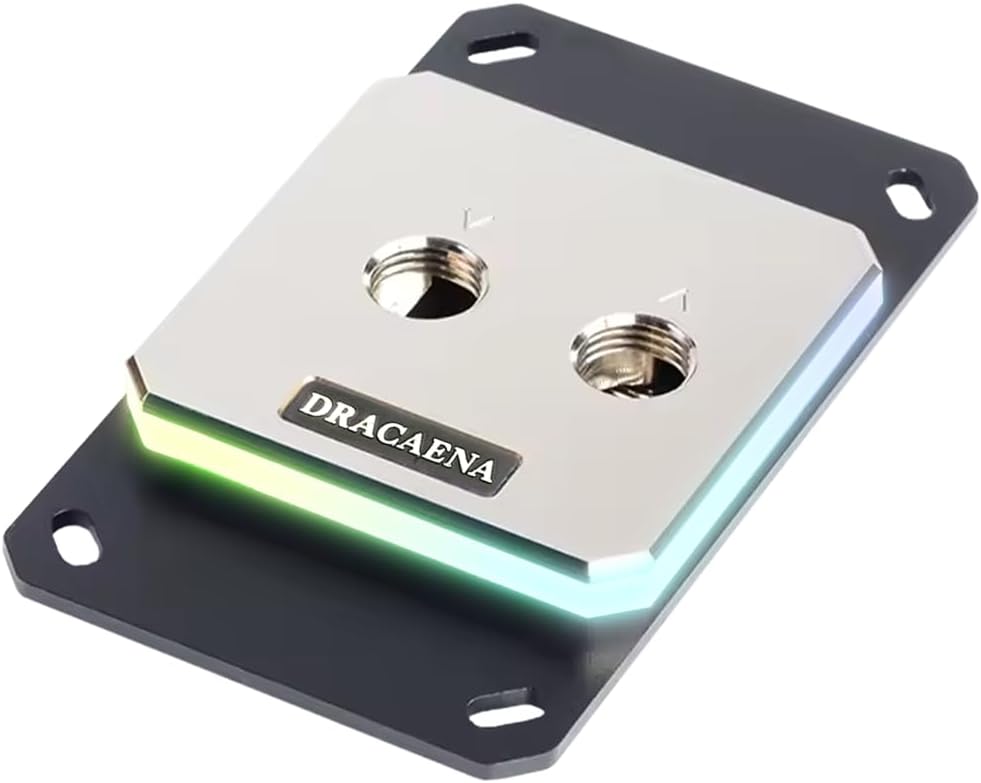
Dracaena.io CPU Water Block
4.6Editor score
Full copper water channels
Extensive AMD socket support
Compact 63mm square design
CPU water blocks combine a cold plate, internal water passages, and often an integrated pump to move coolant through a processor loop. A strong model can improve sustained thermal headroom, reduce fan noise, and support a cleaner custom-loop build, but socket fit, pump behavior, display software, and installation requirements matter as much as the advertised design.
This guide compares ten CPU water blocks across Intel and AMD platforms, evaluating their cold-plate materials, internal flow paths, fittings, lighting, displays, dimensions, and included hardware. The list includes enthusiast all-in-one blocks, display-equipped models, compact loop-ready designs, and simpler blocks intended for custom-loop builders.
Each review explains who the product is likely to suit, what makes it stand out, and where compromises may exist. Ratings and specifications reflect the supplied product information, while availability, bundle contents, software compatibility, and prices can change, so verify the current listing before buying.
4.6Editor score

4.6Editor score

3.6Editor score
As an Amazon Associate we earn from qualifying purchases.
The table below compares socket coverage, core materials, display or lighting features, and physical dimensions to help you identify the most appropriate CPU water block for your build.




The EKWB EK-Quantum Velocity 3 earns the top position because it combines broad modern-platform support with a carefully engineered internal design. It holds a 4.6 rating and is specified for Intel LGA 1700 and LGA 1851 processors as well as AMD AM5 platforms. Its defining advantage is a nickel-plated copper cold plate paired with optimized internal geometry and controlled mounting pressure.
We may earn a commission when you buy through this link, at no additional cost to you.
EKWB states that the Velocity 3 can improve thermal performance by as much as 2 degrees Celsius compared with the Velocity 2. That claim matters because the block is not merely a style update: the internal geometry is intended to improve the movement of coolant through the CPU area. The copper cold plate supports strong heat transfer, while the plexi cover gives custom-loop builds a recognizable focal point without adding a screen to the installation.
The trade-off is that this is a loop-oriented product rather than a complete sealed all-in-one cooler. It is intended for builders prepared to assemble a custom loop with compatible tubing, fittings, a reservoir, radiator, pump or reservoir-pump combination, and adequate mounting hardware. It also does not offer an LCD for temperature monitoring or animated content. Buyers who want a complete cooling package should look elsewhere in this list.
The Velocity 3 is most convincing for an enthusiast who wants a restrained, performance-oriented block across current high-end Intel and AMD platforms. Its small listed dimensions, modern socket range, and stated thermal gains make it the strongest general recommendation here. Choose it when cold-plate material, flow design, and future-looking platform support matter more than an integrated display or plug-and-play pump.
The optimized internal geometry and nickel-plated copper cold plate are the block's central selling points. Together, they target efficient heat transfer and more even coolant interaction with the processor surface.
Support for LGA 1700, LGA 1851, and AM5 makes the Velocity 3 a practical choice for current enthusiast systems. Verify your exact processor socket and the complete contents of the mounting kit before installation.
We may earn a commission when you buy through this link, at no additional cost to you.
The CORSAIR XC7 RGB Elite LCD is the most display-focused premium option in this roundup. Its 480 x 480 IPS panel supports real-time CPU temperature, animated GIFs, memes, team logos, and other customizable content, while a 600cd/m² backlight and 24-bit color provide a vivid presentation. The block carries a 4.1 rating and supports Intel LGA 1700 and AMD AM5 systems.
We may earn a commission when you buy through this link, at no additional cost to you.
Its cooling architecture is also noteworthy. The Hexa-Flow engine is designed to mitigate laminar flow and distribute coolant more evenly across multi-chip-package processors. Beneath that system, a nickel-plated copper cold plate uses more than 120 micro-cooling fins. Thirty-one individually addressable RGB LEDs add lighting around the display, creating a more elaborate appearance than a conventional plexi-topped block.
USB-C connectivity simplifies the physical and software setup compared with blocks requiring separate display wiring or a separate controller. Nevertheless, the screen depends on compatible software and system configuration for some functions. The display also increases the visual and physical footprint, while the product's 4.1 rating is lower than those of several technically focused alternatives in the list.
This model best suits a builder who wants the CPU block to function as the centerpiece of the system. It is especially attractive for creative displays, live temperature monitoring, and coordinated RGB presentation. Choose it when screen quality and ecosystem integration are priorities; choose the Velocity 3 instead when low-complexity custom-loop design and focused thermal engineering are more important.
The IPS panel can display animated GIFs, logos, memes, and live temperature information. That makes the block useful as a compact information and personalization surface as well as a cooling component.
USB-C provides a straightforward connection for compatible software and display functions. This reduces the need for extra display cabling and may simplify setup compared with legacy controller-based designs.
We may earn a commission when you buy through this link, at no additional cost to you.
The Dracaena.io CPU Water Block stands out as the strongest value-oriented choice for AMD builders. It has a 4.6 rating, uses a full copper water loop, and supports an unusually broad collection of AMD sockets without requiring adapters. Those range from modern AM5 and AM4 platforms to AM3, AM3+, AM2, and AM2+ systems.
We may earn a commission when you buy through this link, at no additional cost to you.
Thermal design is handled by full copper internal water channels and a 0.4mm microfin base plate. The supplied information specifically states that no aluminum is present in the water path, allowing copper contact from inlet to outlet. The block also has a compact 63 x 63mm form factor, which can be useful in compact cases where taller integrated pump housings and large screens are undesirable.
The package includes a 5V ARGB controller, backplate, mounting hardware, and screws. A three-pin ARGB header supports synchronization with major motherboard lighting ecosystems, including Asus Aura Sync, MSI Mystic Light, Gigabyte RGB Fusion, and ASRock Polychrome. Thermal paste is not included, so a suitable application must be added to the installation supplies.
This is a compelling choice for an AMD system builder who values socket longevity and a copper-focused custom-loop design. Its lack of listed Intel support rules it out for many dual-platform builders, and it does not include an integrated display or pump. For the stated use case, however, it balances materials, compactness, included accessories, and platform breadth unusually well.
Full copper channels and a 0.4mm microfin base plate create a consistent high-conductivity route between coolant and processor. The absence of aluminum in the water path also gives the design a clear material identity.
Support extending from AM5 through AM2+ makes this block especially interesting for builders maintaining older AMD hardware. Confirm the exact CPU and the included bracket configuration before ordering.
We may earn a commission when you buy through this link, at no additional cost to you.
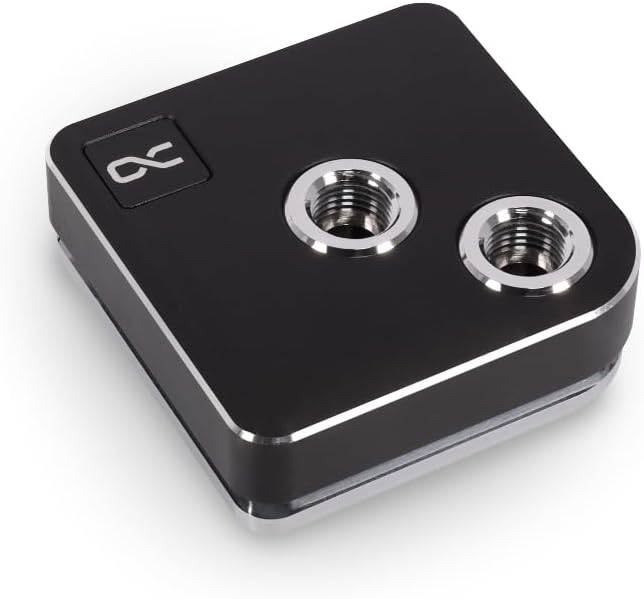
The Alphacool Core 1 is a concise, traditional custom-loop block with a strong 4.6 rating. It supports both Intel and AMD processors, with the supplied information specifically listing Intel LGA 1700 and AMD AM4 and AM5. Its black finish is designed to blend into a wide range of restrained build themes without competing with brighter components.
We may earn a commission when you buy through this link, at no additional cost to you.
The block measures 72 x 72 x 26.5mm, making it compact enough for a variety of cases while providing a larger footprint than the Dracaena.io design. The supplied product information focuses on platform compatibility and dimensions rather than detailing cold-plate construction, microfin density, lighting, or port arrangements. Buyers should therefore consult the current listing and package contents for those specific details.
One strength is its platform flexibility: a builder moving between recent Intel and AMD processors is not restricted to a single-socket family. The trade-off is that the Core 1's presentation is much less elaborate than the CORSAIR LCD, TRYX AMOLED, or RGB-equipped alternatives. It also does not provide temperature telemetry or content on a screen.
The Alphacool Core 1 is most appropriate for someone who wants a clean, functional CPU block and already has a planned custom loop. Its 4.6 rating and broad current-socket support make it a credible general choice, although buyers should verify fittings, mounting parts, and thermal-interface materials against the current package listing.
Intel LGA 1700 alongside AMD AM4 and AM5 support gives the Core 1 flexibility across current enthusiast platforms. Check the mounting hardware and socket revisions carefully during installation.
The all-black finish is designed to coordinate with cases and components that favor a restrained appearance. It avoids the visual complexity of a large display or extensive lighting.
We may earn a commission when you buy through this link, at no additional cost to you.
The 50mm Copper Base Waterblock is a basic custom-loop option for older processor platforms. It holds a 4.2 rating and uses a copper base with an inner water channel, intended to provide a large contact area and move heat away from supported CPUs. Two chrome-plated copper faucets have an external diameter of 10mm.
We may earn a commission when you buy through this link, at no additional cost to you.
Its socket coverage is the defining advantage for systems that use older hardware. The supplied information lists AMD 940, AM2, AM3, and Bulldozer platforms, along with Intel 775, 1155, 1156, 1366, LGA 1150, and LGA 2011. This makes it relevant for restoring or upgrading a legacy custom-loop system, provided the physical mounting pattern and contact surface match the processor and CPU plate.
The block is visually and functionally simple. It does not offer an integrated pump, RGB lighting, LCD, temperature sensor, or modern software integration, and the listed accessory set contains four screws. A complete installation therefore requires compatible tubing and fittings, an adequate pump and radiator, thermal paste, and a mounting process suited to the specific older platform.
This product is best for a builder preserving an established legacy liquid-cooling setup rather than assembling a new modern system. Its broad old-socket list is useful, but newer boards demand blocks explicitly designed and supported for their mounting arrangement. Consider a modern alternative for AM5, LGA 1700, or LGA 1851.
The broad legacy socket list makes the block useful for maintaining older Intel and AMD systems. Matching the mounting pattern, CPU contact area, and fitting arrangement is essential.
A copper base and inner channel provide the essential heat-transfer surfaces. As a basic block, it leaves the pump, coolant circulation, radiator, and lighting decisions entirely to the builder.
We may earn a commission when you buy through this link, at no additional cost to you.
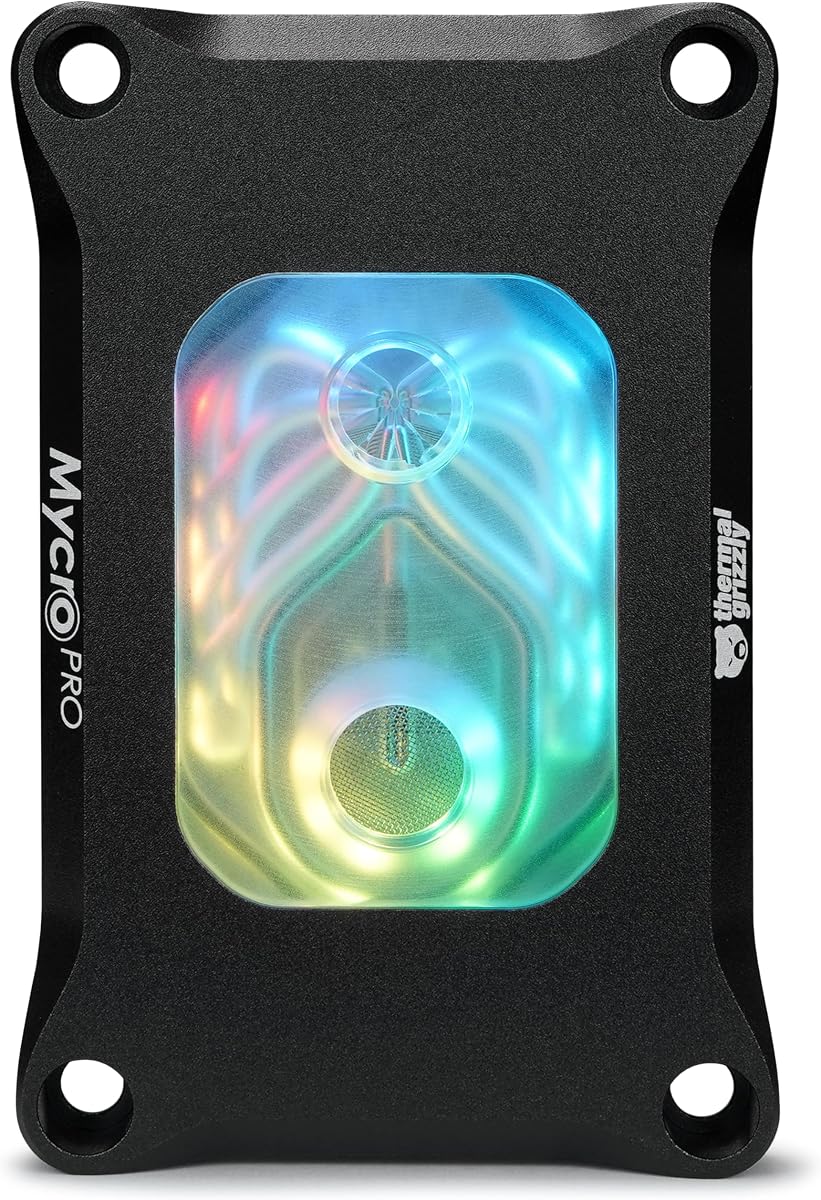
The Thermal Grizzly Mycro Pro RGB is a precision-focused AMD custom-loop block with a 4.6 rating. It is designed for AM5 and is also compatible with AM4. Its standout technical feature is a nickel-plated copper cold plate containing 68 microfins with a stated 0.2mm structure, intended to increase the available surface area and support heat transfer under load.
We may earn a commission when you buy through this link, at no additional cost to you.
A fine mesh filter is integrated into the inlet. That detail can help trap particles before they reach the delicate microfin structure, supporting more consistent coolant movement in a custom loop. Standard G1/4 threads provide a familiar connection method, while the RGB window adds a restrained illuminated accent without the bulk of a display-equipped block.
The listed material combination includes acrylic, aluminum, nickel-plated copper, and EPDM O-rings. This gives the product a more deliberate construction story than a basic block, although it remains dependent on the quality of the rest of the loop. The block also does not include a pump, and its supplied information does not indicate broad Intel socket coverage.
The Mycro Pro RGB is best suited to an AMD custom-loop builder who values cold-plate machining, flow cleanliness, and standardized fittings. It is a particularly compelling choice when the surrounding loop already uses G1/4 components and the desired aesthetic calls for a subtle RGB accent rather than an LCD or OLED screen.
The 68 precision-machined 0.2mm microfins increase surface area around the cold plate. Their fine structure also makes clean coolant and effective filtration important parts of the product's design.
Standard G1/4 threading and the integrated inlet filter make the block convenient for conventional custom-loop planning. The RGB window offers visual customization while preserving a comparatively compact profile.
We may earn a commission when you buy through this link, at no additional cost to you.
The TRYX Panorama WB turns the CPU block into a large digital display. Its curved 6.67-inch 2K AMOLED panel runs at 60Hz and offers 372PPI pixel density, creating a much more expansive visual surface than the square LCD found on the CORSAIR XC7 RGB Elite LCD. The supplied rating is 3.6, the lowest among these products.
We may earn a commission when you buy through this link, at no additional cost to you.
Display management runs through TRYX KANALI, which includes anamorphic presets, hardware monitoring, split-screen options, filters, and support for PNG, JPG, GIF, and MP4 files. The software also provides a native connection to GIPHY, allowing users to browse and select content without manually importing every file. This is a substantial feature set for a PC component, although it creates a stronger software dependency than a conventional block.
Cooling is based on Asetek Gen8 V2 thermal architecture and a 55.5 x 55.5mm microchannel copper cold plate. A built-in four-pin PWM VRM fan adds targeted airflow over motherboard voltage regulators; it can reach 3300RPM, produces 17.4CFM of airflow, and is listed at 22dB under full load. Brass G1/4 90-degree rotary fittings, all-metal mounting frames, and thermal paste are included.
The Panorama WB is ideal for a showcase build where screen size, visual content, and auxiliary VRM airflow justify the added complexity. It supports Intel LGA 1851, LGA 1700, LGA 1200, and LGA 115X as well as AMD AM4 and AM5. Buyers should carefully check case clearance, software requirements, cable routing, and power management before committing.
A 6.67-inch curved 2K AMOLED at 60Hz provides enough surface for detailed graphics, animations, and monitoring information. It is a statement piece rather than a conventional temperature display.
The built-in PWM fan directs airflow toward the motherboard voltage-regulator area. Its specified 3300RPM maximum speed and 22dB full-load noise level add functional cooling beyond the CPU cold plate.
Native GIPHY access and support for common image and video formats simplify customization. The software also manages split-screen layouts, monitoring data, filters, and anamorphic presentation options.
We may earn a commission when you buy through this link, at no additional cost to you.
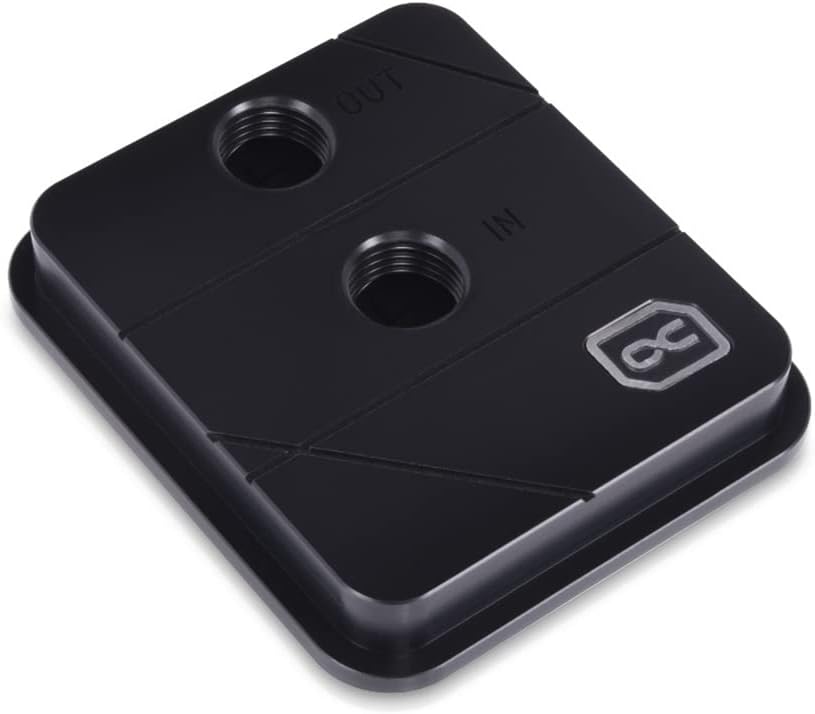
The Alphacool Core XP3 is a compact, functional CPU water block intended for custom cooling loops. It carries a 4.4 rating, supports Intel and AMD processors, and uses two G1/4 threaded ports for standard tubing and fitting integration. The heat-transfer component is a nickel-plated copper cooler material.
We may earn a commission when you buy through this link, at no additional cost to you.
At 73 x 63 x 21mm, the block is short enough to fit comfortably in many custom-loop arrangements. Its listed maximum working temperature is 60 degrees Celsius, providing a defined operating limit for builders. The acetal variant gives the product a clean, practical appearance without an integrated display or elaborate RGB system.
The principal limitation is that the supplied information does not list the exact modern sockets included in the mounting kit. While it broadly states Intel and AMD compatibility, owners should verify the bracket set against the specific processor and motherboard before ordering. The absence of lighting, telemetry, and a display also makes it less visually distinctive than several neighboring options.
The Core XP3 is a sensible choice for a builder who wants a simple copper-based block with standard ports and compact dimensions. It works especially well as part of an understated custom loop where component sizing and straightforward plumbing matter more than digital displays or synchronized lighting.
A listed height of 21mm can make routing easier in tightly packed cases. The rectangular dimensions also provide a practical alternative to larger square premium blocks.
Two G1/4 threaded ports allow the block to fit into a conventional custom-loop layout. Confirm port orientation, included fittings, and socket hardware before installation.
We may earn a commission when you buy through this link, at no additional cost to you.
The CORSAIR iCUE Link XC7 RGB Elite is a lighting-focused all-in-one option for builders already invested in CORSAIR's connected ecosystem. It has a 4.1 rating, supports Intel LGA 1700 and AMD AM5, and includes 24 individually addressable RGB LEDs surrounding a transparent flow chamber. Its most useful technical feature is a built-in cold-plate temperature sensor.
We may earn a commission when you buy through this link, at no additional cost to you.
That sensor enables more precise cooling control through the iCUE LINK system. The patented LINK approach uses universal connectors to daisy-chain compatible components, reducing cable clutter and supporting a coordinated setup. However, the required iCUE LINK System Hub is sold separately, which should be considered when planning the complete installation and its cost.
The block uses the same general Hexa-Flow cooling approach found in the display-equipped XC7 RGB Elite LCD, with a nickel-plated copper cold plate and more than 120 micro-cooling fins. Unlike the LCD model, it omits a screen. The result is a visually active block for RGB-focused builds without the largest element of a display-equipped CPU cooler.
The iCUE Link XC7 RGB Elite is best for a builder who wants synchronized lighting, temperature monitoring, and a transparent internal presentation. It is less suitable for someone seeking a standalone block that avoids additional ecosystem hardware. Make sure the required hub, software, internal headers, and power connections are available before installation.
The built-in cold-plate sensor can feed precise temperature readings into the connected control software. That adds monitoring value without requiring a screen on the block itself.
Twenty-four addressable LEDs and the iCUE LINK connection system are designed to synchronize lighting and reduce cable clutter. The separate hub requirement should be included in the build plan.
We may earn a commission when you buy through this link, at no additional cost to you.
The Alphacool Core 1 LT combines a traditional water-block shape with acrylic construction and digital RGB lighting. It has a 4.1 rating and supports Intel LGA 1700 as well as AMD AM4 and AM5. The acrylic top allows internal illumination to become part of the build's visual design without adding a display.
We may earn a commission when you buy through this link, at no additional cost to you.
Its dimensions are listed at 71.8 x 71.8 x 28.05mm, giving it a symmetrical footprint that should suit many mid-size and larger cases. Digital RGB provides customizable lighting, but the supplied information does not identify a specific synchronization standard or describe the internal cold plate and flow geometry in detail.
That limited technical disclosure means buyers should review the current package listing for port type, pump status, mounting hardware, lighting control, and cooler materials. As a result, the Core 1 LT is easier to recommend on platform coverage and appearance than on a detailed comparison of fin density, pump noise, or measured performance.
The product is a good fit for a builder who wants a classic illuminated CPU block spanning major Intel and AMD sockets. It offers visual appeal without the bulk of an LCD or AMOLED panel and without the extra software ecosystem required by some connected products. Verify the current hardware specifications before finalizing a purchase.
The acrylic top and digital RGB lighting create a familiar custom-loop aesthetic. It provides visual interest while remaining smaller and less complex than a screen-equipped block.
Compatibility with LGA 1700, AM4, and AM5 covers widely used enthusiast platforms. Check the mounting kit and block orientation against the planned case and motherboard layout.
We may earn a commission when you buy through this link, at no additional cost to you.
Choosing a CPU water block involves balancing processor support, thermal design, pump and loop architecture, display software, lighting, physical clearance, and the amount of installation work you are comfortable undertaking. The most important step is matching the block to the CPU, motherboard, case, and rest of the cooling system.
The mounting system must physically and electrically match the processor platform. Intel LGA 1700, LGA 1851, AMD AM4, and AMD AM5 are common choices, but support language can conceal differences between revisions, included brackets, and backplate requirements. A block that works with one socket does not automatically cover every similar-looking mounting pattern. Check the product title, compatibility list, included hardware, and manufacturer instructions before ordering.
Legacy support is particularly useful when rebuilding or upgrading an older system. The 50mm Copper Base Waterblock lists several older AMD and Intel platforms, while the Dracaena.io model extends backward through numerous AMD sockets. Modern cross-platform blocks such as the Alphacool Core 1, Core 1 LT, and selected CORSAIR products offer convenience, provided the exact mounting kit includes the required socket.
Choose only the sockets you need, but avoid buying a narrowly compatible block if you may upgrade the CPU within the same platform family. Confirm whether the product includes the backplate, screws, thermal paste, and any pump or controller hardware.
The cold plate directly contacts the processor, so its material and machining influence thermal transfer. Nickel-plated copper appears throughout this list and combines copper conductivity with a protective plated surface. Internal channels, micro-cooling fins, and flow geometry determine how coolant is distributed across the CPU area and can help reduce temperature differences between densely packed cores.
Fin count alone does not tell the whole story. The Thermal Grizzly Mycro Pro RGB emphasizes 68 precisely machined 0.2mm microfins, while the CORSAIR products use more than 120 high-efficiency micro-cooling fins. The TRYX uses a 55.5mm microchannel cold plate, while the Velocity 3 relies on optimized internal geometry and states an improvement over its predecessor. Compare actual design descriptions rather than assuming one architecture wins every build.
Prioritize blocks with clear material and flow information for a high-performance custom loop. For basic use, a correctly mounted copper block with sound loop design can still be effective, but you should understand that the radiator, pump, tubing, coolant, and mounting quality all contribute to the final result.
A CPU block may include its own pump, operate with a separate pump, or serve as one component in a larger custom loop. The Dracaena.io model is described as compatible with a G1/4 custom loop, indicating that the builder supplies circulation hardware. Other all-in-one products integrate more of the cooling system, while the TRYX's internal VRM fan is designed to supplement CPU cooling rather than circulate coolant.
Consider pump placement, noise behavior, tubing constraints, and whether a reservoir is needed. A good cold plate cannot compensate for insufficient flow, poorly routed tubing, an undersized radiator, or an air pocket. Conversely, a powerful loop does not make a complex display necessary if your priorities are purely thermal and acoustic.
Decide whether you want a complete cooling solution or a component for an existing loop. Check included cables, controllers, pump specifications, fitting sizes, and software dependencies before combining products from different ecosystems.
Display-equipped blocks vary dramatically in physical scale and functionality. The CORSAIR XC7 RGB Elite LCD uses a 480 x 480 IPS panel with 600cd/m² brightness and USB-C connectivity. The TRYX Panorama WB moves to a curved 6.67-inch 2K AMOLED at 60Hz, offering far more room for graphics and animated content but requiring more case clearance and greater attention to power and software setup.
Software quality is as important as panel resolution. CORSAIR supports temperature information, GIFs, memes, and logos through its ecosystem. TRYX KANALI adds GIPHY browsing, split-screen views, filters, hardware monitoring, and support for PNG, JPG, GIF, and MP4 uploads. Verify operating-system requirements, permissions, connection methods, and update support before choosing a display based only on appearance.
A screen is optional, not a cooling requirement. If software complexity is undesirable, choose a block with lighting or no display and place monitoring software elsewhere in the system.
Lighting can reinforce a coordinated build without materially changing the cooling architecture. The Dracaena.io block uses a three-pin 5V ARGB header and includes an ARGB controller. The CORSAIR iCUE Link XC7 RGB Elite uses 24 addressable LEDs, while the XC7 RGB Elite LCD adds 31. The Alphacool Core 1 LT provides digital RGB through its acrylic top, while the EKWB Velocity 3 uses a plexi presentation.
Check connector voltage and pin layout before mixing lighting systems. A 5V three-pin ARGB connector is not interchangeable with a 12V four-pin RGB connector. Proprietary ecosystems may also require a hub, software, or additional cables. If lighting is secondary, a block without LEDs can reduce clutter and avoid needless ecosystem complexity.
For visual consistency, consider case materials, motherboard lighting, fans, coolant color, and tubing. For practical consistency, prioritize connector compatibility and software stability over the number of LEDs.
CPU blocks must clear the motherboard, case, graphics card, radiator, reservoir, and tubing. The compact options include the Dracaena.io at 63 x 63mm and the Alphacool Core XP3 at 73 x 63 x 21mm. Square blocks around 71.8 to 72mm on each side are also manageable in many builds. The TRYX display is the obvious outlier because its 6.67-inch curved panel requires substantially more space.
Measure rather than estimate, especially in compact cases with tall memory, a large graphics card, or a vertically mounted radiator. Orientation changes can also alter the space needed for fittings and tubing bends. Check the dimensions from the product listing and compare them with the case's CPU cooler clearance and the positions of adjacent components.
Prefer a smaller block when clearance is tight. If room is abundant, a display can become a central visual feature, provided the build has suitable power, software, and cable-management options.
Custom-loop builders need fittings that match the block's ports. G1/4 is the dominant standard represented in this roundup, appearing on the Dracaena.io, Thermal Grizzly Mycro Pro RGB, TRYX Panorama WB, and Alphacool Core XP3. The older 50mm Copper Base Waterblock lists chrome-plated copper faucets with a 10mm external diameter, which calls for a different fitting check.
Fitting size alone is not enough. Builders should consider thread type, port depth, swivel and rotation features, barb versus compression style, and the tubing diameter planned for the loop. The TRYX includes brass G1/4 90-degree rotary fittings, which may simplify routing but should still be checked against the rest of the loop.
Plan the entire fluid path before buying a block. Mixing incompatible thread standards can require adapters or lead to leaks, while a complete matching set usually makes assembly and servicing easier.
A complete installation kit can make a major difference in convenience. The Dracaena.io package includes an ARGB controller, backplate, mounting hardware, and screws, but not thermal paste. The TRYX includes brass rotary fittings, all-metal mounting frames, and thermal paste. Other products list only a subset of accessories, so buyers should verify what is included before making additional purchases.
Serviceability matters for custom loops because blocks may need to be removed during maintenance or component changes. EPDM O-rings, like those used in the Thermal Grizzly Mycro Pro RGB, can simplify sealing decisions when replacing compatible parts. Threaded ports are generally easier to disconnect than permanently bonded or press-fit connections.
Use good thermal-interface material, clean sealing surfaces, and follow the mounting sequence specified by the manufacturer. Verify all connections before powering the pump, and plan how you will drain or service the loop if it will be opened later.
Begin by confirming the block supports your exact CPU socket and reviewing the mounting instructions, included backplate, screws, thermal paste, and fittings. Clean the processor and cold plate with appropriate lint-free material, apply a controlled amount of high-quality thermal compound, and tighten the mounting hardware gradually in a cross pattern. Avoid overtightening, which can damage the socket, cold plate, or mounting hardware.
For a custom loop, verify that all fittings use the correct thread and sealing system. Fill the loop slowly while watching for trapped air, position the reservoir and pump according to the loop design, and circulate coolant before mounting the block under sustained load. Inspect every port after the tubing is pressurized, and confirm that there are no leaks around the fittings or mounting area.
After installation, monitor coolant temperature, CPU temperature, pump operation, and unusual sounds. For display or RGB-equipped blocks, update the relevant software, test brightness and synchronization, and confirm that screen or lighting settings persist through a restart. Periodically clean filters where accessible, check fittings, and follow the coolant and manufacturer maintenance recommendations to preserve the block, seals, and display.
A CPU water block can provide better sustained cooling and more thermal headroom, particularly under heavy load, when the radiator and pump are properly sized. It can also reduce fan noise by moving heat to a larger radiator. However, a well-designed air cooler can cool many processors effectively and requires fewer components, so the water block is not automatically the better choice for every system.
Some products are complete all-in-one coolers with integrated pumps and radiators, while others are blocks intended for a custom loop. A custom-loop-only block requires a compatible pump, radiator, reservoir if needed, tubing, fittings, and coolant. Check the product description and package contents before assuming installation hardware is included.
Confirm the precise CPU socket rather than relying only on the processor family name. Look for mounting support and the required backplate for your motherboard layout. Some blocks support several sockets, while others are limited to AMD or to a specific generation, and the listed compatibility should be checked against the exact product.
RGB blocks may require an ARGB or RGB header, lighting controller, and compatible motherboard software. Display models may also need a USB connection, internal power cable, supported software, and adequate case clearance. None of these features inherently changes the basic water-block installation, but they add connections, configuration steps, and potential compatibility considerations.
A good thermal interface is needed between the CPU and cold plate. Some blocks include thermal paste, while others, including the Dracaena.io model, explicitly do not. If the package does not include paste, apply a suitable high-quality thermal compound according to the block manufacturer's spreading instructions.
Use fittings that match the port thread and diameter, verify sealing surfaces, and hand-tighten fittings according to the manufacturer instructions. Fill the loop slowly, purge trapped air, and inspect every connection under operating pressure. A short test run before installing the block permanently can reveal leaks while access to the fittings is still easy.
Socket compatibility, cold-plate material, internal flow design, pump capability, radiator size, and correct mounting hardware are the fundamentals. Displays, lighting, and software become important for showcase or RGB-focused builds. The best block is one that fits the processor, works with the intended loop or ecosystem, and fits the available physical space.
Only when the block explicitly includes the correct Intel mounting hardware and the CPU contact and socket patterns are compatible. A broad statement such as Intel and AMD support is reassuring, but the included bracket set should still be verified. Many blocks are designed around one brand or one socket family even when their overall shape appears similar.
The EKWB EK-Quantum Velocity 3 is the strongest all-around recommendation because it combines modern Intel and AMD socket support, a nickel-plated copper cold plate, optimized internal geometry, and compact dimensions. The Dracaena.io block is the best budget-oriented choice for AMD users, especially because of its copper water channels, compact footprint, extensive legacy socket coverage, and included accessories. For a premium visual centerpiece, the TRYX Panorama WB offers an unmatched 6.67-inch curved AMOLED experience and additional VRM airflow.
Before buying, prioritize exact socket support, mounting hardware, cold-plate construction, case clearance, and the type of cooling loop you intend to build. Display-equipped and RGB-equipped models add convenience or visual appeal but can bring extra software, power, and compatibility considerations. A simpler block may deliver a more dependable result when thermal performance, compactness, and straightforward plumbing are the true priorities.
Finally, verify the current listing, package contents, software requirements, and latest price before ordering. Product bundles, included controllers, mounting kits, and availability can change over time, and current pricing may differ from earlier records. Checking those details at the point of purchase helps ensure that the selected CPU water block is compatible with the complete build.
