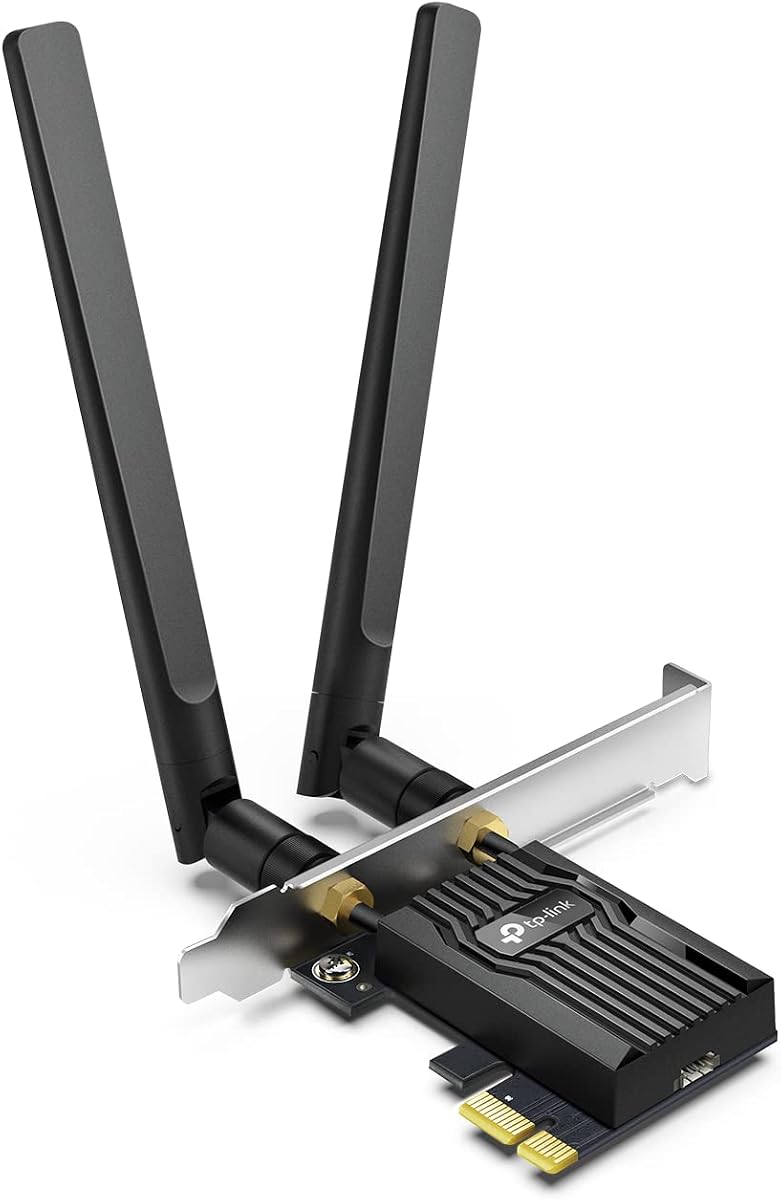
TP-Link Archer TX55E
4.5Editor score
Wi-Fi 6 dual-band networking
Bluetooth 5.2 support
Two high-gain antennas
Standard and low-profile brackets
Explore the best Pcie WiFi Cards for gaming, streaming, and home offices, with expert comparisons of speed, bands, Bluetooth, antennas, and compatibility.
A Pcie WiFi Card adds wireless networking and often Bluetooth to a desktop that lacks built-in Wi-Fi. A worthwhile card should match your router, support the operating system you use, and place its antennas where they can receive a clean signal rather than hiding them behind a metal case.
We compared the ten featured cards by wireless generation, supported frequency bands, theoretical throughput, Bluetooth version, antenna arrangement, security features, and case compatibility. The list covers budget Wi-Fi 6 options, tri-band Wi-Fi 6E choices, and several Wi-Fi 7 cards for newer systems and compatible routers.
Each review explains the adapter's strongest qualities, practical limitations, and ideal buyer, while the comparison table makes the major differences easier to scan. Product details and availability can change, so check the current listing, driver requirements, and your network equipment before making a final decision.
4.5Editor score

4.7Editor score
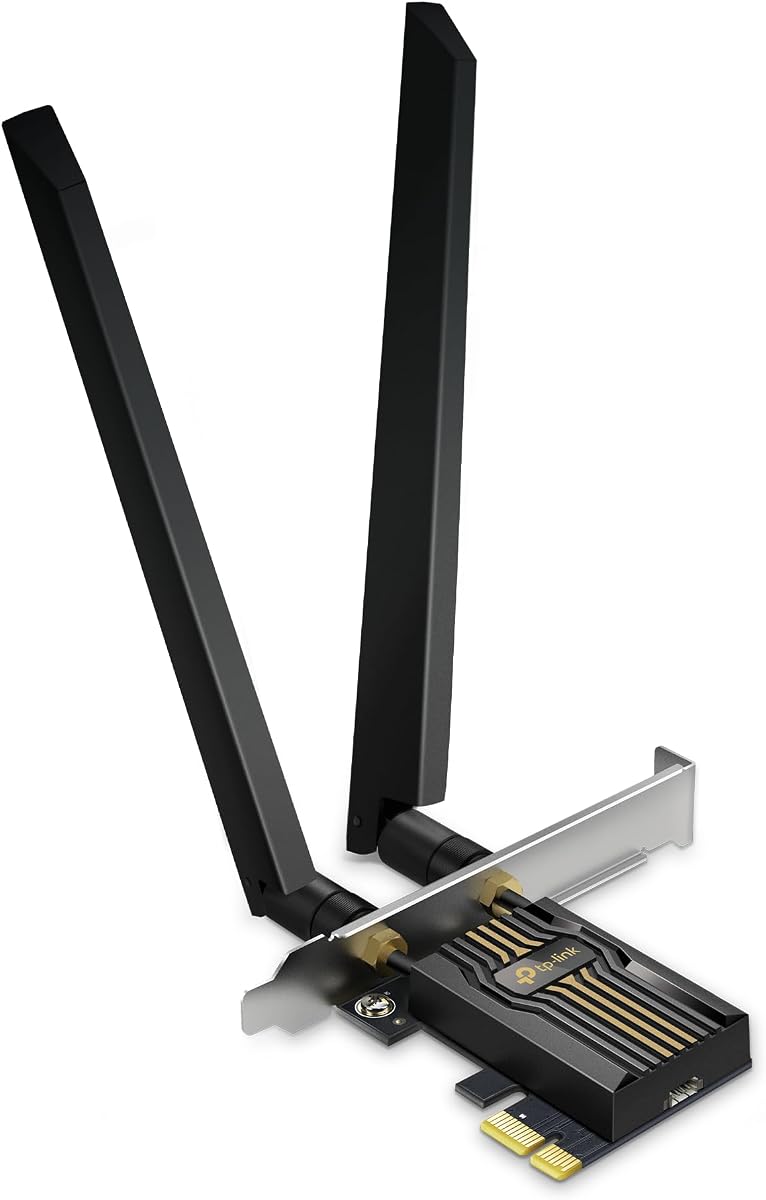
4.4Editor score
The comparison below covers ten internal desktop Wi-Fi adapters spanning Wi-Fi 6, Wi-Fi 6E, and Wi-Fi 7. Pay close attention to operating-system limits, router requirements, band support, and antenna placement because these factors determine whether a fast specification can translate into a useful everyday connection.


The TP-Link Archer TX55E is a dual-band Wi-Fi 6 expansion card with a 4.5 rating. It combines a maximum theoretical rate of 2.4 Gbps across the 2.4 and 5 GHz bands with OFDMA, MU-MIMO, two high-gain antennas, and Bluetooth 5.2, making it a capable general-purpose upgrade for a desktop without wireless connectivity.
We may earn a commission when you buy through this link, at no additional cost to you.
Its main strength is balanced functionality rather than headline features. The 2.4 GHz band can cover 574 Mbps, while the 5 GHz band can reach 2,402 Mbps, and MU-MIMO helps a router serve multiple devices more efficiently. WPA3 support improves network security, while the two signal-boosting antennas can be positioned more effectively than a tiny internal antenna hidden inside a case.
The limitations are straightforward. It does not support the 6 GHz band, so buyers cannot use Wi-Fi 6E networks even if their router offers them. Bluetooth is not a separate PCIe function; the included cable must be connected to a motherboard F_USB header. The card does not support Wi-Fi 7 features such as 320 MHz channels and Multi-Link Operation.
This is an attractive recommendation for someone with a Wi-Fi 6 router who wants fast 5 GHz performance, stable multi-device handling, and convenient Bluetooth without buying a latest-generation system. It is also one of the more practical choices for a general desktop build, particularly when value matters more than future 6 GHz or Wi-Fi 7 capability.
The two high-gain antennas can be moved away from the case and positioned for better reception. This is especially useful in compact towers or all-metal builds where an internal antenna would be surrounded by obstructive materials.
Bluetooth 5.2 expands the card's role beyond networking, allowing compatible keyboards, headsets, controllers, and other peripherals to pair with the desktop. The internal USB header connection is an important installation detail to confirm before buying.
We may earn a commission when you buy through this link, at no additional cost to you.
The TP-Link Archer TX3000E stands out as the most complete mainstream recommendation in this roundup, carrying a 4.7 rating. It delivers dual-band Wi-Fi 6, up to 2.4 Gbps of combined theoretical throughput, Bluetooth 5.3, OFDMA, MU-MIMO, WPA3, and a magnetized antenna base that can be placed around a desktop.
We may earn a commission when you buy through this link, at no additional cost to you.
Its strongest practical feature is the antenna system. Two multi-directional high-performance antennas extend from a magnetic base, making it easy to experiment with placement and find a clearer position. That flexibility is valuable for users whose desktops sit near a corner, behind a television, inside a metal cabinet, or in an area with walls and furniture interrupting the radio path.
The adapter is less advanced than the Wi-Fi 6E and Wi-Fi 7 models because it works only on the 2.4 and 5 GHz bands. It also depends on Windows 11 or 64-bit Windows 10, and driver installation may be required from the TP-Link support page or an included disc. As with the TX55E, Bluetooth requires a cable connected to a motherboard F_USB header.
Choose the TX3000E when you want a highly rated, well-rounded Wi-Fi 6 card with excellent antenna placement and modern Bluetooth. It is especially suitable for Windows gaming desktops, home offices, and media PCs that use a standard dual-band router and do not need the additional bandwidth of a 6 GHz network.
The magnetic base can be attached to a suitable metal surface, allowing the antennas to sit outside the chassis. Experimenting with placement may produce more meaningful improvements than simply relying on the card's maximum advertised speed.
Bluetooth 5.3 is stated to deliver faster transfers and broader coverage than Bluetooth 4.2. It suits modern peripherals such as wireless headsets, game controllers, keyboards, and mice without requiring a separate USB Bluetooth dongle.
We may earn a commission when you buy through this link, at no additional cost to you.
The GIGABYTE GC-WBAX210 is a compact tri-band PCIe card built around the Intel AX210 module. With a 4.6 rating, it supports the 2.4, 5, and 6 GHz bands, IEEE 802.11ac/ax standards, Bluetooth 5.2, and a high-speed wireless connection listed at up to 2,400 Mbps.
We may earn a commission when you buy through this link, at no additional cost to you.
This card is aimed at a straightforward need: adding Wi-Fi 6E to a compatible desktop without moving to a full-size external antenna system. The built-in AX210 module provides dual-stream operation across all three bands, and access to the clearer 6 GHz spectrum can be useful in suitable areas for modern routers and compatible operating systems.
The 2,400 Mbps maximum is lower than the aggregate multi-band figures shown by several competing listings, although real network throughput depends on the router, client, signal conditions, and usage. Because the product data does not describe a magnetic base, adjustable antenna, bracket set, or driver procedure, buyers should verify those installation details on the current listing and with the manufacturer.
The GC-WBAX210 is a good fit for a Windows desktop builder seeking a straightforward Intel-based Wi-Fi 6E card. It is especially relevant when a 6 GHz router is available, the system needs Bluetooth, and a simple internal adapter is preferred over a more elaborate external antenna arrangement.
Supporting 2.4, 5, and 6 GHz gives the card access to a broader range of router networks than a dual-band adapter. The 6 GHz band can provide additional channel capacity where it is available and permitted.
The Intel AX210 module is a widely recognized basis for Wi-Fi 6E desktop connectivity. Its integration may appeal to builders who already understand its driver requirements and operating-system support.
We may earn a commission when you buy through this link, at no additional cost to you.
The TP-Link Archer TBE552E is a premium Wi-Fi 7 card for modern Windows 11 desktops, earning a 4.4 rating. It supports tri-band networking, 320 MHz channels in the 6 GHz band, Multi-Link Operation, Multi-RUs, 4K-QAM, Bluetooth 5.4, OFDMA, MU-MIMO, and WPA3.
We may earn a commission when you buy through this link, at no additional cost to you.
Its headline bandwidth figure reaches 5,764 Mbps on 6 GHz, 2,882 Mbps on 5 GHz, and 688 Mbps on 2.4 GHz. Multi-Link Operation can combine bands to improve throughput, latency, and reliability, while the wide 6 GHz channels can create a high-capacity path when the paired router and local conditions support them.
The operating-system requirement is important: the product is designed exclusively for Windows 11 and is not compatible with Windows 10 or earlier versions. Users will also need a Wi-Fi 7 router to access Wi-Fi 7 capabilities. The two high-gain antennas and included standard and low-profile brackets make it suitable for a variety of desktop chassis styles.
This card makes the most sense for a new Windows 11 build that already has a Wi-Fi 7 router or will receive one soon. It is less appropriate for an older PC, a dual-band router owner, or someone who simply needs affordable everyday wireless and Bluetooth.
Multi-Link Operation allows data to use multiple frequency bands, which can improve responsiveness and resilience on busy networks. The benefit depends on router support and is not equivalent to guaranteed internet speed increases.
A compatible Wi-Fi 7 router can unlock 320 MHz channels, doubling the channel width associated with the previous generation. This creates room for high-bandwidth use such as local transfers, high-resolution media, and demanding multi-device networks.
We may earn a commission when you buy through this link, at no additional cost to you.
The TP-Link Archer AXE5400 combines an Intel AX210-based Wi-Fi 6E platform with a user-adjustable external antenna system. Its 4.6 rating reflects a well-regarded balance of tri-band wireless, Bluetooth 5.3, 2,402 Mbps on both the 5 and 6 GHz bands, 574 Mbps on 2.4 GHz, and a magnetized base.
We may earn a commission when you buy through this link, at no additional cost to you.
Signal placement is the most distinctive aspect. The two multi-directional antennas can be moved to find a better position around the desktop, while OFDMA and MU-MIMO help maintain responsiveness on crowded networks. WPA3 support and the Intel chipset's emphasis on reduced latency and improved reliability make it a strong choice for a modern Windows gaming or work system.
Full 6 GHz operation requires Windows 11 and a Wi-Fi 6E router. The Bluetooth function also requires the supplied USB cable to be attached to a motherboard F_USB header, so this is not a completely cable-free upgrade. As with the other TP-Link cards in this category, theoretical rates should not be confused with guaranteed application throughput.
This is a particularly good match for users who want Wi-Fi 6E but also care about antenna placement. It is well suited to a desktop that sits in an awkward signal environment and needs reliable Bluetooth for peripherals.
The magnetic antenna base gives the user control over radio placement. Moving the antennas away from metal drive cages, power supplies, and case panels can improve consistency in difficult layouts.
The card can connect across 2.4, 5, and 6 GHz networks, making it a flexible middle ground between dual-band Wi-Fi 6 and higher-end Wi-Fi 7 equipment.
We may earn a commission when you buy through this link, at no additional cost to you.
The TP-Link Archer TBE550E is a visually distinctive Wi-Fi 7 adapter that combines tri-band networking with a magnetic base, adjustable antennas, and LED status effects. It has a 4.2 rating and advertises up to 5,760 Mbps on 6 GHz, 2,880 Mbps on 5 GHz, and 688 Mbps on 2.4 GHz.
We may earn a commission when you buy through this link, at no additional cost to you.
The card supports the major Wi-Fi 7 building blocks: 320 MHz channels, 4096-QAM, Multi-Link Operation, and Multi-RU. OFDMA and MU-MIMO help it manage congested environments, while a touch switch on the magnetic base provides a way to interact with the lighting and network-status display.
This model is intended for Windows 11 rather than Windows 10, which narrows its audience. Its high specifications also depend on a Wi-Fi 7 router, 6 GHz availability, suitable channel conditions, and a client device capable of benefiting from the additional bandwidth. A less advanced operating system or network will not unlock the full feature set.
Choose the TBE550E for a showcase Windows 11 build where appearance, external antenna flexibility, and Wi-Fi 7 capability all matter. It is especially compelling for users who want visible status feedback and plan to use a compatible Wi-Fi 7 network.
The magnetic base includes multicolored LED lighting and a responsive touch switch. Besides providing a network-status display, it adds a distinctive element to a transparent or visible desktop build.
OFDMA, MU-MIMO, Multi-RU, and Multi-Link Operation work together to improve efficiency in dense networks. Actual gains remain dependent on the paired router, the number of connected clients, and the types of traffic being transferred.
We may earn a commission when you buy through this link, at no additional cost to you.
The TP-Link AXE5400 AX210 is a straightforward tri-band Wi-Fi 6E card centered on Intel's AX210 chipset. It holds a 4.6 rating and supports up to 2,402 Mbps on the 6 GHz band, 2,402 Mbps on 5 GHz, and 574 Mbps on 2.4 GHz, along with Bluetooth 5.3 and WPA3.
We may earn a commission when you buy through this link, at no additional cost to you.
Its two high-gain antennas are designed to extend coverage, while OFDMA and MU-MIMO support responsive performance on busy networks. The included standard and low-profile brackets improve its suitability for different desktop cases. This is a practical choice for builders who want broad band support and modern Bluetooth without a magnetic external base.
Access to the 6 GHz band requires Windows 11, and a Wi-Fi 6E router is also necessary to use it. Bluetooth requires the provided cable to be connected to an F_USB header, meaning the card is not suitable for every motherboard without checking internal header availability.
The AXE5400 AX210 is a strong all-around recommendation for Windows 11 users with a Wi-Fi 6E network. It balances antenna capability, tri-band flexibility, Bluetooth, and security while avoiding the more specialized requirements of Wi-Fi 7 hardware.
Two signal-boosting high-gain antennas are intended to maintain a strong and smooth connection at greater distances. They are particularly relevant to desktop PCs placed away from the router or separated from it by walls.
WPA3 support strengthens protection for the wireless connection, while OFDMA and MU-MIMO are intended to reduce contention. Together, these features suit modern homes where many devices share limited wireless capacity.
We may earn a commission when you buy through this link, at no additional cost to you.
This Intel AX210 tri-band PCIe card presents a value-oriented route to Wi-Fi 6E, with a 4.5 rating. It supports the 6, 5, and 2.4 GHz bands, an advertised 5,400 Mbps class of throughput, Bluetooth 5.3, WPA3, and compatibility with Windows 10 and Windows 11.
We may earn a commission when you buy through this link, at no additional cost to you.
The Intel AX210 chipset provides a familiar platform for Wi-Fi 6E connectivity, while the tri-band configuration allows users to select among low-range 2.4 GHz networks, faster 5 GHz networks, and the broader 6 GHz spectrum. It is designed for gaming, streaming, large file transfers, and general desktop use, and the included Bluetooth cable adds peripheral support.
There is an important qualification: full 6 GHz functionality requires Windows 11 and a Wi-Fi 6E router. Windows 10 users can still use the card with supported lower bands, subject to the full operating-system and driver requirements for the product. As with every advertised maximum rate, actual throughput varies with network conditions.
This is a practical recommendation for a builder who wants the AX210 platform and tri-band Wi-Fi 6E without moving to a Wi-Fi 7 budget. It is a particularly good fit for a desktop that needs both networking and Bluetooth and is used for everyday productivity alongside high-bandwidth entertainment.
Support for Windows 10 and Windows 11 gives this card more flexibility than models limited to Windows 11. Older systems can use compatible Wi-Fi and Bluetooth networks, although the 6 GHz band itself requires Windows 11.
Combining Wi-Fi 6E and Bluetooth 5.3 reduces the need for a separate internal network card and external Bluetooth dongle. The trade-off is that the Bluetooth cable must still reach an available motherboard USB header.
We may earn a commission when you buy through this link, at no additional cost to you.
The MSI Herald WiFi 7 card brings tri-band wireless and Bluetooth 5.4 to desktop PCs, earning a 4.3 rating. It supports rates up to 5,764 Mbps on 6 GHz, 2,882 Mbps on 5 GHz, and 688 Mbps on 2.4 GHz, along with 320 MHz channels and Multi-Link Operation.
We may earn a commission when you buy through this link, at no additional cost to you.
The main appeal is a combination of next-generation bandwidth and flexible signal placement. Its external antennas use a magnetized base, allowing users to position them away from the chassis and optimize reception. Multi-Link Operation can combine multiple links for faster, more stable connectivity, which is useful in busy wireless environments.
As with all high-end Wi-Fi 7 cards, the specifications depend heavily on compatible infrastructure. A Wi-Fi 6 or older router will limit the available performance, and the 6 GHz band requires suitable local support. The listing also does not provide detailed operating-system or bracket guidance, so those points should be verified before installation.
The Herald is a strong option for an MSI desktop builder who wants Wi-Fi 7 without a Wi-Fi 6E compromise. It fits particularly well when the PC is part of a newer gaming or content-creation system and the network can take advantage of wide 6 GHz channels.
Support for 320 MHz channels on 6 GHz gives compatible Wi-Fi 7 networks a large amount of available spectrum. This can help when several high-bandwidth clients need simultaneous access.
Multi-Link Operation allows multiple links to contribute to a connection. Depending on the router and traffic, that can improve responsiveness, throughput, and continuity compared with relying on a single link.
We may earn a commission when you buy through this link, at no additional cost to you.
The TP-Link Archer TBE553E is a high-bandwidth Wi-Fi 7 card with a 4.2 rating. Its tri-band specification reaches 5,764 Mbps on 6 GHz, 2,882 Mbps on 5 GHz, and 688 Mbps on 2.4 GHz, producing the stated 9.3 Gbps total bandwidth class when paired with compatible equipment.
We may earn a commission when you buy through this link, at no additional cost to you.
The card supports 320 MHz 6 GHz channels, OFDMA, MU-MIMO, Multi-RU, Multi-Link Operation, WPA3, and Bluetooth 5.4. A magnetic base holds a high-gain antenna, allowing the radio to be placed in a more favorable location. TP-Link also highlights its participation in the CISA Secure-by-Design pledge.
There is a major hardware qualification. The product information says setup is designed for an Intel Wi-Fi 7 CPU and is compatible with Windows 10 and Windows 11, but it is not compatible with AMD. Users should also confirm that their motherboard and operating-system environment support the card before purchase. The 9.3 Gbps figure is a combined theoretical total, not a guaranteed real-world transfer rate.
This card is best for a compatible high-end Windows PC that will use a Wi-Fi 7 router and needs the greatest headline bandwidth in the group. It is unnecessary for typical internet browsing, older networks, and systems that do not meet its specific platform requirements.
Adding the maximum rates from all three bands produces the 9.3 Gbps class figure. Real transfers depend on a compatible router, client hardware, channel conditions, and the particular application.
WPA3 support protects wireless passwords, while TP-Link's Secure-by-Design participation adds organizational context. Users should still maintain current router firmware, a strong network password, and sensible device-security settings.
We may earn a commission when you buy through this link, at no additional cost to you.
Choosing a Pcie WiFi Card starts with matching the adapter to your desktop, operating system, router, and intended use. Band support, antenna design, Bluetooth requirements, and installation space determine whether a card will work well or merely offer impressive specifications on paper.
Wi-Fi 6 adapters operate on the 2.4 and 5 GHz bands and suit most modern dual-band routers. Wi-Fi 6E adds the 6 GHz band, which offers additional channel capacity but requires compatible router hardware and usually Windows 11 on the client. Wi-Fi 7 adds features such as 320 MHz channels, Multi-Link Operation, Multi-RUs, and 4K-QAM, making it most useful when the router and computer are both new enough to support them.
Choose the generation your network can actually use. A Wi-Fi 7 card paired with an older router may work at shared capabilities, but it will not unlock the advertised next-generation features.
Maximum figures such as 2.4 Gbps, 5,378 Mbps, or 9.3 Gbps are theoretical rates based on ideal radio conditions and multiple bands. They are not guaranteed file-transfer or internet speeds. Real performance depends on the router, client, distance, walls, interference, channel width, and whether the application uses more than one band. Most households benefit more from stable coverage and low latency than from an enormous theoretical maximum.
Treat the speed number as a compatibility and capacity indicator. Check the per-band rates and the number of supported streams when comparing adapters.
Fixed high-gain antennas provide more adjustment than a tiny internal antenna, while magnetic bases allow the assembly to sit outside the chassis. This is particularly helpful in all-metal cases and compact mini towers. Adjustable or externally movable antennas can also help users find a clearer path to the router rather than leaving the radio trapped beside metal components.
For difficult layouts, prioritize a magnetic base or clearly adjustable antennas. In an open office or desktop near the router, a simpler fixed design may be sufficient.
Many PCIe Wi-Fi cards also provide Bluetooth 5.2, 5.3, or 5.4 for headsets, controllers, keyboards, mice, and other peripherals. However, Bluetooth usually requires the small internal USB cable to be connected to a motherboard F_USB header. Some compact cases or motherboards do not expose an accessible header, so verify the case wiring and internal connectors before buying.
If you already own a reliable USB Bluetooth adapter, a card without Bluetooth may be simpler. Otherwise, confirm the included cable and required header.
Operating-system support is a critical filter. Some Wi-Fi 6E cards require Windows 11 for 6 GHz access, and the TBE552E is listed as Windows 11 only. The TBE553E has specific Intel Wi-Fi 7 CPU and AMD exclusions. Other cards support Windows 10 and 11 but may require 64-bit Windows 10. Driver availability and exact support details should be checked in the product listing or on the manufacturer's support page.
Match the card to an operating system you already use and plan to keep. Upgrading an operating system solely to fit an adapter may be more involved than choosing a broadly compatible model.
A PCIe adapter cannot create 6 GHz or Wi-Fi 7 capability that the router does not provide. It also cannot turn a slow internet plan into a faster connection. To benefit from tri-band adapters, the router must broadcast compatible bands; to benefit from MLO, 320 MHz channels, or advanced modulation, it must support the relevant features. Network topology, wired backhaul, and the number of nearby clients also influence results.
List your router model and wireless specifications before choosing. Buy for the network you have now, unless you are also upgrading the router.
Desktop cases differ in bracket height and available expansion slots. Full-size towers usually use standard-height brackets, while many mini towers require low-profile alternatives. The TX55E, TX3000E, AXE5400, TBE552E, and TBE553E explicitly include both bracket styles in the supplied information. For other models, verify the included hardware rather than assuming a standard bracket will fit.
Measure the case and inspect the available PCIe slot before ordering. A card that supports the right operating system but cannot physically fit is not a viable upgrade.
WPA3 support is important for modern wireless security, while OFDMA and MU-MIMO can improve efficiency when many devices share a router. The selected cards also emphasize lower latency, improved reliability, or multi-device handling through technologies such as Multi-Link Operation. These features are useful, but they work best with compatible access points and appropriate configuration. Router firmware, strong passwords, and updated client drivers remain essential regardless of the card's specification.
Prioritize WPA3 and current driver support. Treat advanced traffic features as useful additions rather than substitutes for a well-maintained network.
Before installing the card, power off the desktop, unplug it, and discharge any remaining power according to the case manufacturer's safety instructions. Confirm that the motherboard has an available PCIe slot, install the correct standard or low-profile bracket, and seat the card firmly. Connect the small Bluetooth USB cable to the F_USB header if you intend to use Bluetooth.
After returning the power and starting Windows, install the current driver and firmware from the manufacturer's official support page. A disc may be included with some adapters, but online support pages often provide newer revisions. Reboot if requested, then connect the antennas and place the magnetic base outside the case where it can receive a clear signal.
Use Windows network settings to join the desired wireless network and confirm the adapter is selected as the active connection. For multi-band routers, let the adapter choose the best available band rather than forcing a connection when automatic selection provides better results. Update drivers, router firmware, and the operating system periodically, and avoid placing the magnetic antenna base against heat sources or components that may obstruct the radio.
A PCIe card is generally the better choice for a desktop that has an available expansion slot because it offers a direct internal connection and avoids occupying a USB port. It also commonly provides external antenna options and integrated Bluetooth. A USB adapter is still useful for quick testing, compact systems without a suitable slot, or situations where a temporary second connection is needed.
A matching router is needed to use the adapter's newest features at their full potential. A Wi-Fi 6E card requires a Wi-Fi 6E router for 6 GHz access, and a Wi-Fi 7 card requires a Wi-Fi 7 router for features such as 320 MHz channels and Multi-Link Operation. Older routers may still allow the card to connect using older standards.
Check that the router is broadcasting on 6 GHz, the adapter supports that band, and the computer is running a compatible operating system. The supplied information for several cards states that Windows 11 is required for 6 GHz use. Driver and firmware versions, router settings, regional availability, and the particular router model should also be verified.
Many do, but the included feature lists should be checked because not every design offers the same Bluetooth version or requires the same connection method. On the cards listed here, Bluetooth typically uses a small USB cable connected to a motherboard F_USB header. Confirm that the header is available inside your case before purchasing.
You can if the card has a low-profile bracket and the case provides a compatible PCIe slot. Several models in this guide explicitly include standard and low-profile brackets, making them suitable for both full-size and many mini-tower systems. Also check the card's height against nearby components and confirm that the Bluetooth USB cable can reach a motherboard header.
No. Advertised Mbps figures describe theoretical wireless capacity under ideal conditions, not guaranteed internet throughput. Your internet plan, router, signal distance, interference, walls, channel width, and device hardware all influence results. A stable connection with low latency may be more valuable than a much higher maximum figure when your actual service is the limiting factor.
Place it outside the desktop case where possible, away from metal panels, power supplies, and heavily obstructed areas. Experiment with several positions because the router, walls, and neighboring networks influence reception. A location with a clear path to the access point will usually serve the system better than one tucked into a crowded internal component area.
Update drivers when installing the card, when troubleshooting a connection problem, and whenever the manufacturer releases a meaningful update. The manufacturer's official support page is preferable to an outdated bundled disc. Keeping both the adapter driver and router firmware current can improve compatibility, stability, and access to supported wireless features.
The TP-Link Archer TX3000E is the strongest all-around choice because it combines a highly rated Wi-Fi 6 platform, Bluetooth 5.3, and a flexible magnetic antenna base. The TX55E provides a similarly balanced dual-band experience, while the Archer TBE552E is the premium pick for a Windows 11 desktop paired with a Wi-Fi 7 router.
Prioritize compatibility before chasing a larger speed number. Check the router's bands, the computer's operating system, physical case clearance, Bluetooth header availability, and the need for low-profile hardware. Antenna placement and driver support can affect the experience more meaningfully than differences between headline bandwidth figures.
Finally, check current product details, driver downloads, and prices before ordering, as specifications and listings can change. For most users, the TX3000E or TX55E is enough; Wi-Fi 6E and Wi-Fi 7 make the most sense when both the desktop and the surrounding network are ready.