
MOBDIK Paperfeel Screen Protector
4.4Editor score
Natural paper-like texture
Broad compatible model range
Anti-glare oleophobic finish
An iPad A16 paper screen protector is designed to make Apple Pencil writing and sketching feel more controlled, natural, and comfortable than a bare glossy display. The best options balance paper-like friction, responsive touch input, glare reduction, reliable adhesion, and a precise fit for the intended iPad model.
This guide compares ten protectors using the supplied compatibility details, material construction, surface texture, installation features, and customer ratings. It covers films, hybrid PET-and-glass designs, fully tempered-glass options, and a removable magnetic protector, with particular attention to Apple Pencil use.
Each review identifies the feature that makes its protector distinctive, along with the compromises worth considering. The results show that writing feel, screen protection, installation method, and model compatibility matter more than the number of pieces in a pack, while current listings and availability can change.
4.4Editor score
4.6Editor score

4.2Editor score
As an Amazon Associate we earn from qualifying purchases.
The table below compares the ten featured protectors by material, paper-style writing surface, model coverage, and installation approach, making it easier to identify the right choice for your iPad and preferred level of physical protection.




The MOBDIK Paperfeel Screen Protector earns a 4.4 customer rating and stands out as a value-focused option for the 11th-generation iPad A16. It combines a textured writing surface with a thin 0.17mm Japanese PET film, giving Apple Pencil users more friction than a conventional glossy screen while preserving responsive navigation and gestures.
We may earn a commission when you buy through this link, at no additional cost to you.
Its compatibility list is unusually broad for a protector marketed around the iPad A16. The stated supported models include several 11th-generation A16 configurations, multiple 10th-generation iPads, and several iPad Air 11 variants, covering model identifiers A3354 through A3463. That makes it useful for buyers who need to verify more than the marketing name because different regions and configurations may use different model numbers.
The matte coating is designed to diffuse ambient light, while the oleophobic layer helps reduce fingerprints and smudges. This combination is especially valuable for commuting, reading, and drawing in bright environments. The trade-off is that PET does not provide the same level of drop or impact defense as a tempered-glass protector, and the product is explicitly excluded for several iPad Pro and older iPad Air models.
Installation is handled with a basic kit and instructional material rather than a fully automatic frame. Cleaning the display, aligning the film, and using the included squeegee are therefore important. For students and note-takers who prioritize an affordable paper feel, broad compatibility, and thinness over rigid-glass protection, this is a well-balanced recommendation.
The textured surface reduces the slippery sensation associated with bare glass, which can make handwriting feel steadier and give sketches more definition. It is especially relevant for users who tend to write quickly or rest their hand lightly on the display.
The broad compatibility range is helpful, but buyers should still confirm the identifier printed on the back of their iPad. The protector is not designed for every 11-inch Apple tablet, particularly the excluded iPad Pro generations.
We may earn a commission when you buy through this link, at no additional cost to you.
The KCT 2 Pack Paperfeel Screen Protector has a 4.4 rating and offers a balanced choice for people who want a thin writing surface plus a spare. It supports the iPad A16 11th generation, iPad 10th generation, and the stated 11-inch iPad Air 11 configurations, making its supported model list one of the broader options in this roundup.
We may earn a commission when you buy through this link, at no additional cost to you.
The protector uses a uniform micro-grit PET surface intended to simulate the damping feel of paper. Its 0.17mm profile helps maintain touch sensitivity and allows the Apple Pencil to glide smoothly without feeling excessively rough. An oleophobic coating reduces the appearance of oil, smudges, and fingerprints, while the frosted finish softens harsh reflections.
Installation relies on plasma adsorption, automatic exhaust, and the supplied squeegee card. The included tools and instruction video make the process manageable, although careful alignment and surface cleaning are still necessary. As with other PET films, it offers less defense against severe impact than a tempered-glass alternative.
This KCT option makes the most sense for buyers who value a spare protector, smooth writing, and glare reduction without the thickness of glass. It is also a practical choice for students or frequent note-takers who may need to replace a lifted or marked film later. Verify the camera orientation and model number before ordering because similarly named Apple tablets are not interchangeable.
The two-pack format is useful after the first sheet develops scratches, loses adhesion, or becomes difficult to see clearly. It also allows one protector to remain uninstalled as a backup while the other is fitted.
The thin PET construction keeps the surface responsive and relatively light on the Apple Pencil. It is a comfortable middle ground for people who want more control than glossy glass without the thickness of a hybrid protector.
We may earn a commission when you buy through this link, at no additional cost to you.
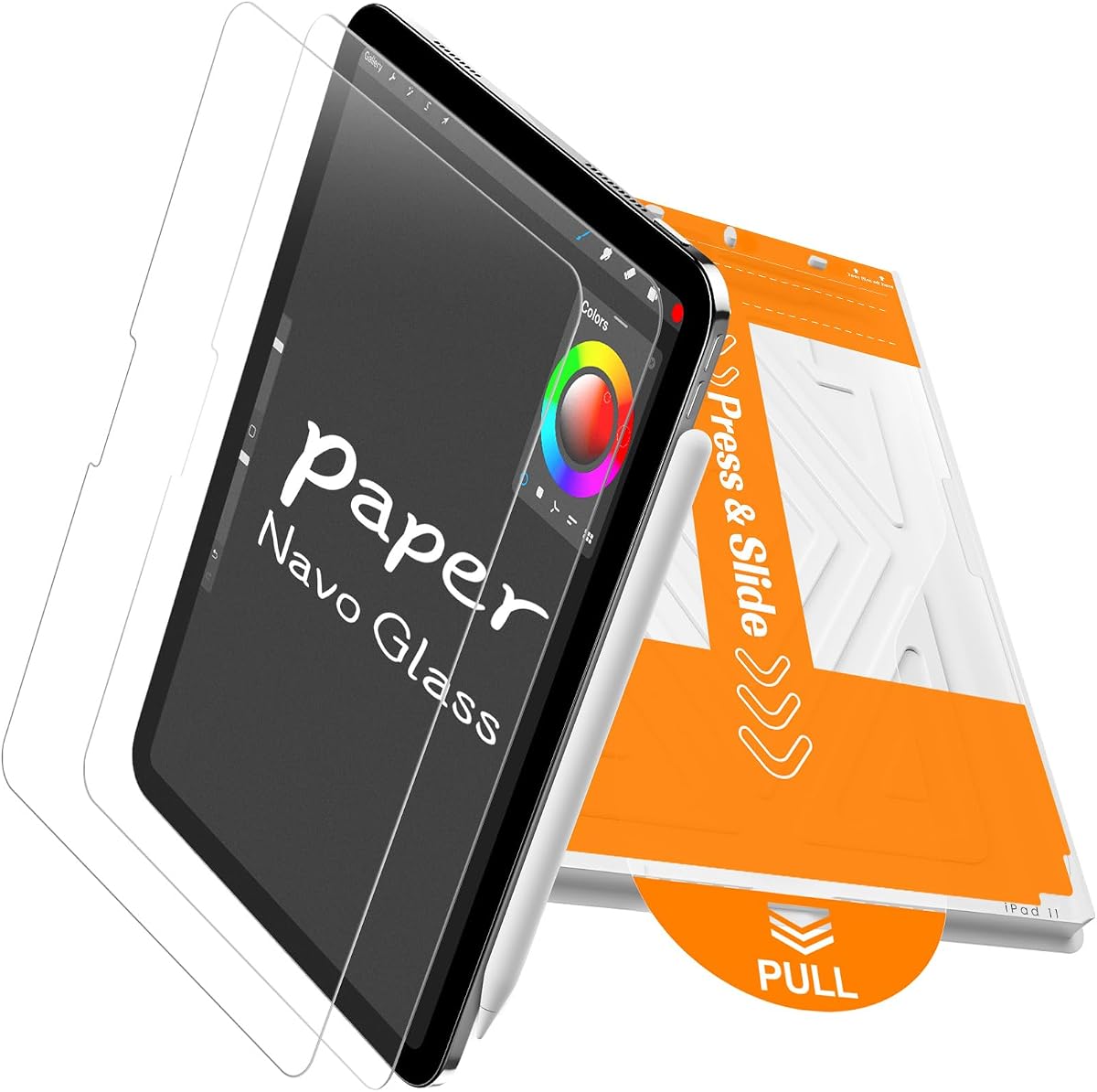
The KCT 2 Pack Paperfeel Glass Screen Protector provides a more protective alternative within the KCT range. Its 4.3 rating reflects a product designed for users who want paper-like stylus control without giving up the rigidity and impact absorption associated with tempered glass.
We may earn a commission when you buy through this link, at no additional cost to you.
The micro-textured matte surface is intended to reduce the clicking noise and slippery glide of a glossy screen. It supports note-taking, sketching, document annotation, and digital illustration, while a micro-matte coating scatters ambient light to minimize reflections in offices, outdoors, and near bright windows.
Its press-and-pull tab system is the standout installation feature. According to the supplied details, pulling the tab helps the protector self-align and adhere while actively repelling dust and reducing the need to correct bubbles manually. The product also uses a high-hardness tempered-glass construction designed to hold cracked pieces together in a web-like pattern rather than scatter sharp fragments.
Glass does add weight and can make the stylus feel somewhat different from a bare display or a very thin PET film. The matte texture may also reduce a small amount of perceived sharpness. Even so, this is a compelling option for users who routinely carry an iPad, work in demanding environments, and want stronger physical protection without abandoning the paper-style writing experience.
Tempered glass is the primary reason to choose this option over a conventional film. Its construction is intended to absorb impact and reduce the chance of loose fragments if the protector fractures.
The tab-based system reduces the precision required during initial placement. A clean display and careful tab removal remain important, but the design makes a centered fit more approachable for first-time installers.
We may earn a commission when you buy through this link, at no additional cost to you.
The bersem 2 Pack Paperfeel Screen Protector carries a 4.4 rating and focuses on a realistic paper texture in a thin PET format. It is marketed to artists, students, and everyday note-takers who want less pencil slippage without adding a thick layer over the iPad display.
We may earn a commission when you buy through this link, at no additional cost to you.
The special surface uses high-quality materials imported from Japan and is described as replicating the resistance of real paper. At 0.17mm, it maintains the device's touch sensitivity and color accuracy, supporting precise Apple Pencil strokes as well as normal gestures, streaming, reading, and gaming.
An enhanced matte finish disperses light for easier viewing in bright conditions, while its surface also helps limit fingerprints. Installation is supported by an alignment tool with strong adhesion and a step-by-step video, both intended to reduce trapped dust and bubbles during the first application.
One important detail is that the printed protective layer is not the paper-feel surface and must be removed before application. A thin PET film also does not equal the impact resistance of tempered glass. Within that context, bersem is a strong choice for people who prioritize writing precision, a lightweight profile, and a broad range of supported A16, 10th-generation, and iPad Air 11 model numbers.
The surface is specifically designed to limit pencil slippage, which can help stabilize small strokes and detailed line work. Users who draw frequently may find the added resistance more useful than a very smooth writing film.
Installation instructions should be followed carefully because the outer printed film is only a protective layer. Peeling the wrong layer can leave the paper-like surface exposed to dust or reveal an installation mistake too late.
We may earn a commission when you buy through this link, at no additional cost to you.
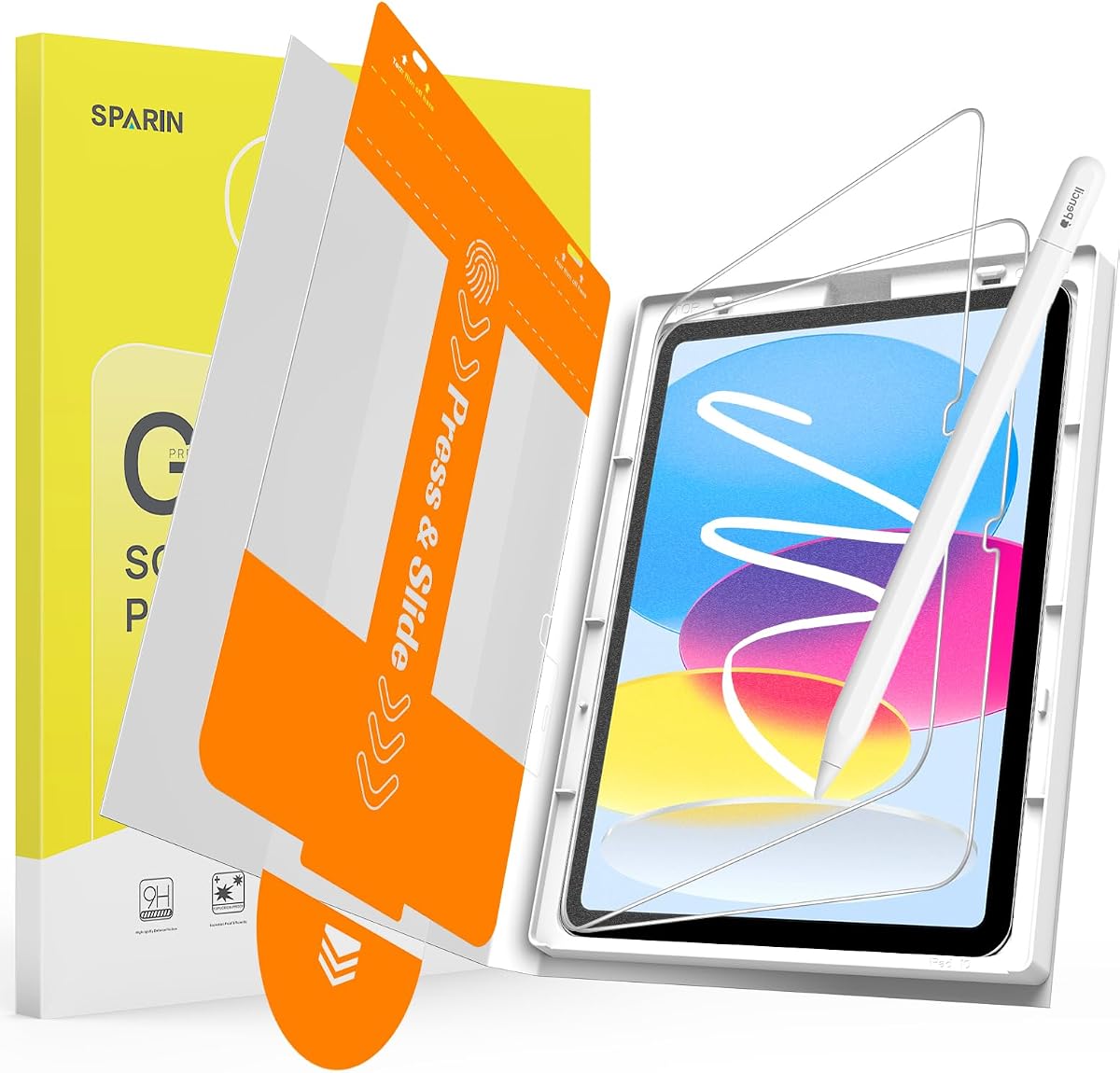
The SPARIN 2 Paper Screen Protector has a 4.5 rating and offers a hybrid construction for buyers who want the texture of paper along with the protection of glass. Its surface is bonded to tempered glass, creating a 2-in-1 protector that supports controlled writing and physical screen defense.
We may earn a commission when you buy through this link, at no additional cost to you.
The micro-textured finish gives the Apple Pencil more natural friction than a glossy surface. At 0.25mm, the protector is thin enough to preserve responsive touch and Pencil input while reducing tip wear. The design is aimed at students, artists, and general users who switch between typing, note-taking, sketching, and painting.
The stated 9H hardness rating indicates strong scratch and abrasion resistance, while the shatter-resistant design is intended to keep cracked pieces together. Edge-to-edge coverage protects the full display area, and the anti-glare finish reduces harsh reflections. An oleophobic coating also helps with fingerprints, though the product notes that fine on-screen detail can soften slightly as a trade-off for the matte texture.
Installation uses a tray for positioning and a pull tab to lay the protector down evenly. This design is intended to reduce bubbles, dust, and crooked edges. Its compatible model list is narrower than several competing PET options, so buyers should verify A3354, A3355, A3356, A2757, A2777, or A2696 before ordering. For users who want glass security with a paper-style finish, it is a strong compromise.
Bonding the textured layer to tempered glass gives this protector more rigidity than a basic film. It is a sensible middle ground for users who want stronger everyday scratch protection without the completely bare-glass feel of a standard clear protector.
Like most matte protectors, the micro-texture trades a small amount of perceived detail for fewer reflections. The effect is particularly noticeable when viewing very small text or detailed artwork in a bright environment.
We may earn a commission when you buy through this link, at no additional cost to you.
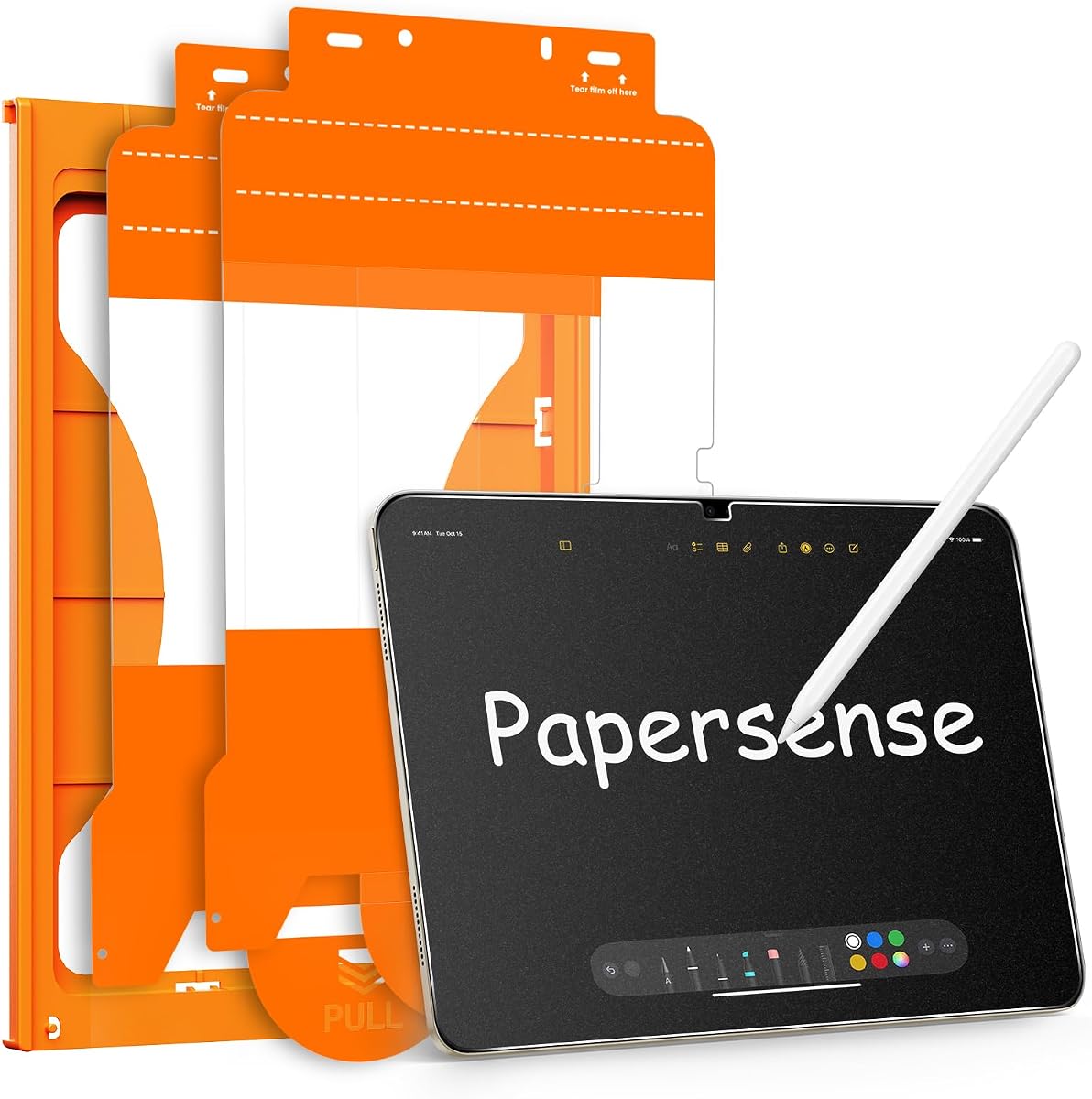
The OMOTON PAPERSENSE Paper Screen Protector has the highest customer rating in this group at 4.6. It is positioned as a higher-end paper-sense option for iPad A16 and 10th-generation users who want an improved writing surface while retaining the protective function of the protector.
We may earn a commission when you buy through this link, at no additional cost to you.
Its upgraded material is designed to make writing, reading, and drawing feel more natural while maintaining comfortable screen clarity. The matte surface reduces light refraction and reflections, and its oleophobic coating limits the appearance of oil, smudges, and fingerprints. These qualities make it suitable for outdoor sketching as well as ordinary classroom and office use.
Apple Pencil optimization is a central advantage. The ultra-thin construction is designed to meet Apple's accessory guidelines, provide immediate Pencil response, and reduce tip wear during longer drawing or writing sessions. The supplied installation kit and video are intended to guide the process step by step and help eliminate bubbles and dust.
The main limitation is its position among the more premium choices in the category, particularly for buyers who only need a basic writing film. It also supports specified 11-inch and 10.9-inch models rather than every Apple tablet. Even with those considerations, its combination of writing realism, glare control, responsive Pencil behavior, and the strongest supplied rating makes it the most balanced editorial recommendation.
The optimized surface and reduced tip wear are particularly useful for students, illustrators, and professionals who use the Apple Pencil continuously. The goal is a controlled stroke without making the user feel as though the Pencil is catching excessively on the screen.
The frosted finish supports the paper-like goal by reducing visual brightness and reflections. It can also make long writing sessions more comfortable for users sensitive to the sheen of a conventional glossy display.
We may earn a commission when you buy through this link, at no additional cost to you.
The Magnetic Paper Screen Protector takes a different approach to the category with a removable 0.25mm film that attaches through upgraded nano-suction cups. Its 4.5 rating reflects a product aimed at users who want paper-style Pencil feedback during creative work but also want the option to remove the layer and appreciate the display's original appearance.
We may earn a commission when you buy through this link, at no additional cost to you.
Attaching the protector at the edge allows the user to secure it over the screen and later remove it gently. The anti-glare coating reduces reflection in strong light, while a 3H surface treatment is intended to resist everyday scratches. Its thin construction supports smooth Apple Pencil writing, and the removable format is useful for switching between drawing and media viewing.
A particularly interesting feature is compatibility with a tempered-glass protector under 0.33mm. That arrangement may provide the user with the writing texture of the magnetic film and the scratch protection of a separate glass layer, depending on fit and installation quality. It also allows the paper film to be removed without discarding the entire protection setup.
Compatibility is limited to the listed A16 and 10th-generation model identifiers, and the product is explicitly unsuitable for other iPad models. Because the film is removable rather than permanently adhered, its long-term protection is less comprehensive than that of a fixed tempered-glass option. It is best for users who value flexibility, quick attachment, and the ability to switch between textured and standard viewing.
Removability is the defining advantage. Users can keep the film on during writing or sketching and take it off when they want the original screen color, brightness, and reflectivity.
The stated support for a tempered-glass layer below 0.33mm creates a practical two-layer arrangement. Users should verify the thickness and fit of any existing glass protector before combining the materials.
We may earn a commission when you buy through this link, at no additional cost to you.
The XIRON 2 Pack Paper Screen Protector is a straightforward paper-style film for the 11th-generation iPad A16 and 10th-generation iPad. Its 4.4 rating and two-piece format make it an accessible option for users who want a spare and prioritize the writing surface over advanced impact protection.
We may earn a commission when you buy through this link, at no additional cost to you.
The texture adds friction for comfortable drawing, sketching, and note-taking, giving the Apple Pencil a less slippery feel. The anti-glare surface is designed to reduce reflections from surrounding light, which can improve visibility during lessons, meetings, and outdoor creative work. These are the core functions for which most buyers choose a paper-feel protector.
The film uses a self-adhesive application method and is described as easy to push out bubbles. It has a stated 3H hardness level for resistance to daily scratches while keeping the touch sensitivity of the iPad display. Installation is less elaborate than the tray or automatic systems offered by some competitors, so users should work in a clean, dust-free area.
This is a practical film rather than a heavy-duty hybrid design. It will not provide the same impact resistance as a tempered-glass option, and its supported model list is more limited than products explicitly covering recent iPad Air 11 variants. For Apple Pencil users who need an uncomplicated, lightweight surface and value having a second protector available, it remains a sensible choice.
Two films provide room for a replacement if the first becomes scratched, peels at an edge, or collects marks. This is especially helpful for students who carry their iPad in a bag every day.
A basic self-adhesive film depends on careful placement. Cleaning the glass, removing dust from the environment, and aligning the protector before pressing it down can prevent visible imperfections.
We may earn a commission when you buy through this link, at no additional cost to you.
The PandaShield 2-Pack Paper-Feel Screen Protector has a 4.3 rating and combines textured writing with rigid glass protection. It is designed for iPad A16 11th-generation and 10th-generation users who want Apple Pencil control without sacrificing scratch and impact coverage.
We may earn a commission when you buy through this link, at no additional cost to you.
An innovative surface treatment is intended to restore the natural resistance of paper, helping users write and draw with more control. The protector uses 9H military-grade tempered glass, as described by the brand, for resistance to scratches, chips, and accidental impact. The design also helps reduce stylus tip wear, supporting longer use of Apple Pencil accessories.
The anti-glare finish reduces natural and artificial reflections, while an oleophobic coating is designed to inhibit fingerprints and smudges. Installation uses a self-contained application tray, detailed instructions, and an operation video. This packaging is intended to simplify fitting and reduce the likelihood of bubbles or misalignment.
PandaShield's 365-day warranty adds a meaningful support element, covering listed problems such as cracking, peeling, or poor installation with a replacement. The main trade-offs are the greater weight of glass compared with PET and a supported model list limited to several A16, A2696, A2757, and A2777 variants. Buyers seeking stronger protection and a warranty should give this option strong consideration.
The stated 365-day replacement warranty makes this product more reassuring for buyers worried about installation mistakes or unexpected damage. Support availability can be as important as the material itself when choosing a screen accessory.
The glass base provides a clear advantage against scratches and chips. Its textured upper surface adds the controlled movement needed for comfortable Pencil writing, making it more versatile than a conventional clear glass protector.
We may earn a commission when you buy through this link, at no additional cost to you.
Paperlike 3 is the premium specialty option in this roundup, with a 4.2 customer rating and a focus on refined paper feel. Its Nanodots surface is designed to add natural friction and control, helping users create more precise handwriting and drawings while reducing hand strain during extended sessions.
We may earn a commission when you buy through this link, at no additional cost to you.
The protector is exceptionally thin and is described as staying below Apple's 0.095mm accessory limit. That low profile helps the Apple Pencil behave as it would on a bare screen, supporting precise lines and responsive strokes. The balanced Nanodots texture is also intended to provide enough friction for control without grinding down Pencil tips unnecessarily.
Its most distinctive practical feature is the Butterfly Application system. A built-in dust-catching layer helps remove particles, while the Helper Tool and on-screen guidance simplify alignment. The package includes two Paperlike protectors, providing a spare for future replacement or a second device.
Screen protection comes from a durable PET layer designed to resist scratches and scuffs. Because it is not a rigid tempered-glass sheet, it should not be expected to provide the same level of impact defense. The category placement also places it above many basic alternatives. For a buyer willing to prioritize writing realism, precise Pencil behavior, tip protection, and a guided installation process, Paperlike 3 remains the premium specialist choice.
Nanodots add controlled friction without requiring the heavy texture associated with some rough films. This makes the surface appealing to illustrators, letterers, students, and professionals who create detailed work on the iPad.
The Butterfly Application approach combines physical positioning tools with step-by-step on-screen directions. Its dust-catching layer and included Helper Tool are especially useful for first-time users installing a very thin film.
We may earn a commission when you buy through this link, at no additional cost to you.
Choosing an iPad A16 paper screen protector requires balancing stylus feel, display protection, glare control, installation complexity, and exact device compatibility. The most useful option is the one that matches your iPad model and the amount of protection needed without interfering with Apple Pencil performance.
Look for the exact A-number before ordering, and pay attention to warnings about excluded models. If the protector depends on a frame, tray, or edge attachment, even a small dimensional difference can affect alignment and edge coverage.
Choose thin PET for writing priority, tempered glass for maximum physical protection, or a hybrid when you want a balance between both. Do not assume a protector described as paper-like is automatically made from paper; it is usually a textured polymer or glass treatment.
For standard notes, look for moderate friction and responsive input. For detailed illustration or inking, a slightly more controlled surface may be useful, provided the product is not so rough that it increases Pencil tip wear.
If you work primarily indoors and need maximum detail, pay close attention to the clarity claims. If glare regularly interrupts writing or viewing, the softer appearance of a matte surface will usually be a worthwhile compromise.
Prioritize products that explicitly mention maintained touch sensitivity, immediate Pencil response, or reduced tip wear. A protector that is thin and smooth enough for navigation is generally more comfortable for everyday use.
Follow the included instructions rather than installing from memory. Clean the screen thoroughly, remove the correct protective layers, align the protector before pressing, and follow the stated method for removing bubbles or lifting tabs.
If you value a standard display for media viewing, a detachable option may be worthwhile. If you want the most permanent, low-profile result, a self-adhesive film or hybrid glass is generally the simpler setup.
Consider pack count together with installation help and warranty rather than in isolation. Two well-designed films with a simple tray may serve a user better than a complicated package containing only one protector.
Begin in a clean, well-lit space with the iPad powered off or on standby, the model number confirmed, and all installation accessories nearby. Wash and dry your hands, then use the supplied cleaning material to remove fingerprints, oil, and dust from the display. Avoid installing in an area where airborne particles are likely, because even a small speck can become trapped under a thin film.
Remove the appropriate protective layers and align the protector using its frame, tray, tabs, or application guide. Apply the center first, then work gradually toward the edges. For squeegee installation, use gentle, overlapping strokes to push air outward. With pull-tab systems, remove the tab slowly at the instructed angle rather than pulling it abruptly, which helps reduce bubbles and maintain alignment.
Once installed, allow the surface to settle according to the product instructions and avoid pressing hard on the textured area. Clean with a soft, lint-free cloth and avoid abrasive pads or harsh chemicals. The removable magnetic protector can be lifted gently when needed, while permanent films should not be pulled from the edges casually. If Pencil tracking, bubbles, or edge lifting develops, follow the installation guidance or replace the protector before it becomes difficult to use.
Yes. A paper-feel protector adds controlled friction between the Apple Pencil tip and the display, which can reduce unwanted sliding and make handwriting or illustration feel more natural. The most suitable surface depends on whether you prefer a light, smooth glide or firmer resistance for detailed work. Always confirm that the protector is designed for Pencil use and is thin enough to maintain responsive input.
Some products support both the 11th-generation iPad A16 and the 10th-generation iPad, but compatibility depends on the exact model identifier and the protector's dimensions. Check the A-number on the back of your device against the seller's supported list. A protector for an iPad Pro or older iPad Air may have a similar display size without being interchangeable.
It depends on your priorities. A thin PET paper-feel film generally feels lighter and can provide a more noticeable change in Pencil traction, while tempered glass offers stronger scratch and impact protection. Hybrid products add a textured surface to tempered glass for a compromise. The right choice depends on whether writing feel, rigidity, or stronger physical protection matters more to you.
A well-designed ultra-thin protector should maintain the iPad's touch and Pencil responsiveness. However, the texture itself can create a different feel, and some rough surfaces produce more drag than others. Thickness, surface treatment, and installation quality can also affect perceived performance, so cleaning the screen and installing the protector without bubbles helps preserve a smooth experience.
Only if the manufacturer explicitly allows the combination. The magnetic option in this guide states compatibility with tempered glass below 0.33mm, but most permanently adhesive paper films are designed to replace a glass protector rather than sit above it. Layering unapproved products can create alignment issues, trapped debris, uneven pressure, or reduced Pencil performance.
Clean dust from the surface and press small bubbles toward an edge with the supplied card or squeegee. Avoid using a sharp object, which can scratch the coating or pull the edge away from the display. If a bubble contains a speck or the protector is visibly lifting, it is often better to remove and reinstall the sheet in a cleaner environment than to force it into place.
Most paper-feel protectors use a matte or micro-matte coating that scatters ambient light and reduces visible reflections. This is useful near windows, outdoors, and under bright indoor lighting. The trade-off is that the texture may soften fine detail slightly or make colors appear less vibrant than they do on a clear, glossy surface.
Look on the back of the iPad for a small identifier beginning with A, such as A3354, A2696, or A2757. Compare that exact code with the compatibility list provided by the protector manufacturer. Checking only the display size or product family is not enough because iPad Air, iPad, and iPad Pro models can share similar dimensions.
The three leading choices serve different needs. MOBDIK is the best overall value for buyers seeking a thin PET surface, broad stated compatibility, and anti-glare protection. OMOTON PAPERSENSE is the editor's choice because of its balanced writing feel, Pencil optimization, installation system, and strong supplied rating. Paperlike 3 is the premium option for users who prioritize refined Nanodots traction and guided installation.
Before buying any protector, confirm the exact model identifier and decide how much physical protection you need. Thin PET is appealing for lightweight writing, while hybrid and full-glass options are more appropriate for frequent travel. Also consider whether a permanent sheet, a spare, or the flexibility of a removable magnetic layer best fits your routine.
Finally, review the current listing before ordering because model bundles, included accessories, seller information, and availability can change. Confirm the compatibility statement, installation requirements, and material construction, and choose the protector whose writing texture and protection level align with how you actually use your iPad.