
AMD Ryzen 9 5900XT
4.8Editor score
Sixteen Zen 3 cores
Thirty-two processing threads
AM4 platform support
Our 2026 guide compares the 10 best CPUs for 3D rendering, covering core count, cache, clocks, platform support, thermals, and creator workloads today.
A capable 3D-rendering CPU must balance general compute power, sustained clock speed, cache capacity, memory bandwidth, and the ability to keep heavy scenes responsive. Hardware acceleration matters, but the processor still coordinates geometry, textures, lighting, simulation, denoising, and file operations. The right choice depends heavily on whether you render stills, animation, simulations, or mixed game-engine scenes.
This guide compares ten desktop processors using the specifications and feature information available for each product. We examine core and thread counts, architecture, clock speeds, cache, platform requirements, unlocked status, and memory or expansion capabilities. The list includes mainstream Zen 5 chips, X3D models, a Zen 3 option, two professional Threadripper processors, and an Arrow Lake hybrid design.
Each review explains who benefits most from a particular processor, where its advantages matter, and which compromises may affect a build. The 9950X3D stands out for creators who want both high core count and large 3D V-Cache, while the 5900XT offers an established 16-core route. Prices and availability can change, so check the current listing and your platform requirements before purchasing.
4.8Editor score

4.7Editor score

4.2Editor score
The comparison below highlights the processor configurations most relevant to 3D work, including core count, cache, maximum clock, and platform characteristics.


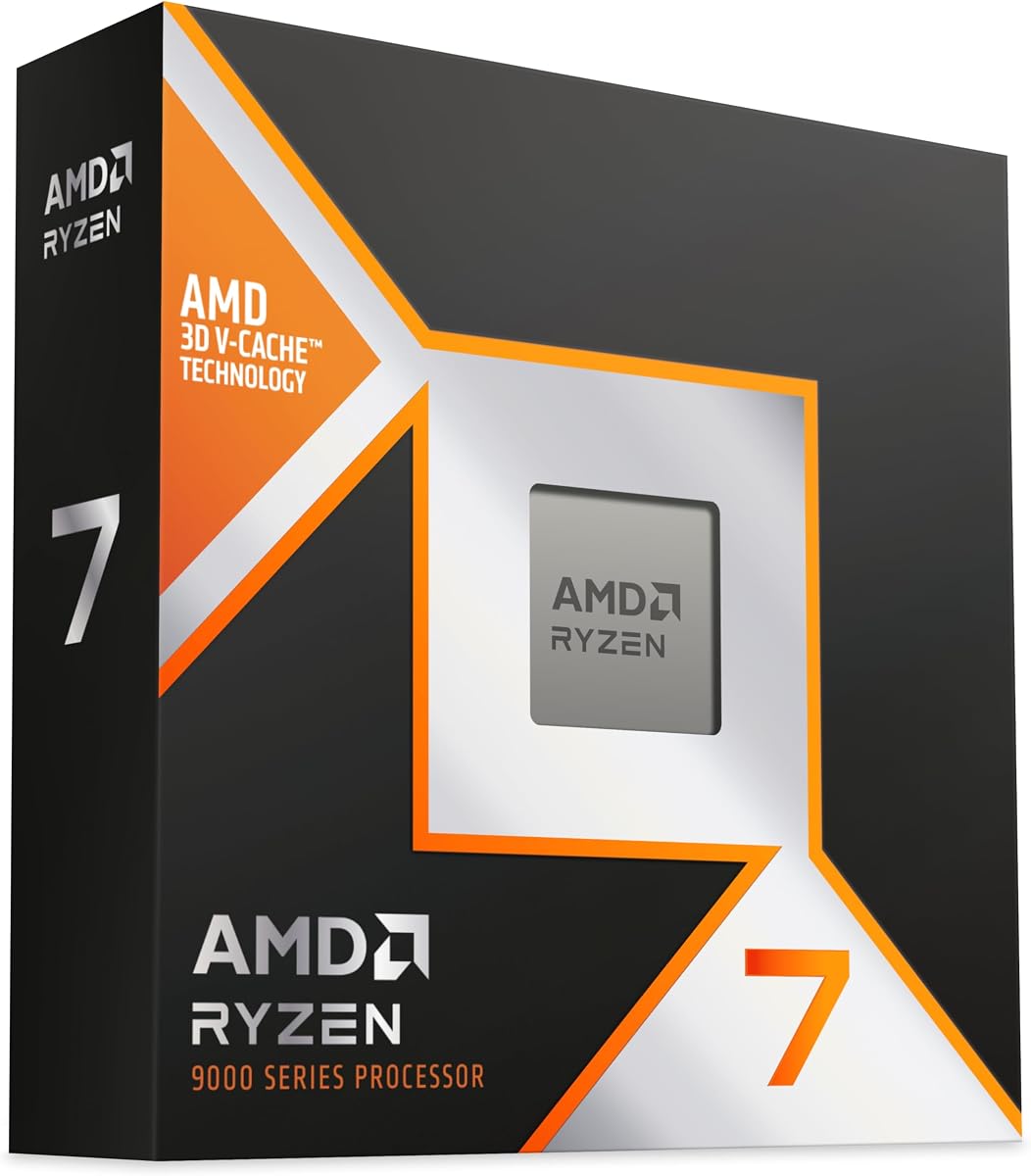


The AMD Ryzen 7 9800X3D carries a 4.8 rating and stands out for creators who want responsive performance without moving to a sixteen-core platform. Its eight Zen 5 cores and 16 threads are built around Next Gen 3D V-Cache, while the supplied specifications place maximum boost at up to 5.2GHz. The result is a processor suited to a broad range of real-time and offline 3D workflows.
We may earn a commission when you buy through this link, at no additional cost to you.
The standout feature is 96MB of L3 cache, which gives the processor a substantial pool of fast on-die storage. Cache can be especially useful when a renderer repeatedly accesses nearby scene data, and the listed thermal improvement over the previous generation can support higher clock speeds. The claimed 16 percent IPC uplift also makes this an efficient generational update for applications that benefit from fast single-thread and lightly threaded performance.
Its main compromise is core count. A 3D scene with many independent tasks may benefit from the sixteen cores offered by the 9950X3D or 9950X, particularly during final rendering, while the 9800X3D has eight. Another consideration is the omitted cooler, requiring the builder to budget for suitable AM5 cooling if the chosen kit does not already include one.
This is a strong recommendation for a workstation that mixes modeling, texture work, viewport performance, and rendering. It also makes sense for creators who value gaming as well as 3D work. For very large simulations or heavily parallel final frames, move up to the 9950X3D; otherwise, the 9800X3D offers a focused eight-core configuration with substantial cache and high clocks.
The 96MB L3 cache is the defining feature of this processor. It can reduce repeated trips to system memory during cache-friendly stages of a render, helping interactive work feel more immediate while also supporting the processor's high clock behavior.
The processor is drop-in ready for proven Socket AM5 infrastructure. That makes it attractive for builders assembling a modern workstation, although current motherboard and memory compatibility should still be confirmed before ordering.
We may earn a commission when you buy through this link, at no additional cost to you.
The AMD Ryzen 9 9950X3D is the most balanced high-end choice in this guide for creators who need both substantial parallel throughput and strong cache-assisted performance. It holds a 4.7 rating and combines a 16-core design with the Zen 5 architecture. Its maximum boost of up to 5.7GHz makes it well suited to tasks that reward quick execution as well as scenes that can be divided among many cores.
We may earn a commission when you buy through this link, at no additional cost to you.
The supplied listing explicitly positions this chip for both gaming and content creation, which reflects the broader appeal of the X3D design. Large 3D V-Cache can help with workloads that repeatedly use nearby data, while sixteen cores provide additional room for multi-threaded renderers, background tasks, and simultaneous applications. The combination is particularly attractive when the workstation must function as both a production machine and a gaming system.
Compared with the Ryzen 9 9950X, the 9950X3D places more emphasis on the large-cache approach. That distinction can matter in engines and renderers with favorable cache access patterns, but it does not eliminate the value of high clock speed. The listed 4.3GHz base clock and up-to-5.7GHz boost show that the processor is built for both sustained parallel work and fast interactive tasks.
Choose the 9950X3D when your 3D workload needs a high core count but your system must also handle gaming, viewport work, and other responsive applications. It is less suitable for machines requiring huge PCIe lane counts or enterprise memory configurations, for which the Threadripper PRO options are more suitable. For a high-end AM5 creator build, it is the most versatile recommendation here.
Sixteen Zen 5 cores allow renderers and scene tools to divide substantial workloads, while boost clocks of up to 5.7GHz benefit applications that place more value on rapid single-thread performance.
The explicit gaming and content-creation focus makes this a practical choice for a creator who uses the same workstation after hours. Cache capacity supports repeatable data access, while high clocks keep the broader system responsive.
We may earn a commission when you buy through this link, at no additional cost to you.
The AMD Ryzen 7 7800X3D earned a 4.8 rating and remains an attractive cache-focused choice for 3D creators. Its eight cores and 16 threads are paired with 96MB of L3 cache, allowing the processor to retain a large working set close to the cores. The included graphics controller is also useful for basic display output and troubleshooting a dedicated graphics card.
We may earn a commission when you buy through this link, at no additional cost to you.
The most important specification is the cache arrangement: 8MB of L2 plus 96MB of L3. That substantial L3 pool can be particularly valuable in scenes and applications with repeated access to localized data. The processor's stated 4.20GHz clock speed supports responsive general performance, and its 89°C maximum operating temperature provides a defined thermal limit for system design.
As with other eight-core X3D processors, parallel scaling remains the primary limitation. A complex final render can take longer on eight cores than on a sixteen-core model, especially if the software scales cleanly across threads. The 7800X3D is therefore most compelling when cache behavior, interactive responsiveness, and gaming are more important than maximum render throughput.
This processor is a sensible option for 3D artists who also game and want a focused, efficient desktop. It works well for asset creation, scene assembly, and rendering workloads that benefit from large cache. Creators whose primary need is finishing large frames as quickly as possible should compare it with the sixteen-core 9950X3D or 9950X instead.
A 96MB L3 cache can reduce memory-access overhead when the renderer repeatedly works with related scene information. The effect varies by engine, renderer, and scene structure, but it makes the 7800X3D especially interesting for interactive and cache-friendly workflows.
The Ryzen 7 product line includes a Radeon Graphics controller. While 3D production still benefits greatly from a dedicated GPU, integrated graphics can provide display output and make initial setup or troubleshooting easier.
We may earn a commission when you buy through this link, at no additional cost to you.
The AMD Ryzen 7 9850X3D has a 4.8 rating and belongs to the Ryzen 7 desktop line, placing it among the newer X3D options considered in this guide. Its identity suggests a processor intended to combine efficient core count with the cache-oriented benefits associated with AMD's X3D family, making it relevant to interactive 3D and rendering buyers.
We may earn a commission when you buy through this link, at no additional cost to you.
The available product information is concise, listing the processor simply as an AMD Ryzen 7 9850X3D desktop processor. Because the supplied listing does not provide specific core, clock, cache, socket, or thermal figures, this review avoids treating unconfirmed specifications as confirmed facts. The most defensible reasons to consider it are its place in the Ryzen 7 line, its X3D designation, and its strong 4.8 rating.
For a buyer, the key issue is verification. Current motherboard compatibility, memory support, cooler requirements, and total cache capacity should be checked on the product page and with the motherboard vendor. Those details can determine whether the processor fits an existing AM5 workstation or requires a different platform arrangement.
The 9850X3D is best treated as a promising choice for creators who want a modern Ryzen desktop with an X3D focus. It may be especially relevant when responsive performance and large-cache behavior are priorities, but a purchase should follow confirmation of its complete specifications. It cannot be ranked on technical detail alone from the information provided.
AMD's X3D products emphasize large on-package cache, a design that can benefit applications with favorable data locality. The exact cache arrangement should be confirmed in the current listing before judging how it fits a particular renderer.
A complete workstation requires confirmed socket, memory, cooler, and BIOS support. Checking those details prevents an otherwise attractive processor from creating compatibility problems in a planned rendering system.
We may earn a commission when you buy through this link, at no additional cost to you.
The AMD Ryzen 9 9950X carries a 4.8 rating and combines 16 Zen 5 cores with 32 processing threads. Its up-to-5.7GHz boost, 80MB cache, and unlocked status make it a powerful and flexible choice for creators who need strong parallel rendering without giving up high clock behavior. The supplied information also describes it as a processor capable of serving both creators and gamers.
We may earn a commission when you buy through this link, at no additional cost to you.
Sixteen cores and 32 threads provide a clear advantage over the eight-core X3D alternatives when a renderer scales well across cores. The 5.7GHz maximum boost helps tasks that rely on quick execution, while unlocked overclocking gives experienced builders additional control over performance and power limits. Support for DDR5-5600 and PCIe 5.0 on select Socket AM5 motherboards keeps the platform current.
The cooling requirement deserves attention. A cooler is not included, and the source specifically recommends a liquid cooler. Sustained rendering can load a processor more heavily than many desktop tasks, so choosing a capable thermal solution is important for maintaining performance and system longevity. The platform and memory investments should also be considered alongside the processor.
The 9950X is ideal for creators who want maximum general-purpose compute and fine-grained control. It may be especially attractive for mixed workloads involving rendering, compiling, simulations, and gaming. If large X3D cache is a priority and the renderer benefits from it, the 9950X3D is the more specialized alternative; otherwise, the 9950X offers a strong balance of threads, clocks, and expandability.
Sixteen cores and 32 threads offer more parallel capacity than eight-core X3D chips. Renderers that scale cleanly can use those resources to shorten final-frame computation while other applications remain available.
Unlocked operation allows advanced users to tune the processor, provided the motherboard, cooling, and power delivery are suitable. Stable tuning still depends on the individual chip and a methodical approach.
We may earn a commission when you buy through this link, at no additional cost to you.
The AMD Ryzen 5 9600X has a 4.8 rating and offers a practical starting point for creators building a modern rendering workstation without moving directly to a high-core-count flagship. It uses six Zen 5 cores and 12 processing threads, with a maximum boost of 5.4GHz. That emphasis on clocks helps it remain responsive during modeling, shading, and other interactive work.
We may earn a commission when you buy through this link, at no additional cost to you.
For final rendering, the six-core configuration is the central tradeoff. It cannot match the throughput of sixteen- or thirty-two-core processors in software that scales cleanly across threads. It can still be useful for modest scenes, background render nodes, asset previews, and creators who want a capable everyday CPU with occasional 3D output. The 38MB cache and DDR5-5600 support provide a modern foundation for an AM5 build.
The processor is unlocked, allowing additional tuning by users with suitable hardware and expertise. Select Socket AM5 motherboards also support PCIe 5.0, which can be valuable for compatible storage and expansion devices. As with the other processors in this guide, a cooler is not included, so thermal planning remains the builder's responsibility.
The 9600X is a good match for a budget-conscious creator or a first 3D workstation that will not continuously render large scenes. It prioritizes fast interactive performance and platform headroom over maximum parallel throughput. Artists with growing production demands should plan to move to a sixteen-core chip when render times become a regular bottleneck.
Six Zen 5 cores and a 5.4GHz boost provide a responsive base for asset creation and lighter rendering. The processor is most appropriate when the workstation must perform many non-render tasks between final outputs.
Socket AM5, DDR5-5600, and selective PCIe 5.0 support provide useful platform capabilities. A suitable motherboard and memory kit can create a workstation that remains adaptable as production demands increase.
We may earn a commission when you buy through this link, at no additional cost to you.
The AMD Ryzen Threadripper PRO 5955WX received a 4.8 rating and brings 16 cores and 32 threads to professional rendering environments. With a listed 4GHz clock and DDR4-3200 support, it offers a distinct alternative to modern AM5 consumer chips. Its Threadripper PRO designation indicates a processor aimed at demanding professional software and workstation configurations.
We may earn a commission when you buy through this link, at no additional cost to you.
The 16-core, 32-thread arrangement provides ample parallel capacity for renderers, simulations, and media-processing tasks. For a studio already using compatible DDR4 workstation components, that support can be especially valuable. It can serve as the central processor for a machine handling large scenes or multiple simultaneous applications without requiring the extreme core count of the 7975WX.
Clock speed is lower than the maximum boost figures advertised for several Ryzen 9 and X3D alternatives in this list. That does not make the 5955WX weak, because its intended strengths lie in sustained professional workloads, broad thread availability, and workstation positioning. However, buyers focused on maximum single-thread responsiveness should account for that difference.
This processor is best for a professional or enthusiast workstation that values core count, platform maturity, and DDR4 compatibility. It can be a strong choice for parallel rendering on an established platform. New builders with flexible budgets and modern hardware requirements may prefer DDR5-based AM5 or the latest Threadripper PRO generation for a cleaner platform path.
Sixteen cores and 32 threads are well suited to render farms, simulations, and multitasking. They allow the operating system and creative applications to coexist with a demanding render without forcing a choice between responsiveness and output.
DDR4-3200 support makes this processor relevant to compatible systems that already have established memory and motherboard investments. It can be a practical upgrade path for creators with suitable Threadripper PRO infrastructure.
We may earn a commission when you buy through this link, at no additional cost to you.
The AMD Ryzen Threadripper PRO 7975WX is the premium rendering choice in this guide, with 32 cores, 64 processing threads, and a 160MB cache. Its 5.3GHz maximum boost adds strong single-thread behavior to exceptional parallel capacity. Although its 4.2 rating is the lowest among the listed products, the specification profile is clearly aimed at demanding professional applications.
We may earn a commission when you buy through this link, at no additional cost to you.
The 160MB cache is especially significant for data-intensive production. Thirty-two cores can divide substantial scenes into parallel tasks, while 128 usable PCIe 5.0 lanes provide exceptional bandwidth and I/O flexibility. Eight-channel DDR5 RDIMM support up to 2TB is designed for workstations handling large datasets, extensive scene memory, and professional production environments.
The processor is unlocked and includes an automatic overclocking feature, giving experienced users control over its performance profile. That flexibility comes with substantial thermal demands. A 350W processor-based TDP means the system requires serious cooling, and a cooler is not included. Platform investment is also significant because the motherboard must support its specialized memory and expansion capabilities.
The 7975WX is ideal for a dedicated rendering workstation that must process exceptionally large or complex scenes, multiple jobs, or heavy simulations. It is less rational for light scenes or a general-purpose family computer, where a Ryzen 5, 7, or 9 would leave more of the budget available for graphics, memory, and storage. Within a professional rendering build, however, it offers the most complete platform capability.
Thirty-two cores and 64 threads can reduce the time required by renderers that scale well across processors. The large cache gives those threads access to a substantial local working set, helping with complex data dependencies.
Eight-channel DDR5 RDIMM support and 128 usable PCIe 5.0 lanes distinguish this processor from conventional desktop chips. They suit studios connecting high-speed storage, specialized cards, and multiple peripherals to a dedicated production system.
We may earn a commission when you buy through this link, at no additional cost to you.
The Intel Core Ultra 7 270K Plus offers a distinctive hybrid approach with 24 cores divided into eight performance cores and 16 efficiency cores. It carries a 4.6 rating and reaches up to 5.50GHz, providing a different performance profile from the uniformly structured AMD chips in this guide. Its LGA 1851 platform and Arrow Lake architecture are built around modern desktop features.
We may earn a commission when you buy through this link, at no additional cost to you.
The combination of performance and efficiency cores can be useful in a workstation that alternates between demanding rendering, responsive design work, and less intensive background processes. The listed 36MB cache supports the processor's general workload handling, while up to 5.50GHz provides a high ceiling for clock-sensitive tasks. DDR5 and both PCIe 5.0 and PCIe 4.0 support are valuable for a modern graphics and storage configuration.
Its system requirements are more restrictive. The supplied information states that it supports motherboards with the Intel 800 series chipset and identifies a 125W processor-based power level. Buyers must also account for the socket and chipset, and they should verify the exact CPU and graphics configuration in the listing. The product is described as an Amazon.co.jp exclusive limited to products sold and shipped by that service.
The 270K Plus is a compelling alternative for creators who want a high-core-count hybrid design and are comfortable building around Intel's LGA 1851 platform. It may be especially attractive in a workstation that needs efficient cores for concurrent background tasks. The choice is less convenient for builders committed to AMD, but it provides a credible mix of high clocks and substantial core count.
Eight performance cores and 16 efficiency cores allow the operating system to distribute different tasks across core types. Creators can keep interactive applications responsive while a larger CPU pool handles background or parallel activity.
LGA 1851, Intel 800-series chipset support, DDR5, and PCIe 5.0 or 4.0 create a modern platform foundation. Every component should be checked for compatibility before the processor is installed.
We may earn a commission when you buy through this link, at no additional cost to you.
The AMD Ryzen 9 5900XT delivers an unusual combination of sixteen cores, 32 threads, and a 4.8 rating in a comparatively accessible processor class. Built on Zen 3, it remains a compelling choice for 3D creators who prioritize parallel rendering capacity over the newest platform features. The 4.8GHz maximum boost also helps it remain responsive outside the final render.
We may earn a commission when you buy through this link, at no additional cost to you.
A 72MB cache and 16 available cores give it ample resources for scene processing and multi-threaded applications. Unlocked operation adds tuning potential for experienced builders, while DDR4-3200 support can make it attractive for systems using established AM4 components. The processor is positioned for both content creation and gaming, making it versatile for a home studio.
The trade-off is generational. Zen 3 and PCIe 4.0 place this chip behind newer Zen 5 and Threadripper PRO platforms, and the available AM5 products offer newer connectivity options. A builder starting from scratch may prefer the 9950X or 9950X3D for a more forward-looking system, while the 5900XT can be especially compelling when a reliable core count at a lower tier is the priority.
The 5900XT is a strong budget recommendation for 3D rendering because core count often has a direct effect on final-frame throughput. It suits small studios, students, and established AM4 systems that need a capable multi-core upgrade. A cooler is not included, so adequate thermal support should be planned before installation.
The sixteen-core, 32-thread design delivers more parallel throughput than mainstream six- or eight-core chips. Existing AM4 builders can gain creator capability without moving to a completely new platform.
Zen 3 lacks some newer platform capabilities, but its core count and boost clock still deliver meaningful rendering performance. The right choice depends on whether platform modernization or immediate core capacity is the greater priority.
We may earn a commission when you buy through this link, at no additional cost to you.
The right 3D-rendering processor depends on the renderer, scene complexity, desired memory configuration, cooling capacity, and the importance of interactive responsiveness. Use the following factors to narrow the field before making a purchase.
Core count determines how many CPU tasks a renderer can execute concurrently, while threads provide additional execution resources for supported software. Sixteen cores can shorten renders that scale well, whereas eight-core chips may rely more heavily on high clock speed and cache. Modern hybrid processors add a further layer by dividing cores into performance and efficiency groups. Choose based on the workloads you expect to run, not on the largest number available.
Cache provides the CPU with fast access to recently used data, reducing the need to retrieve everything from main memory. AMD's X3D models in this guide emphasize large L3 cache, which can be helpful in applications with good data locality. Cache does not replace cores or memory, and its effect varies by renderer. Compare a processor's cache alongside its architecture, clock speed, and workload capacity rather than treating cache size as the only measure of performance.
Clock speed influences how quickly a processor completes instructions, while instructions per cycle describes how much work it can perform per clock. High boost speeds help modeling, shading, viewport interaction, and other latency-sensitive tasks. A lower-clock many-core processor can still excel at parallel final rendering. The right balance depends on whether the workstation spends more time in interactive work or in long render jobs.
The processor determines which motherboard socket, memory type, and expansion capabilities are available. AM5 uses DDR5, AM4 uses DDR4, and Threadripper PRO can support specialized high-capacity RDIMM configurations. Intel's LGA 1851 options require compatible 800-series motherboards. Review the complete platform before buying because a processor upgrade may also require new boards, memory, and firmware changes.
3D rendering can keep a processor under sustained load, making cooling a central part of the purchase. Several products listed here do not include a cooler, and the 9950X specifically recommends liquid cooling. The Threadripper PRO 7975WX has a 350W processor-based TDP and demands a workstation-class thermal solution. Choose cooling based on sustained workload behavior rather than short boost performance alone.
PCIe lanes connect graphics cards, high-speed storage, capture devices, and other accelerators. Consumer platforms generally cover a single-workstation configuration well, while the Threadripper PRO 7975WX provides 128 usable PCIe 5.0 lanes for extensive I/O. If the system will include multiple accelerators, specialized storage, or numerous peripherals, lane count can be as important as CPU core count.
An unlocked processor gives advanced users control over multiplier and power settings, which can improve performance when cooling, memory, and motherboard design are adequate. Overclocking also increases heat, power use, and the need for careful stability testing. It is optional, not essential, for obtaining a strong rendering system. Buy an unlocked processor for control and future headroom, but do not assume every chip will overclock equally.
Threadripper PRO processors provide workstation-oriented core counts, memory channels, and PCIe expansion, while Ryzen chips target a broad mix of creator and gaming systems. Professional software may benefit from specialized workstation features and a larger I/O budget, but mainstream Ryzen models can still handle sophisticated 3D work. Decide whether the system needs enterprise connectivity and memory capacity or simply strong compute performance.
Install the processor only after confirming that the motherboard socket, memory type, BIOS version, and cooler are compatible. Follow the processor socket's handling instructions, avoid touching the contacts, and apply the specified thermal compound evenly. A correctly seated cooler and stable power connections are particularly important when beginning a long rendering job.
After entering the operating system, install the current chipset, motherboard, and graphics software. Confirm that the CPU and memory are recognized, then update the BIOS if the manufacturer recommends it. Use your renderer's supported engine and GPU configuration, and test a representative scene before committing to a long unattended batch.
Maintain adequate airflow, clean filters, and monitor processor temperatures during sustained work. Let the system cool naturally between heavy loads, avoid repeatedly forcing power limits without testing stability, and use overclocking profiles cautiously. Save important project files and retain a compatible CPU as a fallback if production deadlines make experimentation with unstable settings too risky.
Six cores can be adequate for lighter scenes and interactive 3D work, while eight cores offer a better balance for a dedicated creator system. Sixteen cores are preferable for large parallel renders, and thirty-two cores make sense for exceptionally demanding scenes or workstation workloads. Renderer scaling matters, so test a representative project rather than relying on core count alone.
An X3D processor can be excellent when the workload benefits from its large L3 cache and the application has favorable data locality. It does not automatically outperform a processor with twice as many cores. The 9950X3D combines cache benefits with sixteen cores, while the eight-core 7800X3D and 9800X3D may be better suited to responsive, cache-friendly workflows.
No. Ryzen 7 and Ryzen 9 processors can provide excellent rendering performance, especially when a workstation also serves as a general-purpose or gaming system. Threadripper PRO becomes more compelling when you need 32 or more cores, high-capacity RDIMM memory, numerous PCIe lanes, or a platform designed around sustained professional workloads.
No. A capable GPU accelerates many shading, lighting, and texture operations, but the CPU still handles scene management, geometry, simulation, data preparation, and software coordination. A balanced workstation should use a processor and GPU suited to the renderer, with system memory and storage configured so neither becomes the main bottleneck.
Yes. The Ryzen 9 5900XT provides 16 cores and 32 threads on the AM4 platform, making it a capable option for parallel rendering. It may be especially attractive for an existing compatible system, while a new build could justify AM5 or a professional platform for newer features and a longer-term upgrade path.
The correct cooling depends on the processor, workload, case airflow, and ambient conditions. None of the included coolers can be assumed, and the 9950X listing recommends liquid cooling. The 350W Threadripper PRO 7975WX requires a substantially more capable thermal solution. Follow the processor and cooler manufacturers' guidance and check temperatures during a sustained render.
Overclocking is optional and can improve performance when cooling, memory, and motherboard support are strong. It also raises power use and heat, so every stable overclock should be validated with the actual production renderer. For maximum predictability, especially on deadline-driven workstations, conservative stock settings may be more valuable than a small increase in speed.
Memory needs depend on scene complexity, textures, simulation type, and renderer. A Threadripper PRO system can support specialized eight-channel DDR5 RDIMM configurations, while mainstream AM5 and AM4 systems use different memory standards. Check the renderer's memory recommendations and leave headroom for the operating system, applications, and simultaneous projects.
The AMD Ryzen 9 9950X3D is the most versatile high-end choice because it combines sixteen cores, strong clock speed, large-cache benefits, and a gaming-capable AM5 platform. The Ryzen 7 9800X3D offers a focused eight-core alternative, while the Ryzen 9 9950X emphasizes parallel throughput, overclocking, and modern platform features.
Prioritize core count for large parallel scenes, cache for cache-friendly and interactive workflows, and memory or PCIe capacity for specialized professional systems. The Ryzen 9 5900XT is a pragmatic way to obtain 16 cores on AM4, the Threadripper PRO 7975WX serves demanding workstation environments, and the Intel Core Ultra 7 270K Plus offers a modern hybrid alternative on LGA 1851.
Before purchasing, verify the processor's compatibility with your motherboard, memory, cooler, graphics card, and current software. Product availability and prices can change, so review the latest listing and related hardware costs before building. The right choice is ultimately the processor whose core, cache, platform, and thermal characteristics match your most common rendering workload.