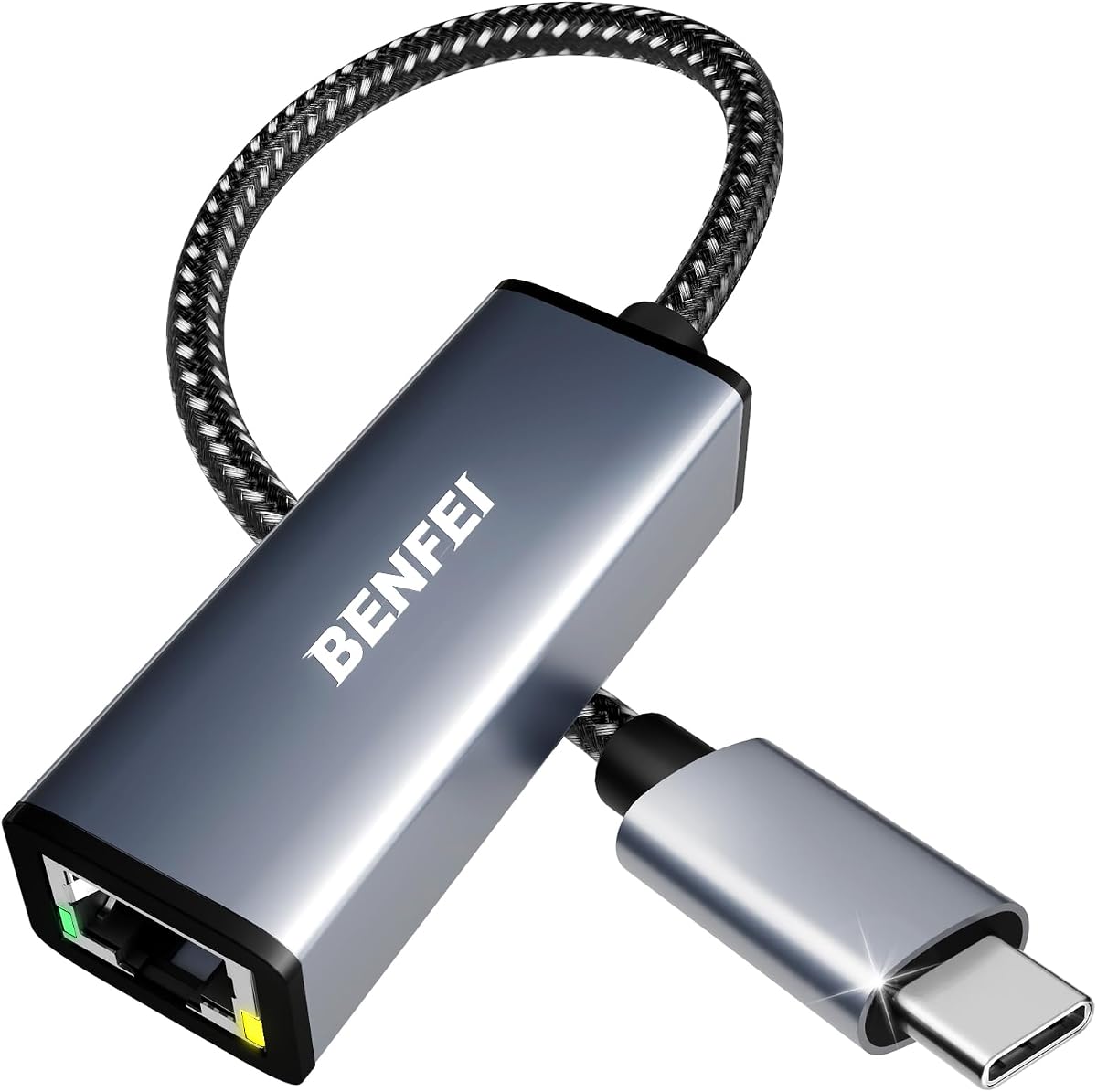
BENFEI USB-C Ethernet Adapter
4.5Editor score
Up to 1Gbps Ethernet
Compact aluminum construction
Broad USB-C device support
No external power required
Our Ethernet Adapters for iPhone guide compares 10 options by connector, speed, charging, compatibility, and setup ease to help you choose with confidence.
An Ethernet adapter can give an iPhone a steadier wired connection when Wi-Fi is crowded, unavailable, or unreliable. The right model depends mainly on your iPhone connector, whether you need simultaneous charging, and the network speed your router and cable can support.
This guide compares ten Ethernet Adapters for iPhone based on connector type, stated network speed, charging support, compatibility, installation requirements, physical design, and customer rating. It covers Lightning models for older iPhones, USB-C models for newer devices, and hybrid adapters designed to work with both.
Each review identifies the adapter's strongest use case, important limitations, and the devices it is intended to support. Ratings and specifications reflect the supplied product information, while availability and pricing can change; check the current listing before ordering.
4.5Editor score
4.7Editor score

4.4Editor score
The table below compares all ten adapters by connector, maximum stated Ethernet speed, charging capability, and intended iPhone generation, making it easier to narrow the field before buying.





This MFi-certified Lightning to Ethernet adapter has a 5.0 rating, the highest in the group, and targets users who want a straightforward wired connection without installing applications. Its 0.5-meter, 1.6-foot cable links an iPhone, iPad, or compatible iPod directly to a router's RJ45 port.
We may earn a commission when you buy through this link, at no additional cost to you.
The adapter supports 10Mbps and 100Mbps Ethernet networks and is presented as a practical answer to unstable Wi-Fi. Setup requires connecting the Lightning adapter and Ethernet cable, disabling Wi-Fi and cellular data, and checking the Ethernet option under iPhone Settings. A blue activity indication is not stated for this model, so network readiness is confirmed through the phone interface.
The main limitation is that it provides internet access only and does not support charging. It also cannot be used with USB-C iPhones without a separate compatible connector arrangement. Although a faster network connection may be possible on some equipment, the stated maximum of 100Mbps is modest compared with the 1Gbps USB-C options in this guide.
This is a sensible choice for owners of Lightning-equipped iPhones and iPads who prioritize certification, simple operation, and a compact cable. It is particularly useful in a home, office, or conference room where Wi-Fi tends to be inconsistent. People who need to charge while connected or own a USB-C iPhone should choose a more appropriate model.
The adapter's core value is replacing a weak wireless path with a direct Ethernet connection. Its 10/100Mbps support is sufficient for many everyday online activities, while the stated iOS 10-and-above compatibility covers a wide range of Lightning devices.
Its short integrated cable makes setup uncomplicated and easy to carry. Users should still verify that their router, switch, or travel network provides a compatible RJ45 connection before leaving for an important appointment.
We may earn a commission when you buy through this link, at no additional cost to you.
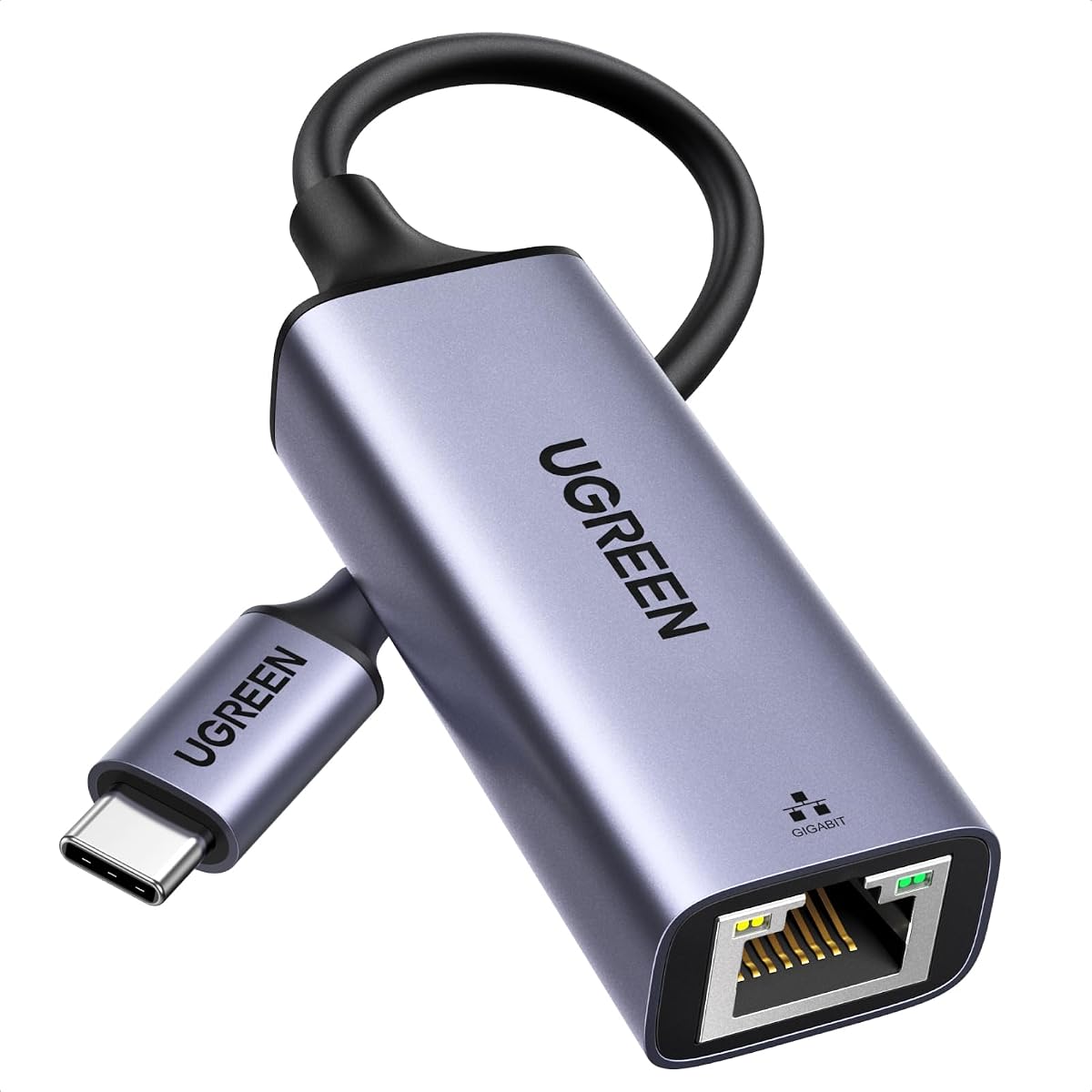
The UGREEN USB-C to Ethernet adapter combines a 4.7 rating with support for speeds up to 1Gbps, making it one of the strongest all-around choices in the list. It is built for USB-C iPhones as well as laptops, tablets, smartphones, Nintendo Switch, and Steam Deck, giving it broader utility than a Lightning-only adapter.
We may earn a commission when you buy through this link, at no additional cost to you.
The adapter works without additional software on Windows 11, Windows 10, Windows 8.1, Windows 8, macOS, Chrome OS, and Android. Drivers and instructions are required for Windows XP, Windows 7, Windows Vista, and Linux. A status LED provides a quick visual indication of network activity, while the aluminum shell is designed to improve heat dissipation.
Its reinforced cable tail and wear-resistant RJ45 port target durability, and the compact enclosure is easier to carry than a larger docking station. The main compromise is that the adapter does not include a pass-through charging port. It also cannot directly serve Lightning iPhones, although the product description identifies iPhone 15, 16, and 17 families as compatible.
For a USB-C iPhone owner who wants fast wired networking, broad operating-system support, and minimal setup, this is the most balanced option in the guide. Choose it when the iPhone can remain connected to the adapter for the duration of the session and reliable 1Gbps-class support matters more than simultaneous charging.
Support for 1Gbps makes this adapter suitable for fast local networks, large downloads, streaming, and online work. Actual throughput will depend on the router, internet plan, Ethernet cable, and network conditions.
Driver-free operation across the listed mainstream platforms means most users can connect and begin browsing without a separate installation. The LED also makes it easier to confirm that a physical link has been established.
We may earn a commission when you buy through this link, at no additional cost to you.
This two-in-one USB-C Ethernet adapter is designed for users who need internet access and power at the same time. Its 4.1 rating places it behind several alternatives, but the combination of an RJ45 port, a 60W USB-C charging port, and support for a wide list of current devices serves a distinct purpose.
We may earn a commission when you buy through this link, at no additional cost to you.
The Ethernet connection supports 10Mbps and 100Mbps. A blue light indicates operation, and the adapter requires no additional applications or software. Its compatibility list includes iPhone 18, 17, 16, and 15 families, numerous Galaxy models, iPad models, MacBook variants, and other USB-C devices.
Simultaneous wired networking and charging is the main advantage, particularly for a longer work session where battery life matters. However, the 100Mbps network ceiling is lower than the 1Gbps capabilities of the UGREEN, BENFEI, uni, and Belkin selections. Buyers should also ensure that their specific iPhone and charging setup support the stated USB-C power input.
This adapter is best for a USB-C iPhone user who values uninterrupted power more than maximum network throughput. If the primary goal is the fastest possible wired connection, a higher-speed USB-C model is the better choice. If a long work session or travel day makes charging convenience essential, this two-port design is more practical.
Using the Ethernet port and charging port at the same time can reduce reliance on the iPhone's internal battery. The 60W input rating also leaves room for compatible tablets and laptops, subject to each device's own charging requirements.
The extensive device list makes this a practical shared accessory for households or workspaces. Confirm the physical connector and charging protocol of every device you plan to pair with it.
We may earn a commission when you buy through this link, at no additional cost to you.
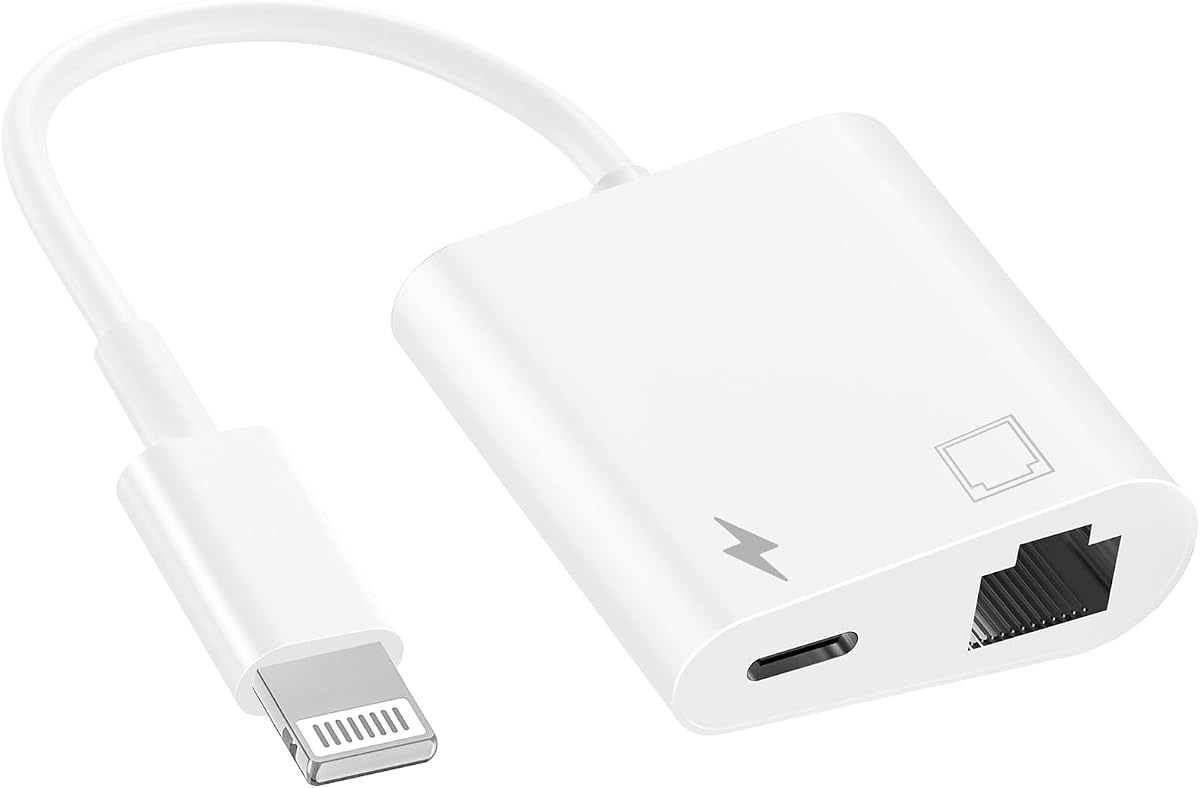
This MFi-certified two-in-one Lightning adapter is aimed at legacy iPhones that need a wired network and charging at the same time. It has a 4.4 rating and combines an RJ45 Ethernet port with a charging port, while its Lightning plug connects directly to compatible iPhones, iPads, and iPods.
We may earn a commission when you buy through this link, at no additional cost to you.
The product supports 10Mbps and 100Mbps Ethernet networks and requires no downloaded app, driver, or hub. A blue light flashes when the device is connected to a network. The stated compatibility covers iPhone models from the 5 series through the 14 family, along with iPad Pro, Air, and mini models and the iPod Touch.
Charging while connected is the primary benefit, making the adapter useful for desk-based sessions where maintaining battery level matters. Its 60-month warranty and round-the-clock customer service support add confidence. The trade-offs are the 100Mbps speed ceiling and Lightning-only connection, which excludes USB-C iPhone 15 and later models.
Buyers with a Lightning iPhone should choose this model when they want one accessory to handle both internet connectivity and power. It is less suitable for a USB-C iPhone or for users who need Gigabit Ethernet. Checking the exact iPhone model against the compatibility list is advisable before ordering.
Keeping charging available while using Ethernet avoids the awkward choice between maintaining a wired connection and preserving battery life. This is especially useful for extended browsing, meetings, or desk work.
The flashing blue indicator gives immediate visual confirmation that the adapter is active. The Ethernet and charging functions can also be used independently according to the product information.
We may earn a commission when you buy through this link, at no additional cost to you.
This MFi-certified Lightning adapter is a no-frills option for bringing wired internet access to an older iPhone, iPad, or iPod. It carries a 4.0 rating, supports 10Mbps and 100Mbps networks, and uses a short RJ45 cable with an eight-pin connector to reach a router or Ethernet port.
We may earn a commission when you buy through this link, at no additional cost to you.
The adapter works without software or external power. Its listed compatibility includes iPhone 13, 12, 11, XR, XS, X, 8, 7, 6, and 5 families, as well as iPads and iPod Pro models. The supplied information cites support for iOS 10.3 through iOS 15, so checking the current operating system of an older device is important.
Its strongest qualities are portability, straightforward operation, and the absence of unnecessary components. Because it does not provide a charging port, it is most appropriate for shorter sessions or when the iPhone is already fully charged. The 100Mbps limit also puts it below the faster USB-C alternatives.
This model makes sense for a Lightning iPhone owner who wants a simple adapter for travel, an office, or a home network with unreliable Wi-Fi. Select a simultaneous charging model if the phone needs power during use, and select a USB-C Gigabit adapter for a newer iPhone or higher network demands.
Without a required application, driver, or external power supply, the adapter reduces setup friction. It simply connects through the Lightning port and an Ethernet cable to create a wired network path.
The compact cable design is convenient for a travel bag or conference room. Users should confirm that a suitable RJ45 port and Ethernet cable will be available at their destination.
We may earn a commission when you buy through this link, at no additional cost to you.
The BENFEI USB-C Ethernet adapter is a value-focused way to add 1Gbps wired networking to a USB-C iPhone or another compatible device. Its 4.5 rating is among the strongest in the group, and it offers a useful balance of speed, durability, and portability.
We may earn a commission when you buy through this link, at no additional cost to you.
The adapter supports 100Mbps and 10Mbps networks in addition to 1Gbps, although the supplied information notes that reaching 1Gbps requires CAT6 or better Ethernet cabling. A braided nylon cable, aluminum casing, and non-slip design are intended to improve durability, heat dissipation, and everyday handling.
Compatibility includes iPhone 15-series devices, recent MacBook Pro and MacBook Air models, iPad Pro, iMac, Dell XPS systems, and numerous Android and Chromebook products. It is not compatible with Nintendo Switch. There is no charging port, so a USB-C iPhone connected to this adapter cannot be charged through the accessory.
This is an attractive pick for a USB-C iPhone owner who wants Gigabit Ethernet support without moving to a larger dock. It is particularly useful when working with several USB-C devices that need an occasional Ethernet connection. Choose the Belkin model instead if simultaneous high-wattage charging is a central requirement.
The adapter's stated 1Gbps capability offers useful headroom for modern local networks. Network performance still depends on the router, switch, internet service, and quality of the Ethernet cable.
The braided cable and aluminum enclosure address common weaknesses of lightweight portable adapters. A non-slip shape also makes the connector easier to insert and remove without straining the cable.
We may earn a commission when you buy through this link, at no additional cost to you.
This compact two-in-one Lightning adapter combines an RJ45 Ethernet port with a charging port for older Apple devices. Its 3.9 rating is the lowest among the products supplied, so buyers should pay particular attention to the operating-system limitation before choosing it.
We may earn a commission when you buy through this link, at no additional cost to you.
The stated compatibility covers iPhone models from the 5 series through iPhone 12 Pro Max, along with iPod and iPad devices. Crucially, the description specifies support for iOS 11 and earlier. That restriction makes the adapter unsuitable for many current iPhone configurations unless current operating-system behavior is confirmed independently.
Networking is handled over 10Mbps and 100Mbps Ethernet, and the adapter can operate without an application or software driver. A flashing blue light provides a connection cue. The Ethernet and charging ports can be used together or separately, which gives the product more flexibility than a basic Lightning adapter.
The compact format and two-function design are appealing, but the 3.9 rating and limited operating-system support make this less broadly dependable than the newer MFi Lightning two-in-one alternative. Consider it for an older device on a compatible system, and favor a more broadly supported model for an active iPhone.
Using Ethernet and charging together supports longer sessions without tying the user to Wi-Fi. The ability to use the ports independently adds flexibility for travel and desk setups.
The explicit iOS 11-and-earlier statement is the most important buying consideration. Modern iPhones may not be covered, regardless of their physical Lightning connector.
We may earn a commission when you buy through this link, at no additional cost to you.
The Belkin USB-C Ethernet and Charge adapter is the premium pick because it combines Gigabit Ethernet with up to 100W of power delivery in a portable housing. Its 4.4 rating and two-year coverage add further confidence, while the recyclable-material housing gives the design a more sustainability-conscious profile.
We may earn a commission when you buy through this link, at no additional cost to you.
The Ethernet connection supports speeds up to 1000Mbps, making it suitable for fast local networks and demanding online work. At the same time, the USB-C power input can charge an iPhone 17, Galaxy S26, iPad Pro, or even a MacBook within the stated 100W limit, subject to device and cable support.
This product addresses a frequent limitation of ordinary USB-C Ethernet adapters: losing the ability to charge while the accessory occupies the only data port. Its compact form remains practical for travel, home, and office use. One consideration is that the product information does not expressly state that an Ethernet cable or charging cable is included, so those essentials may need to be supplied separately.
The Belkin is best for a USB-C iPhone user who wants a high-speed, durable adapter with serious charging capability. It can also serve compatible tablets and laptops. Choose a simpler 1Gbps adapter if charging is unnecessary, or choose a Lightning model if the iPhone still uses that connector.
Keeping the USB-C port available for power while Ethernet handles data creates a cleaner desk setup. It removes the need to unplug the network adapter for every charging cycle.
The 100W power delivery rating extends the adapter's usefulness beyond an iPhone. The connected device must support USB-C Power Delivery and use a cable capable of carrying the intended power level.
We may earn a commission when you buy through this link, at no additional cost to you.
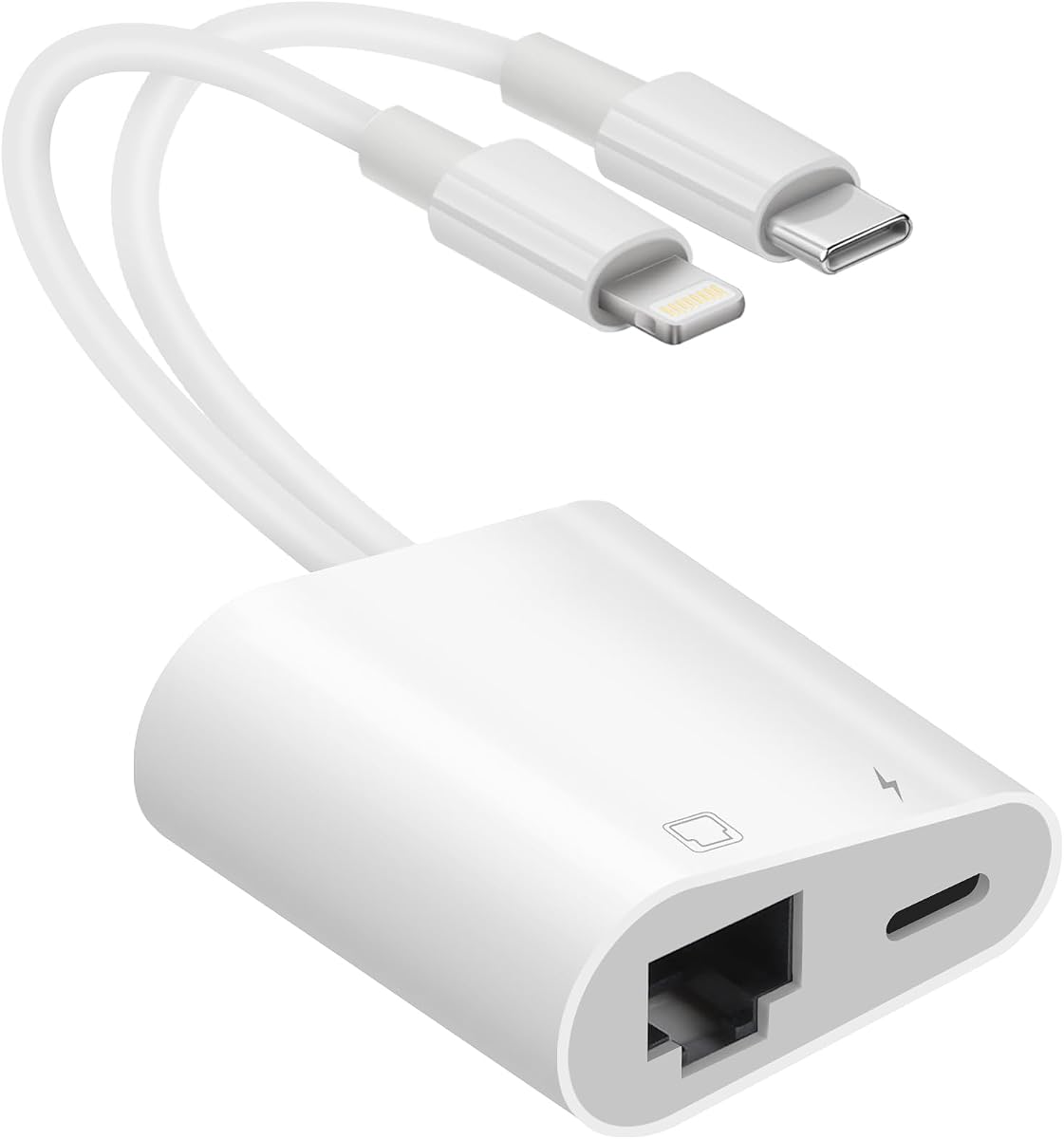
This hybrid adapter is designed to serve both Lightning and USB-C devices, making it useful for households, teams, or travel kits containing more than one generation of mobile hardware. It has a 4.2 rating, supports 10Mbps and 100Mbps Ethernet, and includes both wired networking and charging.
We may earn a commission when you buy through this link, at no additional cost to you.
The product works without additional software or drivers. It can extend or replace an RJ45 connection on a device without one, while its charging port permits power to be supplied during use. Its stated compatibility encompasses Lightning and USB-C interfaces across iPhone, iPad, iPod, Android, and other supported electronics.
The principal advantage is flexibility. A user can carry one adapter for both an older Lightning iPhone and a newer USB-C model instead of maintaining separate accessories. The drawback is a 100Mbps speed ceiling, which is well below the 1Gbps options available in the guide. Its broad interface claim is also more general than the model-specific compatibility statements provided by some alternatives.
Choose the hybrid adapter when device variety and simultaneous charging matter more than maximum throughput. It is a practical shared accessory for travel or a mixed-device office. For a single modern iPhone that needs the fastest possible wired connection, a dedicated 1Gbps USB-C adapter is the more focused choice.
Supporting both connector types reduces the need to carry multiple adapters. This is especially helpful for users who alternate between an iPad, an older iPhone, and newer USB-C hardware.
No separate application or driver is required, reducing setup time. Users should still confirm that their device and current operating system recognize the adapter.
We may earn a commission when you buy through this link, at no additional cost to you.
The uni USB-C Ethernet adapter delivers a 4.6 rating and supports network speeds up to 1Gbps. It is a strong alternative for users who want a durable wired adapter for a USB-C iPhone, tablet, laptop, or other compatible device without adding charging functionality.
We may earn a commission when you buy through this link, at no additional cost to you.
Its plug-and-play approach requires no driver for normal use. The adapter uses a braided nylon cable, premium aluminum casing, and a non-slip connector design intended to withstand regular handling while allowing heat to dissipate. The short cable arrangement also helps avoid blocking adjacent USB-C ports.
Compatibility includes iPhone 15, 16 Pro, and 16 Pro Max families, several MacBook and iPad Pro models, Dell XPS systems, Surface Book 2, Chromebooks, Google Pixel devices, Asus ZenBook, and numerous Samsung products. It is not compatible with Nintendo Switch, and reaching 1Gbps requires CAT6 or better cabling.
The uni adapter is best for someone who wants fast, dependable networking and values physical construction over pass-through charging. It is particularly useful as a shared adapter for several USB-C devices. Users who routinely need to charge an iPhone while online should consider the Belkin premium selection instead.
The 1Gbps capability comfortably supports modern local-network tasks and remains backward compatible with 100Mbps and 10Mbps connections. Cable quality and the network's own capacity determine the result.
Braided cabling and an aluminum body are practical features for an accessory carried between offices, homes, and travel locations. The connector is designed to remain secure during repeated insertion and removal.
We may earn a commission when you buy through this link, at no additional cost to you.
The most important choices are connector type, network speed, charging support, operating-system compatibility, and intended use. Reviewing these factors before buying prevents the common mistake of selecting an adapter with the wrong physical connector or an outdated compatibility profile.
The iPhone's charging port determines which adapter category fits. Lightning adapters suit older iPhones and compatible iPads or iPods that use the eight-pin Lightning connector. USB-C Ethernet adapters apply to newer USB-C iPhones and many current tablets and laptops. A USB-C adapter will not physically fit a Lightning port, while a Lightning plug cannot be inserted into a USB-C socket without an additional adapter that could introduce another layer of complexity.
Choose the connector your device actually has, then verify the exact model and operating system. Buying a broadly described USB-C adapter is useful only if the iPhone actually has USB-C.
Six of the listed products support up to 100Mbps, while the UGREEN, BENFEI, uni, and Belkin options state support for up to 1Gbps. A faster adapter does not force a network to run faster, but it avoids becoming the bottleneck when the router, switch, and Ethernet cable support higher throughput. The BENFEI and uni descriptions specifically advise using CAT6 or better wiring to reach 1Gbps.
Match the adapter to the network rather than judging by the maximum number alone. The local network, internet plan, cable quality, and router determine the final result.
A basic Ethernet adapter often occupies the only available data port and provides no charging path. Two-in-one models add a USB-C or Lightning charging connection, allowing a phone to remain powered during a long session. The third, fourth, seventh, eighth, and ninth products in the list include charging ports, with the Belkin supporting up to 100W and the MFi USB-C model supporting up to 60W.
Choose a two-in-one adapter for long meetings, desk work, or travel. Pick a basic adapter when the phone will be fully charged, the adapter is used briefly, or maximum simplicity matters more than simultaneous power.
MFi certification indicates that a Lightning accessory has been made under Apple's accessory program and gives Lightning users an extra layer of confidence in connector and accessory compatibility. Several products in the list are MFi certified, including options that cover broad Lightning device families. For USB-C, operating-system recognition and the device's network configuration still matter even when the physical connector fits.
Check the model's named compatibility rather than relying on a generic Apple or USB-C label. Pay particular attention to explicit iOS version limits, which appear on some of the older Lightning products.
Most Apple-oriented adapters advertise plug-and-play operation without requiring an application, while the UGREEN model is explicitly driver-free on listed mainstream versions of Windows, macOS, Chrome OS, and Android. The seventh product states support for iOS 11 and earlier, which can rule it out for a modern phone even though the connector is appropriate. A network adapter may be recognized, but some current iOS versions have increasingly limited wired-networking functionality.
Verify current device compatibility before ordering, especially for an older adapter or an operating system outside the listing. Buying a compatible connector does not guarantee that every current iPhone configuration will expose an Ethernet option.
A travel adapter should be small, durable, and easy to connect without tools. Several options use an aluminum housing, while the BENFEI and uni models add braided nylon cables. The Belkin and several two-in-one adapters provide a more substantial body because they also contain power-delivery hardware. Integrated short cables reduce loose pieces, but a longer Ethernet lead may still be needed to reach a wall port or router.
Choose a compact aluminum or braided model for frequent travel. Select a larger two-in-one adapter when charging capability justifies carrying more hardware.
A good iPhone Ethernet adapter should offer plug-and-play operation, ideally without downloading an app or installing a driver. Basic setup usually involves connecting the adapter, attaching an Ethernet cable, and enabling the Ethernet network in iPhone settings. Turning off Wi-Fi can help confirm that traffic is using the wired route. Some adapters also include a status light for quick connection feedback.
Prefer models with clear indicators and simple operating-system support. Carry a known-good Ethernet cable and confirm that the destination has an accessible RJ45 port.
Warranty periods and customer-service commitments vary across the list. The MFi USB-C and Lightning charging products advertise responsive support, the BENFEI and uni options provide 18-month warranties, and the Belkin includes two-year coverage. The MFi Lightning adapter in the fifth position provides a one-year warranty, while the first offers one year of service. These terms can be useful when comparing an adapter beyond its technical specifications.
Look for reasonable coverage and accessible support, especially for an adapter likely to be carried or used with several devices. Also check the seller's return and replacement process before ordering.
Begin by identifying the correct connector for your iPhone and the type of wired network you will use. Connect the Ethernet adapter to the phone, plug its RJ45 end into a router, switch, or compatible network port with a quality Ethernet cable, and then check the iPhone's Settings for an Ethernet network option. If the adapter includes a charging port, connect a suitable charging cable and confirm that the phone is receiving power.
If the network does not appear, reconnect the adapter, try a different known-good Ethernet cable, and make sure the router or switch is active. On Lightning models that use the stated Wi-Fi-disabling procedure, turn off Wi-Fi and cellular data before checking the Ethernet status again. Avoid installing unnecessary software unless the adapter's instructions specifically require a driver.
To care for the adapter, pull it straight out by its connector rather than twisting it while the cable remains inserted. Keep the RJ45 port free of dust and moisture, avoid sharply bending the cable near the plug, and do not use the adapter while its ports are exposed to water. For travel, coil the cable loosely and store the adapter in a small protective pouch. Replace it if the connector, housing, or cable becomes damaged.
No. The iPhone must have a compatible connector, and its current operating system must support the adapter and expose wired-network settings. Lightning and USB-C are physically different, so the correct adapter must match the model. Current iOS versions may also impose compatibility limitations that did not exist on older systems, making model-specific verification important.
A Lightning adapter plugs directly into the older eight-pin Lightning port found on many iPhones and compatible iPads. A USB-C adapter fits newer iPhones and many current tablets and laptops. USB-C models may also support faster 1Gbps networking or power delivery, but neither connector type can be inserted directly into the other without an additional connection method.
Only with an adapter that includes a dedicated charging port. Basic one-function Ethernet adapters provide data only. The two-in-one products in this guide add charging, with the Belkin supporting up to 100W and the MFi USB-C two-in-one model supporting up to 60W. Use cables and chargers appropriate for the connected device and charging standard.
It can be, but only when the router, switch, cable, local network, and internet service support higher speeds. A 1Gbps adapter cannot create additional internet bandwidth, and using an older cable may prevent the full stated speed. The BENFEI and uni descriptions specifically advise CAT6 or better Ethernet cabling for 1Gbps performance.
Most of the Apple-focused adapters in this list are described as driver-free and do not require an application. The UGREEN model is also driver-free on listed mainstream versions of Windows, macOS, Chrome OS, and Android, although older Windows versions and Linux require drivers. Always follow the current instructions supplied with the specific model.
The cause may be an incompatible connector, outdated operating system, unsupported adapter, faulty cable, missing network configuration, or an iPhone generation that does not expose the required setting. Disconnect and reconnect the equipment, try another Ethernet cable, and check the adapter's model-specific instructions. A current iPhone may have more limited wired-networking support than an older one.
Many can, but compatibility depends on the connector and operating system. Several Lightning models list compatible iPads and iPods, while many USB-C models support recent iPads, MacBooks, Chromebooks, Android phones, and other USB-C hardware. Check both the physical port and operating system before assuming one product will work across every device.
The compact BENFEI or uni USB-C options are strong choices for USB-C devices because they combine 1Gbps support with durable construction and short braided cables. The first MFi Lightning adapter is a similarly portable option for compatible Lightning devices, although it does not charge. Travelers should also carry a suitable Ethernet cable because the adapter's RJ45 port does not include a full-length network lead.
The UGREEN USB-C to Ethernet adapter is the strongest overall selection for a modern USB-C iPhone, combining a 4.7 rating, up to 1Gbps support, driver-free operation across major systems, and durable aluminum construction. The BENFEI adapter provides a similarly fast and portable alternative, while the Belkin earns the premium position by adding up to 100W of charging.
For a Lightning-equipped iPhone, the first MFi adapter is the simplest choice when charging is unnecessary, and the fourth MFi two-in-one model is more practical for extended sessions because it can supply power while connected. The hybrid adapter makes sense for a mixed collection of Lightning and USB-C devices, although its stated 100Mbps limit is lower than that of the fastest USB-C options.
Before buying, match the connector to the exact iPhone model, confirm operating-system support, and decide whether simultaneous charging is necessary. Check the current listing for availability, included accessories, compatibility notes, and pricing, since both product details and market conditions can change after this November 2026 guide was prepared.