
Braided 4K Micro HDMI Cable
5.0Editor score
Supports 4K at 60Hz
Three-foot braided construction
Designed for HDR and ARC
Our HDMI Micro to Mini Cable guide compares ten options for 4K, 8K, portability, durability, device compatibility, signal quality, and clean setup.
An HDMI Micro to Mini Cable connects devices equipped with different, similarly sized HDMI formats. The compact cable is useful for cameras, Raspberry Pi computers, portable monitors, projectors, tablets, and other hardware that relies on Micro HDMI or Mini HDMI rather than a full-size HDMI connector.
The ten products in this guide were compared using the published specifications and listed customer ratings. Particular attention was given to supported resolution, refresh rate, bandwidth, connector type, cable length, shielding, jacket construction, directional support, and the kinds of devices each model is designed to serve.
Each review identifies the strongest reason to consider a cable while also noting important limitations. The recommendations range from straightforward 4K options to coiled 8K models and a convenient two-cable pack. Product availability and pricing can change, so readers should confirm current specifications before purchasing.
5.0Editor score

4.9Editor score

4.5Editor score
The comparison below covers all ten cables, emphasizing their physical design, supported resolutions, signal bandwidth, and practical device coverage so buyers can quickly identify the most appropriate connector and format.


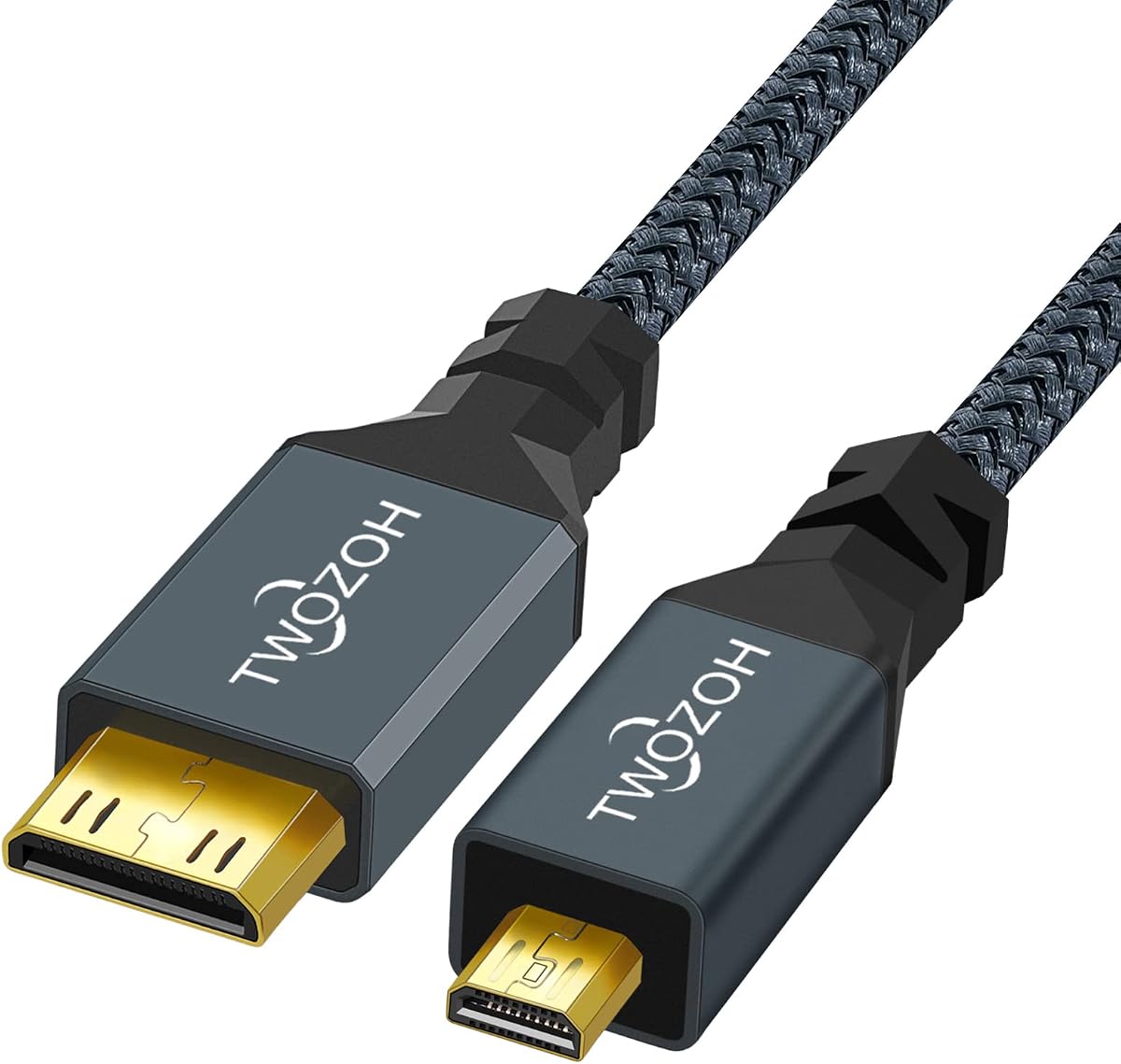

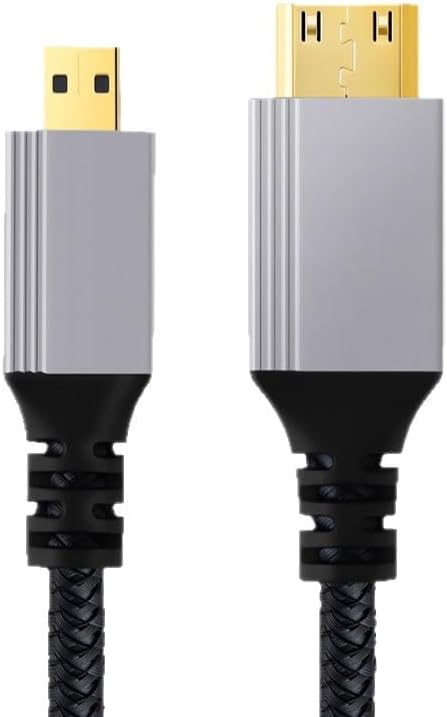
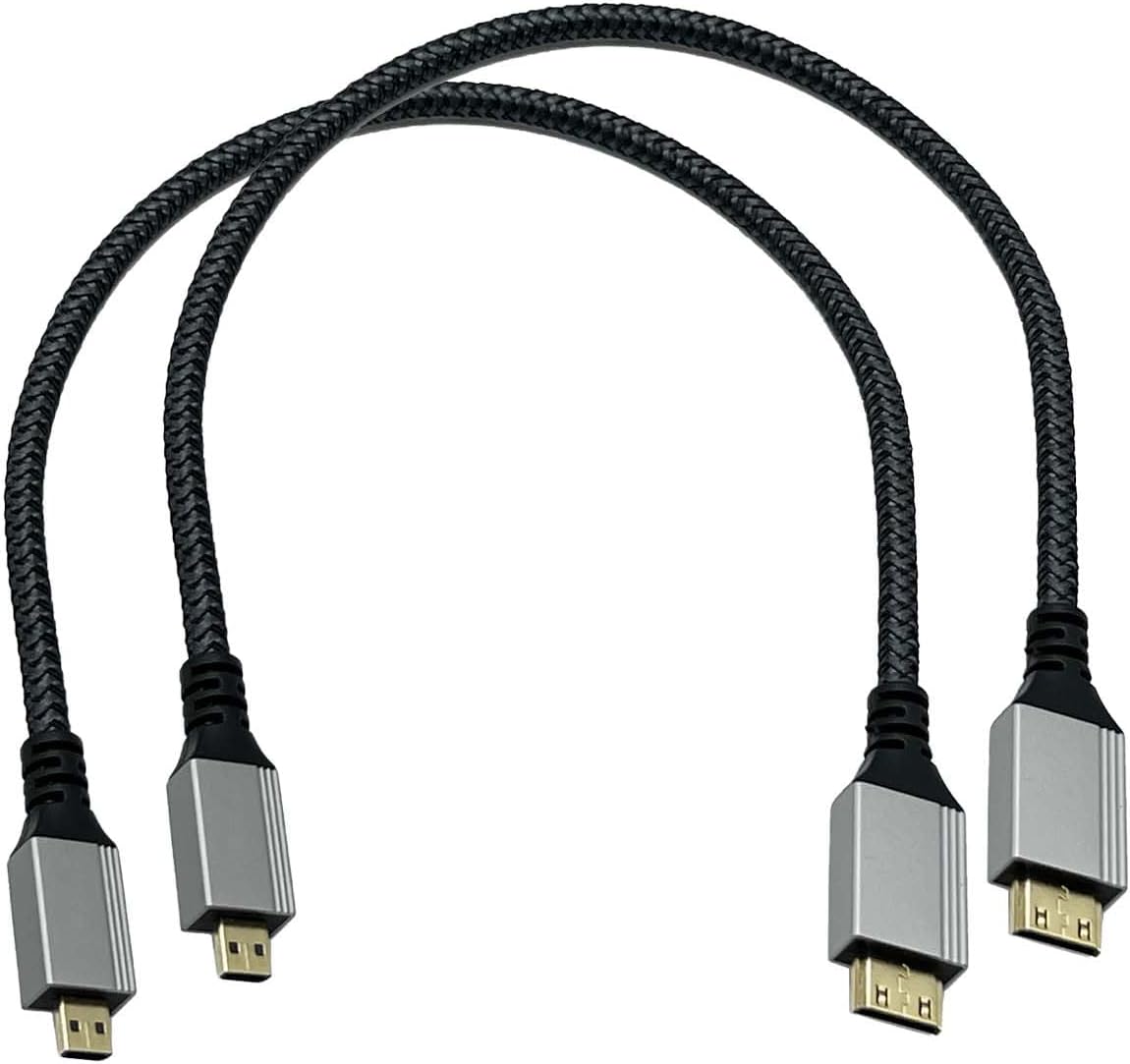

This Micro HDMI to Mini HDMI cable combines a 5.0 rating with the specifications most buyers need for a compact camera or Raspberry Pi setup. It supports 4K at 60Hz, HDR, 1080p, 3D, and audio return, making it more versatile than a basic cable intended only for lower-resolution displays.
We may earn a commission when you buy through this link, at no additional cost to you.
Its aluminum-shell connectors and nylon-braided jacket are particularly useful for mobile configurations. The braided exterior should handle routine bending better than a thin conventional jacket while resisting tangles. At 3.3 feet, the cable provides enough reach for many desktop arrangements without creating an unnecessarily large loop behind a monitor or camera.
The main limitation is that its specifications focus on 4K rather than the 8K capabilities claimed by several coiled alternatives. Buyers whose source or display requires 8K at 60Hz will need a model with a higher advertised bandwidth. This cable also fixes the Micro HDMI end in one orientation, which may matter in a tightly arranged workstation.
It remains an excellent general-purpose recommendation for consumers who want HDR, stable 4K, broad device support, and durable construction without moving into specialized high-bandwidth designs. It is especially appropriate for portable monitors, mirrorless cameras, Raspberry Pi setups, projectors, soundbars, and compatible GoPro models.
The advertised 4K at 60Hz capability covers the resolution and refresh rate used by many compact monitors, Raspberry Pi displays, and camera workflows. HDR and audio return support broaden its usefulness when the connected equipment and display can take advantage of those features.
The 3.3-foot length and flexible nylon braid reduce clutter when the cable is repeatedly packed into a camera bag or connected beside a small display. Aluminum connector shells add a practical sense of rigidity around the points where stress normally accumulates.
We may earn a commission when you buy through this link, at no additional cost to you.
This one-foot cable is tailored to Raspberry Pi 4 and Raspberry Pi 5 users who want a tidy connection to a portable monitor. Its 4.6 rating reflects a favorable balance of compactness and capability, while the listed support for 4K at 60Hz, HDR, Dolby Atmos, and audio return makes it more than a simple adapter.
We may earn a commission when you buy through this link, at no additional cost to you.
The specification sheet cites 18Gbps bandwidth, gold-plated contacts, aluminum shielding, and 30AWG copper wire. It also lists bi-directional operation, allowing either connector to serve as the input or output when the connected equipment supports that arrangement. The one-foot length is particularly useful where a longer cable would bend sharply around a monitor stand.
Buyers should note that the description also mentions 2K at 144Hz and 1080p at 240Hz, but those figures depend on the source, display, and configuration. Those claims should not be interpreted as permission to skip compatibility checks. A one-foot cable also offers less routing flexibility when the device and screen are not directly adjacent.
This is a strong choice for Raspberry Pi developers, portable-monitor users, and anyone working with a tightly constrained desk. It may be less suitable for a camera positioned several feet from a display, but its short profile, clear compatibility focus, and high-speed construction make it a practical specialist option.
The short lead and explicit Raspberry Pi 5 and 4 compatibility make setup straightforward for projects displayed on a small portable screen. It is also listed for Raspberry Pi Zero W, tablets, laptops, camcorders, and cameras that use the matching connector.
Support for HDR, 3D, audio return, and high refresh rates makes this cable suitable for more demanding displays than a basic 1080p lead. Gold-plated contacts and shielding are intended to support dependable signal transmission in compact electronics setups.
We may earn a commission when you buy through this link, at no additional cost to you.
The Seadream cable is a 3.3-foot male-to-micro-to-mini connection with a 4.7 rating. It supports the common resolution family from 480i and 480p through 720p, 1080i, 1080p, and 1440p, making it a practical choice for monitors, televisions, and cameras operating below advanced 4K specifications.
We may earn a commission when you buy through this link, at no additional cost to you.
Its molded strain-relief design helps reduce pressure on the connector and socket, while the thick PVC jacket is intended to withstand wear, temperature changes, and repeated handling. Gold-plated connectors are listed for reliable signal transfer and corrosion resistance, and the three-foot length gives users more positioning freedom than a one-foot lead.
The biggest trade-off is its resolution ceiling. Although 1440p is listed, the description does not claim 4K at 60Hz, 18Gbps bandwidth, or the HDR capabilities found in the higher-ranked alternatives. It is therefore better suited to standard-definition, 720p, or 1080p displays than to a high-end editing monitor or modern gaming setup.
Choose this cable when dependable full-HD connectivity, a moderate cable length, and straightforward construction matter more than 8K or high-refresh features. It may also be a sensible backup cable for a camera kit, classroom display, or secondary monitor that does not require advanced color or refresh-rate functions.
The broad list of conventional resolutions makes this cable appropriate for everyday television and monitor use. It can bridge Micro HDMI and Mini HDMI devices without requiring an additional adapter or converter.
Molded strain relief is a useful construction detail for a lead that may be repeatedly connected and disconnected. The larger PVC jacket adds another layer of physical protection during storage and transport.
We may earn a commission when you buy through this link, at no additional cost to you.
With a 4.9 rating, the five-foot cable is one of the strongest all-around choices in this comparison. It supports 4K at 60Hz, HDR, 3D, and multichannel digital audio, while its bi-directional design lets either end act as the signal source when the connected devices permit it.
We may earn a commission when you buy through this link, at no additional cost to you.
The construction is aimed at dependable transmission rather than headline specifications alone. Oxygen-free copper conductors, gold-plated connectors, and triple-layer shielding are all listed. Reinforced strain relief protects the joints, and the nylon braid resists wear and tangling while making a five-foot lead easier to manage than a smooth jacket.
Its five-foot length provides enough flexibility for a camera, projector, or computer placed away from a display without the bulk of a longer cable. The limitation is that it is not advertised as an 8K cable, so users requiring 8K at 60Hz should select one of the models explicitly designed for 48Gbps transmission. Fixed connector angles can also influence narrow installations.
This is the most versatile recommendation for a typical buyer who values strong 4K support, bi-directionality, reliable shielding, and useful reach. It suits Raspberry Pi systems, DSLR and mirrorless cameras, camcorders, portable monitors, projectors, graphics tablets, and other devices with the appropriate ports.
A bi-directional cable offers useful flexibility because the user does not need to identify one end as permanently designated for input or output. The feature still depends on the source and display supporting the appropriate signaling direction.
Triple-layer shielding is particularly helpful when the cable connects compact computers, cameras, and monitors that may produce nearby electrical interference. The gold-plated contacts and copper conductors complement that focus on stable signal quality.
We may earn a commission when you buy through this link, at no additional cost to you.
The Twozoh cable combines a 4.6 rating with support for 3D, 4K, 1080p, 1080i, 720p, and 480p. Its 1.6-foot length is short enough for a camera positioned immediately beside a portable display, yet still provides enough movement to avoid an overly rigid connection.
We may earn a commission when you buy through this link, at no additional cost to you.
Gold-plated connectors and a nylon exterior are highlighted for frequent use and extended service life. The product is listed for HDTVs, digital cameras, camcorders, game players, and other hardware with Micro HDMI or Mini HDMI ports. The description also notes that cables are inspected and visually checked before packing.
Compared with the five-foot braided model, the Twozoh offers less routing freedom and does not advertise the same explicit high-speed bandwidth or advanced HDMI features. It may still suit a direct camera-to-monitor arrangement, but it is less convenient when the display sits across a desk or behind a different piece of equipment.
This is a sensible recommendation for users seeking a short, well-constructed lead with 4K support rather than maximum reach or 8K capability. It can serve a camera bag, compact workstation, or secondary display where minimizing loose cable is more important than accommodating a distant screen.
A 1.6-foot lead is well suited to a camera mounted close to a portable monitor. It reduces excess cable around the equipment and is easier to pack without creating a large coil.
Support for HDMI 2.0-style resolution and refresh combinations, 3D, and gold-plated connectors gives the cable more capability than a basic video lead. Actual output remains subject to the connected equipment.
We may earn a commission when you buy through this link, at no additional cost to you.
The Duttek is the most technically ambitious option in the group, with advertised HDMI 2.1 performance, 48Gbps bandwidth, and support for 8K at 60Hz. Its 4.5 rating is complemented by a four-foot coiled format and an unusually thin 4mm cable diameter designed for cameras and portable production work.
We may earn a commission when you buy through this link, at no additional cost to you.
The cable can stretch to accommodate different equipment positions and then retract to keep the connection area tidy. Its 24K gold-plated contacts, Dynamic HDR support, and listed compatibility with 4K, Ultra HD, 3D, Ethernet, and audio return make it relevant to modern high-resolution workflows.
These capabilities should be matched with realistic expectations. Source hardware, display hardware, settings, and the selected resolution or refresh rate all determine the final result. The description also gives differing length language, including a one-foot version, a four-foot version, and a maximum extension of 1.2 meters, so buyers should read the selected variation carefully.
This cable is best for users who need a compact, flexible lead with high advertised bandwidth, especially when working around cameras, camcorders, compact computers, and capable monitors. It is less necessary for ordinary 1080p viewing and may be excessive for systems that cannot use the extra specifications.
The advertised 48Gbps bandwidth targets demanding combinations such as 8K at 60Hz and high-frame-rate 4K. It is a useful differentiator for creators comparing cables by headline capability rather than simply by connector fit.
The retractable profile gives users some positional freedom while preventing excess cable from hanging around a camera or compact monitor. Its thin construction also makes it easier to coil and store than a bulky straight lead.
We may earn a commission when you buy through this link, at no additional cost to you.
This right-angle coiled cable stands out for physical flexibility and a broad list of HDMI 2.1 features. It has a 4.6 rating, advertised 48Gbps bandwidth, and support for 8K at 60Hz, 4K at 120Hz, 2K at 240Hz, HDR, VRR, ALLM, and other advanced capabilities.
We may earn a commission when you buy through this link, at no additional cost to you.
Its Micro HDMI end has a right-angle profile, which can reduce strain on a port when space behind a camera is limited. The coiled section has a static length of about 0.3 meters and extends to roughly 1.1 meters, making it convenient for portable kits where a permanently extended cable would be awkward.
The extensive device list includes cameras from several major manufacturers, Raspberry Pi Zero models, Lenovo laptops, projectors, and other Mini HDMI devices. However, the remarkable feature list only matters when the source, display, and selected mode support it. Backward compatibility is present, though many advanced functions will not apply in older HDMI 2.0 or 1.4 configurations.
This is a specialized recommendation for a camera operator or compact workstation where right-angle clearance and retractability are priorities. It is overkill for basic media viewing but potentially ideal for high-end portable rigs requiring 8K capability and a tidy connection.
The angled Micro HDMI connector can prevent the plug from projecting directly outward from a camera body. That makes it easier to mount or hold the device close to a monitor without forcing the cable into an unnatural bend.
The listed support for high refresh rates, HDR formats, variable refresh rate, and automatic low-latency mode makes this cable relevant to modern displays. Owners should verify those features with the exact source and receiving equipment.
We may earn a commission when you buy through this link, at no additional cost to you.
This cable combines a 5.0 rating with 4K at 60Hz support and advertised 18Gbps bandwidth. Its three-foot length and braided nylon jacket make it a practical link between action cameras, still cameras, portable monitors, Raspberry Pi boards, and security DVR systems.
We may earn a commission when you buy through this link, at no additional cost to you.
The braided exterior is described as flexible and tough, helping resist daily wear, abrasion, and tangling. A standard male-to-male connector arrangement provides a straightforward connection between devices with the corresponding ports. The listed device categories make the cable especially relevant to surveillance systems, camera monitoring, and compact display arrangements.
Its limitations are similar to those of the other strong 4K options. It does not advertise 8K at 60Hz, and the product information does not explicitly promise bi-directional operation. The stated bandwidth and refresh rate also depend on the camera or computer, the display, and the resolution and frame-rate settings selected at both ends.
Choose this model for a dependable-looking 4K connection with a moderate length and durable jacket. It is particularly useful when a user needs more reach than a one-foot cable but does not need the specialized geometry or extended bandwidth of the coiled premium models.
GoPro cameras, Canon cameras, Raspberry Pi boards, portable displays, and security DVRs cover several common uses. That makes the cable a practical shared accessory for users who switch between compact media devices.
The flexible nylon sheath is intended to withstand repeated handling without tangling or abrading quickly. Its three-foot length provides useful slack for camera-to-monitor viewing without creating excessive cable clutter.
We may earn a commission when you buy through this link, at no additional cost to you.
This Seadream package includes two matching one-foot cables and carries a 4.5 rating. Each lead provides a Micro HDMI Type D male to Mini HDMI Type C male connection with listed support for 4K, 1080p, and 3D content.
We may earn a commission when you buy through this link, at no additional cost to you.
The two-pack format is the main convenience. One cable can remain with a camera while the other stays near a computer or portable display, creating a convenient backup arrangement. Braided nylon jackets and aluminum connector housings improve the cables' physical appearance and handling characteristics.
The one-foot length is best when the source and display are close together. It is not ideal for a camera across a desk or for a projector placed several feet away. Unlike some competitors, the product information does not provide a clear bandwidth figure, so buyers should not assume the same 18Gbps or 48Gbps performance without checking the current listing.
This set is a good choice for owners of two compatible devices who want spare cables or a primary-and-backup arrangement. It is also suitable for travel, where a short cable is easy to organize and less likely to become tangled inside a small bag.
Two identical cables make it simple to connect a second display, keep a spare in a camera bag, or replace one cable without leaving the setup disconnected. This is practical for users who alternate between two pieces of equipment.
The short braided leads are easy to pack and resistant to tangling. Aluminum connector housings provide a firmer exterior around the connection points while keeping the overall package compact.
We may earn a commission when you buy through this link, at no additional cost to you.
The MOTONG cable delivers one of the strongest advertised specification sets in the group, with a 5.0 rating, 48Gbps bandwidth, HDMI 2.1 positioning, and support for 8K at 60Hz. Its 1.2-meter coiled design can stretch to accommodate camera placement while retracting for storage.
We may earn a commission when you buy through this link, at no additional cost to you.
Bi-directional transmission is an important feature because either connector can serve as the working end when the connected devices support the arrangement. The 24K gold-plated contacts are intended to maintain accurate signal transfer, while Dynamic HDR support adds appeal for high-quality displays and compatible cameras.
Advanced specifications are only useful when the rest of the system can support them. A camera, computer, capture device, and monitor all need compatible HDMI generations, sufficient bandwidth, and matching resolution and refresh-rate settings. The coiled shape can also occupy more physical space than a straight one-foot cable near the camera.
This model is well suited to advanced creators who want high-bandwidth connectivity and a flexible lead for a portable production setup. It is also a solid choice for compatible Raspberry Pi Zero and laptop configurations, although users should verify the exact device port before ordering.
The listed 8K at 60Hz and 4K at 120Hz support targets demanding capture and display environments. Backward compatibility with 4K, 2K at 120Hz, and 1080p at 120Hz makes it versatile across several output modes.
The spiral cable can extend when a monitor is moved away from the source and compress when space is tight. That balance between reach and storage makes it convenient for camera bags and temporary editing stations.
We may earn a commission when you buy through this link, at no additional cost to you.
The right cable depends first on connector type, then on the resolution, refresh rate, and features required by the connected equipment. Length, construction, routing, and portability should be considered after confirming that the signal specification matches the user's needs.
A Micro HDMI to Mini HDMI cable must connect the exact physical ports found on the source and display. Micro HDMI is formally Type D and is common on compact cameras, Raspberry Pi Zero devices, and some tablets, while Mini HDMI is Type C and appears on selected cameras, laptops, small computers, and projectors. These connectors are smaller than full-size HDMI Type A, and they are also distinct from USB-C, Micro USB, DisplayPort, and Mini DisplayPort.
Many cables in this guide support 4K at 60Hz, which covers a wide range of modern monitors and portable displays. Higher-end models advertise 8K at 60Hz and higher refresh rates, but the cable alone cannot guarantee those modes. The source device, display, graphics or capture hardware, and selected settings must all support the target format. Some cables also list high refresh rates at lower resolutions, such as 240Hz at 1080p.
Bandwidth figures indicate an upper limit for data transfer rather than a guaranteed user experience. An advertised 18Gbps cable is positioned as a high-speed 4K option, while 48Gbps cables target HDMI 2.1 features such as 8K at 60Hz and 4K at 120Hz. Real performance depends on the entire signal chain. Cable quality also helps preserve data integrity, but it cannot add resolution or refresh capabilities that the connected devices do not support.
One-foot cables work well for a Raspberry Pi positioned directly behind a portable monitor or for a camera placed beside a display. Three-foot and 3.3-foot models provide more useful flexibility while remaining compact. Five-foot cables suit more distant equipment but can create a large loop behind a desk. Coiled cables offer a compromise because they extend when needed and retract into a shorter package, although they require enough room around the connector to uncoil.
Bi-directional cables can work in either connector orientation, which is convenient when one device may alternate between sending and receiving video. The cable does not create an input or output function by itself; both the source and display must support the appropriate direction. For a fixed camera-to-monitor arrangement, a standard cable may be sufficient, but bi-directional support adds flexibility for interchangeable Raspberry Pi, camera, and monitor setups.
Gold-plated contacts, aluminum connector housings, molded strain relief, and nylon braided jackets are common quality-oriented features in this category. Gold plating is intended to support clean and corrosion-resistant contacts, while aluminum housings help protect the plug ends from repeated handling. Braided jackets resist abrasion and tangling, making them useful in camera bags and portable workspaces. Reinforced strain relief is especially valuable at the point where the cable meets the connector.
HDR, Dynamic HDR, audio return, 3D, Ethernet over HDMI, variable refresh rate, and automatic low-latency mode can matter to specific users. These features require compatible hardware and cannot be added by the cable. Audio return is useful for sending sound from a display back to an amplifier or soundbar, while high-refresh and gaming-oriented modes matter to users with demanding displays. For straightforward media viewing or a basic camera preview, these extras may not justify a more specialized cable.
A standard straight connector takes up more space behind a camera or compact computer, and a fixed orientation may force the cable into an uncomfortable bend. A right-angle Micro HDMI end can improve clearance in a confined rig. Coiled and braided cables are easier to manage than long smooth leads, but their shape can take up additional space. Considering the device case, mounting plate, monitor stand, and nearby accessories helps prevent a cable that fits technically from being awkward in practice.
Before connecting the cable, inspect both devices and identify their HDMI ports. Disconnect power from any desktop computer, monitor, projector, or docking equipment when appropriate. Route the cable away from sharp edges and moving parts, then align the Micro HDMI plug with the corresponding socket without forcing it. A correctly shaped connector should insert smoothly and click or seat firmly without requiring excessive pressure.
After connecting both ends, select the intended input source on the display and configure the resolution, refresh rate, HDR mode, and audio routing within the source device. The connected equipment may negotiate a lower mode than the cable supports, which is normal. For a Raspberry Pi, for example, the operating system may need separate display settings changed even after the cable is connected. Users should also verify that any audio return function is enabled on the display and sound system.
To care for the cable, disconnect it by gripping the connector housing rather than pulling on the lead. Coil it loosely or use the retractable design as intended, and avoid creating sharp bends near either plug. Keep the cable away from moisture, excessive heat, and strong sunlight. Inspect the connectors periodically for looseness, bent contacts, or damaged shielding, and replace the cable if the picture becomes unstable or the physical connection no longer seats properly.
No. Micro HDMI is formally known as Type D, while Mini HDMI is Type C. They have different connector shapes and are not interchangeable with full-size HDMI, USB-C, Micro USB, DisplayPort, or Mini DisplayPort. Always confirm both port types before ordering.
It depends on the specific cable and the connected devices. Several options in this guide advertise 48Gbps bandwidth and 8K at 60Hz, while others are designed around 18Gbps and 4K at 60Hz. Both the source and display must also support 8K for that mode to be available.
Some of the listed cables support HDMI Audio Return Channel, allowing audio received by a television or monitor to return through the same cable. This requires a compatible display, soundbar or amplifier, and enabled ARC or eARC settings. Not every device negotiates audio return over a cable automatically.
A one-foot cable is convenient when the camera sits immediately beside the display, while three feet offers more adjustment for a normal tabletop arrangement. Coiled models are useful when the distance changes frequently. Avoid an unnecessarily long lead because it can add clutter, strain the connector, or make transport less convenient.
A good braided jacket mainly improves durability, flexibility, and resistance to tangling. It may also help maintain dependable connections in mobile setups, but video quality still depends on the cable's supported bandwidth and the complete source-to-display chain. A braid cannot create unsupported resolution or refresh rates.
Many of the products are explicitly listed for Raspberry Pi 4, Raspberry Pi 5, or Raspberry Pi Zero W, but the required connector varies by model. Standard Raspberry Pi boards may use full-size HDMI, whereas Zero models commonly use Mini HDMI. Check the board's physical port before purchasing.
A bi-directional cable can transmit in either connector orientation, so one end may function as the source in one setup and the other in another. This adds flexibility, but it does not turn a display into an output device or a computer into an HDMI input. Hardware compatibility remains essential.
Grip the plug housing when inserting or removing the cable, avoid pulling against the wire, and keep the strain relief from taking the full weight of the lead. A right-angle model can reduce bending near the camera port, while a coiled or braided cable can prevent tangles during storage. Periodically check that the plug remains secure.
The Braided 4K Micro Cable offers the strongest balance of useful features, construction, rating, and everyday suitability. The five-foot bidirectional model is an excellent all-around alternative for users who need more reach and flexible signal direction, while the Duttek coiled cable stands out for premium advertised bandwidth and 8K capability.
Start with compatibility rather than headline resolution. Confirm the two connector types, identify the source and display capabilities, and determine whether the setup needs HDR, audio return, high refresh rates, or only standard 4K. Length, right-angle clearance, and braided or coiled construction should then be chosen according to how and where the equipment will be used.
Finally, review the current listing before purchasing because specifications, availability, and pricing may change. The product names and feature descriptions in this guide reflect the supplied listings at the time of comparison, while customer ratings and market conditions are subject to change.