
OHLPRO Universal Tablet Wall Mount
4.6Editor score
360-degree ball-head adjustment
Fits 5-to-13-inch devices
Supports common tablet cases
An iPad wall mount can transform unused wall space into a hands-free display for recipes, video calls, digital signage, work dashboards, or interactive check-in stations. A dependable mount should hold the device securely, fit the selected iPad model, offer useful viewing adjustments, and suit the wall material and intended environment.
This guide compares ten options ranging from adjustable aluminum holders to lockable steel and aluminum kiosks. The evaluation covers device compatibility, mounting security, articulation, installation requirements, anti-theft features, accessibility, and suitability for residential or commercial use. It also distinguishes basic holders from permanent enclosures.
Each review reveals the strongest reason to consider a particular mount, along with its limitations and ideal installation. The top selections represent a budget option, an adaptable all-around choice, and a premium commercial enclosure. Product ratings and configurations can change, so check the current listing and device dimensions before purchasing.
4.6Editor score

4.5Editor score

4.1Editor score
As an Amazon Associate we earn from qualifying purchases.
The comparison below covers ten wall-mount styles, from portable universal holders to lockable commercial enclosures, with emphasis on screen coverage, mounting method, adjustability, and security.




The Tablet Wall Mount Holder combines a high-strength aluminum base and arm with an ABS clamp, giving it a versatile profile for homes, offices, kitchens, and light commercial spaces. It carries a 4.5 rating and stands out for broad compatibility, straightforward installation, and the freedom to move a supported device between portrait and landscape orientations.
We may earn a commission when you buy through this link, at no additional cost to you.
Its 360-degree metal ball head provides useful adjustment without turning the mount into a complex articulated arm. The clamp can accommodate devices from 4.7 to 13 inches, covering iPad Pro, iPad Air, iPad Mini, iPhone, Samsung Galaxy, Surface, Fire, Kindle, Switch, and other supported devices. The supplied screws, expansion anchors, and small wrench make the core installation process reasonably complete, although drilling tools must be prepared separately.
One practical detail is the instruction to tighten the three shafts with the included hexagonal screws. That step is important because it improves stability and helps prevent the head from moving unintentionally. Users should also verify the device dimensions and the reach of the clamp before drilling. The mount does not provide an anti-theft enclosure, so it is better suited to controlled environments than unattended public kiosks.
This is a strong choice for someone who wants a single mount to handle an iPad today and another supported tablet later. It works particularly well for recipes, video calls, entertainment, work dashboards, and interactive displays where occasional repositioning matters. Buyers prioritizing robust materials and broad compatibility will find it more flexible than most basic plate-only holders.
The metal ball head rotates through 360 degrees and supports both portrait and landscape viewing. That makes the holder practical for video calls, reading, and media playback without requiring the device to remain in one orientation.
Compatibility extends from compact phones to 13-inch tablets. This broad range is valuable for households or teams that upgrade devices regularly, although the exact clamp fit should always be confirmed before installation.
We may earn a commission when you buy through this link, at no additional cost to you.
The OHLPRO Universal Tablet Wall Mount is a straightforward way to add a movable screen to a wall, cabinet, shelf, or other vertical surface. Its 4.6 rating is among the strongest in this group, and the design is especially appealing for buyers seeking a 360-degree holder without paying for a lockable commercial enclosure.
We may earn a commission when you buy through this link, at no additional cost to you.
The side clips are designed to accommodate a device thickness of 0.78 inches, or 20 millimeters, allowing many iPads to remain in their cases. A 360-degree ball head supports changes between portrait and landscape, while anti-slip rubber pads help protect the device from scratches and movement. The listed compatibility covers 5-to-13-inch tablets and many current and recent phones.
The main limitation is that it offers physical attachment rather than theft resistance. It can be removed with the appropriate tools, so it is better for a kitchen, office, home, or semi-private workplace than a busy lobby where an unattended device must remain protected. Installation requires screws and drilling tools, and the correct fastener should be selected for the wall material.
This mount is a compelling option for recipes, workouts, virtual meetings, order displays, and interactive information. Its balance of broad device support, case accommodation, and easy articulation makes it one of the most practical selections for general users who do not need commercial-grade security.
The 0.78-inch clip depth gives common protective cases room to remain attached. Buyers can still compare the device's total thickness with the holder's stated capacity before drilling.
The included screw system allows installation on walls, tables, shelves, and cabinets. That versatility supports cooking, training, conferencing, restaurant order handling, and personal media viewing.
We may earn a commission when you buy through this link, at no additional cost to you.
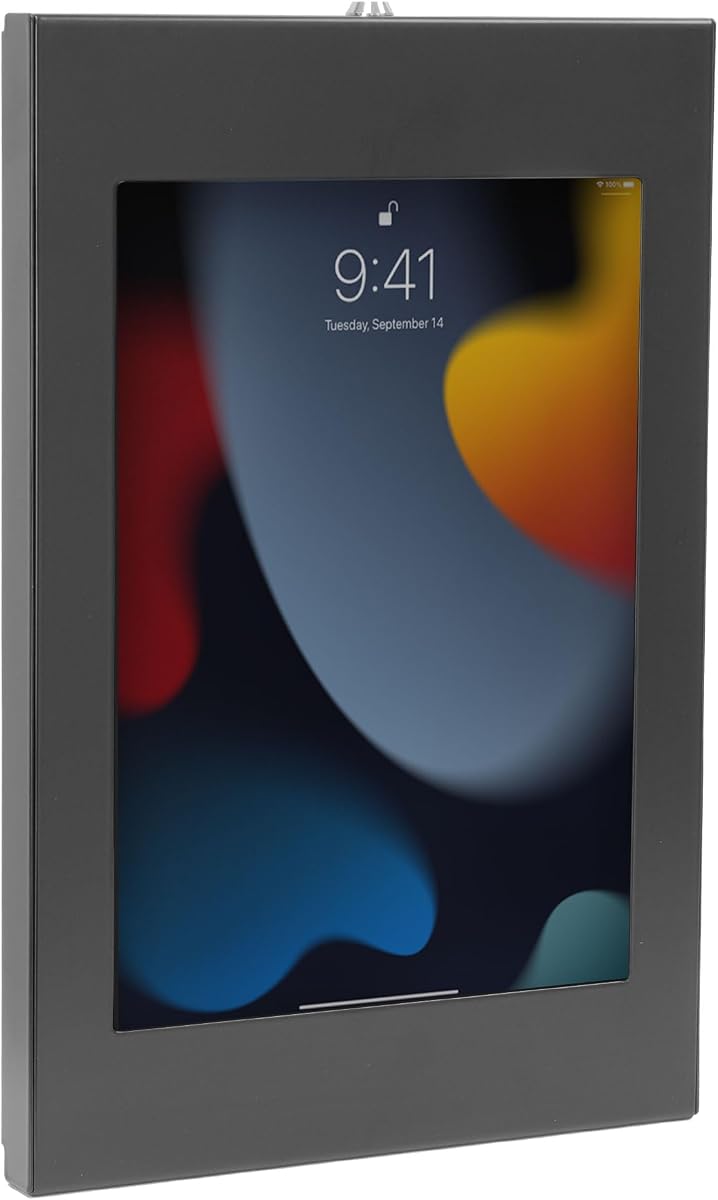
The Mount-It! Secure Steel Enclosure is designed for permanent commercial display, offering a more finished appearance and stronger physical security than an open cradle. Its 4.1 rating reflects the specialized nature of the product rather than a simple wall holder, and its defining features include a lockable steel case, a slim profile, and broad tablet compatibility.
We may earn a commission when you buy through this link, at no additional cost to you.
The adjustable frame accommodates bare tablets from 9.7 to 13.1 inches, including several iPad, Galaxy Tab, Surface Pro, Fire, and Lenovo models. The front camera, home button, and charging port remain accessible. Orientation is selected during installation, so portrait suits check-in and point-of-sale workflows while landscape is appropriate for menus, demonstrations, and video displays.
This enclosure accepts no tablet case, and iPad mini is explicitly excluded. The orientation cannot be changed after installation without reinstalling the enclosure, which may be inconvenient if the intended content or interaction pattern changes. Its 15-pound capacity and steel construction feel purpose-built for indoor commercial traffic, but the lockable housing is unnecessary for a private kitchen or bedroom.
It is best recommended for retailers, hospitality operators, healthcare registration desks, office directories, conference rooms, and temporary displays where a polished appearance and controlled removal are important. The included anchors, tools, installation guide, video walkthrough, and lifetime warranty add support for a more permanent deployment.
The 1.3-inch steel enclosure sits close to the wall for a clean retail or hospitality appearance. It also offers a practical alternative to a floor-standing kiosk in locations where aisle space is limited.
Camera, home button, and charging port access support Face ID, Touch ID, QR scanning, video calls, and continuous powered use. Those functions make the enclosure more suitable for active service workflows than simple signage.
We may earn a commission when you buy through this link, at no additional cost to you.
The Mount-It! Anti-Theft iPad Wall Mount Holder in black is built for controlled public-facing installations where the device must remain mounted and visitors should not freely change its angle. It has a 4.4 rating and centers on a keyed steel enclosure, shallow mounting depth, and model-specific fit.
We may earn a commission when you buy through this link, at no additional cost to you.
The enclosure is only 0.87 inches from the wall, making it less conspicuous than many swivel kiosks. A key is included for quick removal, and three adapter options help accommodate supported iPads while preserving camera and charging-port access. The fixed enclosure prevents users from tilting or swiveling the device, helping maintain a consistent presentation.
Compatibility is narrower than the product's broad enclosure counterpart. It supports selected 7th- through 11th-generation iPads, certain iPad Pro and Air configurations, the iPad A16 11-inch model, iPad 10, and iPad 9, 8, and 7. It does not support iPad Pro 12.9-inch, iPad mini, smaller tablets, or tablets in cases.
The black finish is well suited to retail counters, trade show booths, healthcare lobbies, libraries, and office check-in points. This is a good fit for an IT manager or facility coordinator who values theft deterrence and a nearly flush appearance more than flexible positioning.
The locked housing and fixed orientation create a controlled installation that is difficult for visitors to reposition. It is especially useful for digital signage, POS systems, and registration displays.
The included adapters support several iPad families and selected button or camera arrangements. Buyers should compare the exact model number and dimensions before selecting this enclosure.
We may earn a commission when you buy through this link, at no additional cost to you.
The Mount-It! Anti-Theft iPad Wall Mount Holder in white offers the same secure, fixed-orientation enclosure as the black version in a finish that blends more readily with pale walls and contemporary hospitality interiors. Its 4.4 rating reflects a well-defined specialty product for protected tablet deployment.
We may earn a commission when you buy through this link, at no additional cost to you.
The steel frame projects only 0.87 inches from the wall, which helps preserve a clean appearance in reception areas, clinics, libraries, and retail environments. A key allows authorized personnel to remove the tablet, while the fixed frame resists unauthorized repositioning. Camera and charging access remain available for active applications.
As with the black model, compatibility requires care. The enclosure supports a selected list of iPad generations and sizes but excludes iPad Pro 12.9-inch, iPad mini, and devices smaller than 9.7 inches. Protective cases are not supported. The 2.2-pound capacity is sufficient for tablets but signals that this is a device enclosure rather than a general equipment shelf.
Choose this version when security, a low-profile appearance, and a white finish are priorities. It is less appropriate for users who want to rotate the display frequently or protect an iPad that remains in a case. Verify the exact iPad model and planned orientation before drilling.
The white frame can blend into lighter walls, cabinets, and reception areas. That makes it useful where a black enclosure would look visually heavier than the surrounding décor.
The included key releases the enclosure without requiring additional tools. This convenience supports routine cleaning, charging adjustments, and device maintenance in managed environments.
We may earn a commission when you buy through this link, at no additional cost to you.
The Mount-It! Full-Motion Lock Mount combines theft deterrence with unusually broad positioning control. It has a 4.3 rating and suits retail stores, offices, hotels, and trade shows where users benefit from an adjustable display but the device should resist casual removal.
We may earn a commission when you buy through this link, at no additional cost to you.
Its cold-rolled steel arm supports a tilt range of plus or minus 15 degrees, swivel of plus or minus 90 degrees, 180-degree rotation, and extension from 3.5 to 16.1 inches. The rotating enclosure changes between portrait and landscape, while adjustable clamps fit tablets from 7.9 to 11 inches. This articulation allows operators to bring the screen closer for interaction or move it aside when necessary.
The trade-off is size. Larger 11-inch to 13-inch tablets may fall outside the stated range, so exact device dimensions should be checked. Installation should use a single wood stud or solid concrete or brick wall, which may be less convenient than mounting only to drywall. The security feature also adds complexity compared with a standard open cradle.
This is a strong middle ground for a check-in counter, hotel lobby, office control panel, retail consultation point, or trade show display. It is best for operators who need frequent angle changes but also want a lockable frame that discourages unauthorized removal.
The lockable enclosure deters casual theft while the arm preserves user-oriented adjustment. That combination fills a gap between inexpensive cradles and rigid commercial kiosks.
Extension up to 16.1 inches makes the display easier to reach for touch interaction, menus, or registration. The arm can also be repositioned as viewing needs change.
We may earn a commission when you buy through this link, at no additional cost to you.
The Lock Metal iPad Bracket is a narrowly targeted, high-rating option for owners of specific 11-inch and 10.9-inch iPads. Its 4.8 rating is the highest in this roundup, but that figure should be considered alongside its unusually strict device requirements rather than interpreted as a guarantee of universal compatibility.
We may earn a commission when you buy through this link, at no additional cost to you.
The bracket supports the 2025 iPad A16 11th-generation models A3354, A3355, and A3356, as well as the 2022 iPad 10th-generation models A2696, A2757, and A2777. Other 10.9-inch and 11-inch iPads are expressly excluded. Its aluminum kiosk, predrilled base, lock, and key create a secure frame, while 360-degree adjustment allows horizontal or vertical positioning.
This specificity is the primary drawback. A buyer with another iPad size or generation cannot rely on the listing's general appearance or similar dimensions; the model number must match exactly. The minimalist grip is intended to permit port, camera, and button access, but its effectiveness will also depend on the precise tablet configuration.
For the correct device, the bracket is well suited to offices, stores, hotels, schools, churches, restaurants, workshops, conferences, and trade shows. It combines attractive metal construction with keyed security and useful orientation changes, making it especially appealing to owners of one of the explicitly supported models.
The enclosure is engineered around specific iPad dimensions and model numbers. This focus can produce a more controlled fit than a generic holder, but buyers must verify compatibility before purchasing.
A lock-and-key mechanism helps protect the mounted tablet, while 360-degree adjustment supports different content orientations. The aluminum frame gives the installation a durable commercial appearance.
We may earn a commission when you buy through this link, at no additional cost to you.
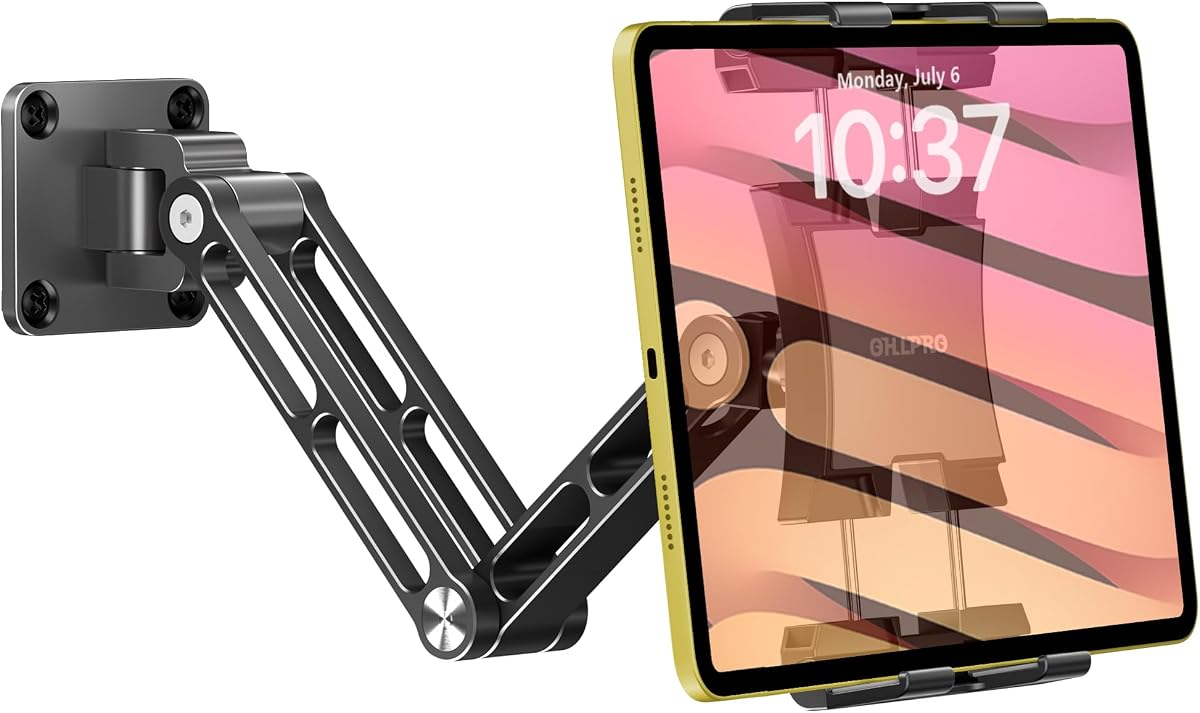
The OHLPRO Tablet Wall Mount Holder is an extendable, folding aluminum mount intended to turn a wall or board into a flexible workstation. It holds a 4.7 rating and distinguishes itself through a two-section arm, a 360-degree swivel base, and a rotating ball head.
We may earn a commission when you buy through this link, at no additional cost to you.
The reinforced base, high-strength screws, and locking shafts are designed to limit wobble, sagging, and loosening. Users can pull the tablet closer, push it away, fold it flat to save space, or rotate it between portrait and landscape. The adjustable clamp supports 4.7-to-13-inch devices, including iPad Pro, Air, Mini, Samsung Galaxy Tab, Kindle, and smartphones.
Installation choices include longer screws for wall or stud mounting and shorter screws for direct board installation. An Allen key is included for tightening the arm joints. As with any wall-mounted device, the fasteners need appropriate support in the chosen surface. It also lacks a lock, making it less appropriate for unattended public access.
This mount is well matched to kitchen recipe stations, workout displays, video calls, online lessons, workshops, offices, bedrooms, and recreational vehicles. It is a particularly attractive choice when the user wants to pull the screen into a comfortable working position rather than viewing a permanently fixed panel.
The two-section arm moves the display closer for detailed interaction and folds against the wall when it is not needed. This makes the holder practical in rooms with limited space.
A reinforced aluminum base and secured shaft joints support daily positioning changes. The Allen key lets installers tighten the movement points after choosing a comfortable angle.
We may earn a commission when you buy through this link, at no additional cost to you.
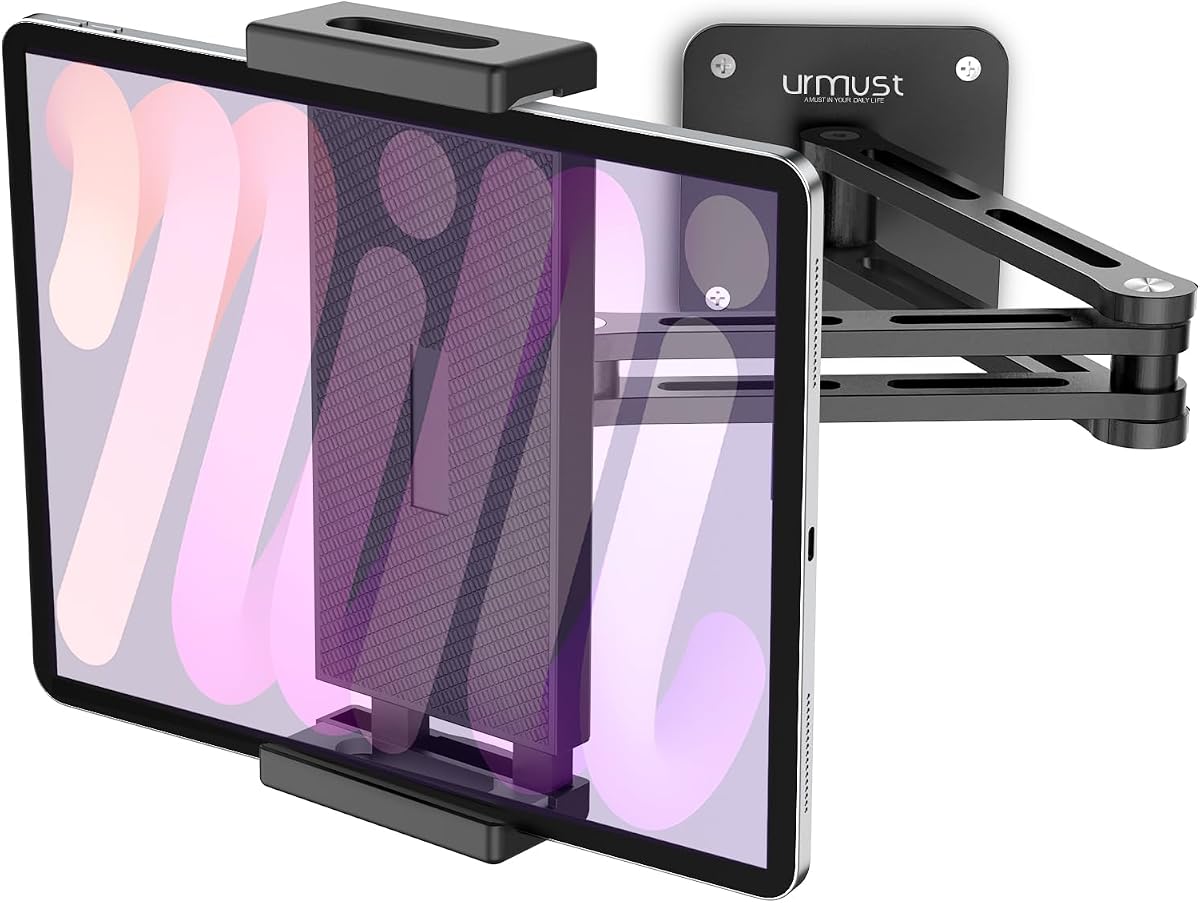
The Urmust iPad Wall Mount Stand uses dual aluminum extension arms and a 360-degree swiveling ball head to create a flexible display station. Its 4.5 rating reflects a well-rounded product for recipes, bedside viewing, offices, camper installations, and other situations where screen position needs to change.
We may earn a commission when you buy through this link, at no additional cost to you.
The arm can pull the device closer for detailed work and fold flat against a wall or cabinet when not in use. The heavy-duty aluminum construction, reinforced base, and clamp are designed to reduce wobble and sagging. Its 4.7-to-13-inch size range accommodates all iPad Pro, Air, and Mini models, along with Samsung Galaxy Tab, Microsoft Surface, Kindle, and iPhone devices.
Installation requires care, especially on drywall. The listing specifically advises fully seating the provided anchors for a secure hold, while the included Allen key can be used to adjust the arm. As an open holder rather than a locked enclosure, it does not protect against deliberate removal and is not appropriate for an unattended public kiosk.
It is a strong recommendation for home users and temporary or semi-permanent installations that benefit from a longer reach. Side walls, the underside of cabinets, pillars, kitchens, gyms, cafés, and RVs are among the suggested applications. Buyers should select the correct fastener and substrate for the installation location.
The extended arm brings the display closer when recipes, calls, or detailed work require interaction. Its fold-flat behavior preserves space in compact rooms and mounted cabinets.
A clamp range from 4.7 to 13 inches offers flexibility across phones, tablets, and e-readers. Exact dimensions should still be checked against the holder's available adjustment.
We may earn a commission when you buy through this link, at no additional cost to you.
The AboveTEK Universal Tablet Wall Mount is a hybrid commercial enclosure that combines theft protection with meaningful display adjustment. Its 4.2 rating suits a specialized market of retail POS systems, lobbies, events, schools, restaurants, and showrooms where visitors interact with a mounted tablet.
We may earn a commission when you buy through this link, at no additional cost to you.
The enclosure supports devices with screens from 9.7 to 13 inches and thickness up to 0.47 inches, or 12 millimeters. A tamper-proof screw system and included wrench replace a conventional key. The mount rotates through 360 degrees, tilts from minus 30 to plus 30 degrees, and swivels, allowing portrait, landscape, and glare-reducing viewing positions.
Its aluminum faceplate and reinforced steel base are intended for frequent commercial use, while protective pads help reduce scratches. The 100×100-millimeter VESA pattern offers a standardized mounting base. Buyers should verify that the enclosure, arm, and VESA arrangement are appropriate for the wall and that the device's total thickness does not exceed the stated limit.
This is a good recommendation for managed commercial displays that need more flexibility than a fixed enclosure but stronger protection than an open cradle. It is less compelling for a private home display, where the locking hardware and enclosure add little practical value.
The lockable frame discourages removal, while rotation, swivel, and tilt let operators tune the display for different users. That balance makes it suitable for interactive commercial applications.
The 100×100 pattern gives the installation a standardized base and allows use with compatible wall fittings. Hardware and anti-scratch pads are included to simplify setup.
We may earn a commission when you buy through this link, at no additional cost to you.
The right iPad wall mount depends on device fit, adjustment, security, installation surface, and the role the tablet will play. Comparing those requirements before drilling helps avoid a costly mismatch.
Start with the exact iPad generation, display size, thickness, and case configuration. Universal holders often describe a broad size range, but their clamps still have limits, while security enclosures may support only selected models. The Mount-It! Steel Enclosure, for example, accepts bare tablets but excludes iPad mini, and the model-specific Lock Metal Bracket supports only two clearly identified iPad families. Check model numbers and physical dimensions rather than relying on a shared screen size.
A fixed holder works for digital signage where the content and viewing direction are known. A ball head or articulated arm is better for video calls, recipes, interactive registration, and user-controlled displays. Look for 360-degree rotation between portrait and landscape, useful swivel or tilt ranges, and the ability to extend the screen closer. Overly complex movement is unnecessary in a private room, while controlled adjustment is valuable in commercial environments.
Basic cradles are convenient but offer little protection from deliberate removal. Lockable steel enclosures, keyed frames, and tamper-resistant screws are better for retail counters, hotel lobbies, clinics, libraries, trade shows, and other public-facing locations. If the tablet must be removed routinely for charging or maintenance, consider how quickly authorized staff can open the mount. If it is theft resistance that matters, verify that the enclosure actually secures the device rather than merely restricting articulation.
The correct installation method depends on whether the wall is drywall, wood, concrete, stone, brick, or another material. Some products include anchors for several surfaces, while others specifically require a wood stud or solid masonry. A mount attached only to unsupported drywall may sag or pull free, especially with an extendable arm. Identify the wall structure, check for wiring or plumbing before drilling, and use the included Allen key or wrench to lock every adjustment joint after positioning.
Aluminum is useful for adjustable arms because it combines low weight with adequate rigidity, while painted steel is common around lockable commercial enclosures. Material alone does not guarantee stability; clamp width, arm joints, base reinforcement, fasteners, and the device's center of gravity also matter. Fully tighten shafts and locking screws, avoid overextending a long arm, and choose a bracket rated for the size and weight of the tablet.
A useful wall mount should leave charging, buttons, cameras, speakers, microphones, and authentication features accessible as needed. Some adjustable holders use minimalist grips that preserve access, while fixed enclosures may require adapters to avoid blocking Touch ID, the home button, or the front camera. For a mounted iPad that stays connected, confirm that the charging port remains reachable and that the cable can be routed without pulling against the screen.
An extendable arm can provide hands-free viewing but may remain visually prominent when folded. A flush enclosure looks cleaner in reception areas and retail displays. Black finishes tend to disappear into dark fixtures, while white finishes blend more readily with pale walls and contemporary interiors. Consider the rest of the room, cable routing, viewing height, and whether the device is meant to look like permanent signage or a convenient adjustable screen.
A complete package may include screws, wall anchors, concrete anchors, an Allen key, a small wrench, and a template or guide. That does not always include a drill, the correct wall bit, or every surface-specific fastener. Commercial products may also offer installation instructions, video walkthroughs, warranties, and technical support. Review the included parts before starting so a missing tool does not interrupt the installation.
Before installation, identify the wall material, confirm the mount fits the exact iPad model and case, and decide whether the display will remain in portrait or landscape. Mark the mounting holes with a pencil, check for concealed wiring or plumbing, and drill only after confirming the position. Select suitable fasteners for the surface, secure the base or wall plate, and test the device before tightening everything fully.
Place the tablet into the clamp or enclosure and tighten the retention hardware gradually. Check that the weight is centered and that the screen does not pull the mount away from the wall. For adjustable models, tighten shafts, ball joints, and locking screws with the supplied tool, then move the arm through its range and confirm it remains stable. Route charging cables so they do not pull the tablet downward or restrict adjustment.
For routine care, dust the mount with a soft dry cloth and clean the grip surfaces with a lightly dampened cloth. Avoid abrasive pads, aggressive cleaners, and excessive moisture around openings or joints. Inspect screws and anchors periodically, particularly on frequently adjusted or extendable arms. If the mount is used in a public area, check that the lock, case, and security fasteners remain fully engaged.
That depends on the holder's clamp depth and the thickness of the case. The OHLPRO Universal Holder specifically allows for cases up to 0.78 inches thick, while several lockable Mount-It! enclosures accept bare tablets only. Measure the device and case together, including any buttons or accessory attachments, before installation.
Usually not. A lock is most valuable in retail, hospitality, healthcare, offices, libraries, and trade show environments where visitors may interact with or attempt to remove the device. At home, a sturdy adjustable holder provides the same essential benefits with simpler construction.
Some models include expansion anchors suitable for drywall, while others require a wood stud or solid concrete or brick. A drywall-only installation without proper stud or anchor support can be unsafe, particularly for an extendable arm. Follow the product instructions and use fasteners rated for the wall and load.
Yes, provided the holder leaves the front camera, microphone, and relevant controls accessible. Adjustable ball-head and swing-arm models make it easier to position the iPad at eye level. Fixed security enclosures should be checked for camera cutouts and adapter support.
A cradle generally holds the iPad in an open frame and provides basic positional adjustment. An anti-theft enclosure surrounds more of the device and uses a key or tamper-resistant screw to discourage unauthorized removal. Enclosures are generally better for unattended public displays, while cradles are easier to adjust and remove.
The listed products are primarily described for indoor residential and commercial use. Outdoor installation introduces moisture, temperature, ultraviolet exposure, and corrosion concerns. Even if a particular mount could be attached outside, the iPad's own weather and temperature limitations should be considered first.
Portrait works well for video calls, menus, lists, portrait content, and check-in interfaces. Landscape is often better for video playback, spreadsheets, presentations, and wide digital signage. Several fixed enclosures set the orientation during installation, so deciding early can prevent a later reinstallation.
No. VESA compatibility is explicitly listed for selected Mount-It! models and the AboveTEK kiosk, while ordinary universal cradles generally use their own wall plate or arm. Check the mounting pattern and included hardware if you intend to use the holder on an existing stand.
The OHLPRO Universal Holder stands out as the budget-friendly choice for users who want 360-degree positioning, broad device support, and case accommodation. The Tablet Wall Mount Holder offers a balanced aluminum construction and flexible arm for home or workplace use, while the Mount-It! Secure Steel Enclosure is the premium selection for protected, polished commercial installations.
Prioritize exact device fit, secure wall anchoring, and the amount of movement the installation actually requires. A lockable enclosure matters most in public-facing spaces, an extendable arm helps in kitchens and workspaces, and a low-profile fixed frame is ideal when consistent signage is the goal. Always verify port access, case compatibility, and the stated device dimensions before drilling.
Ratings, configurations, and product availability can change over time, and current prices should always be confirmed on the linked listing. Comparing the latest dimensions, included hardware, and installation requirements with your iPad model will help ensure that the selected wall mount provides a safe, secure, and useful installation.
