
15.6 Inch 16:9 Privacy Screen
4.2Editor score
Budget-friendly 15.6-inch model
Side privacy beyond 60 degrees
Slide-on or mounted installation
Laptop Privacy Screen Filters limit what other people can see on your display, making them useful in offices, airports, classrooms, coffee shops, and other shared spaces. A good filter balances side-view privacy, straight-on clarity, manageable brightness, glare control, and a secure attachment method that suits your laptop.
The products in this guide were compared using the information supplied for each model, including verified screen dimensions, aspect ratio, viewing-angle behavior, installation options, light-filtering claims, and included accessories. The list covers traditional side-view filters, four-way privacy designs, magnetic models, adhesive installation, and reversible glossy or matte surfaces.
Each review explains the strongest reason to consider a particular filter, along with its important limitations and compatibility requirements. The top picks highlight a budget option, a versatile four-way model, and a premium 3M design. Product listings and prices change over time, so readers should confirm current availability and details before purchasing.
4.2Editor score

4.3Editor score

4.2Editor score
As an Amazon Associate we earn from qualifying purchases.
This side-by-side comparison highlights screen size, aspect ratio, privacy direction, attachment method, and practical extras so readers can quickly identify the filter most likely to fit their laptop and routine.



This 15.6-inch privacy screen filter combines an approachable format with the core protection many laptop users need in shared environments. Its 4.2 rating reflects a generally positive user reception, while the supplied specifications emphasize side-view blackout, optical clarity from the front, and a measured 344-by-194-millimeter visible screen area.
We may earn a commission when you buy through this link, at no additional cost to you.
The filter is designed for 16:9 widescreen displays and provides effective darkening for people viewing from outside a 60-degree range. It also blocks 30 percent of blue light within the stated 380-to-495-nanometer range, adds a layer against dust and scratches, and offers both slide-on and mounted installation styles for different laptop frames.
Compatibility is the main consideration. It is explicitly not compatible with touchscreens or 16:10 displays, and buyers should not rely on the nominal 15.6-inch diagonal alone. The manufacturer recommends measuring the visible screen area, while the seller also provides 24/7 customer support for questions about measurements and fit.
This is a compelling choice for a compatible 15.6-inch 16:9 laptop when straightforward side privacy and useful light filtering are the priorities. It does not offer four-way shielding or premium flip-share convenience, but its flexible mounting options and round-the-clock sizing assistance make it a practical budget recommendation.
The side-view blackout is suited to offices, airports, trains, and cafés where neighboring people may glance toward a display. It maintains the clearest intended view from directly in front while making off-angle views increasingly dark.
The visible screen dimensions matter more than the advertised diagonal. A compatible display should measure approximately 13.56 inches wide by 7.64 inches high, with a 16:9 aspect ratio and no touchscreen requirement.
We may earn a commission when you buy through this link, at no additional cost to you.
The SightPro Magnetic 14-Inch Privacy Screen focuses on convenient, repeatable installation. It has a 4.2 rating and uses patented magnets along the top edge, allowing the filter to attach directly without tape or adhesive contacting the display. That design is especially convenient for users who need to remove the filter regularly.
We may earn a commission when you buy through this link, at no additional cost to you.
The filter measures 11 15/16 inches wide by 7 1/2 inches high, with a listed diagonal of 14.1 inches, making it intended for 14-inch 16:10 laptops. It works with several major laptop brands, although buyers should check their screen's width and height rather than using the diagonal alone. The included magnetic stickers, webcam cover, folder, and cloth create a more complete kit.
Privacy comes from a multilayer film that blacks out side views while maintaining a clear straight-on image. The product also provides UV and blue-light protection. A key limitation is that it cannot block someone positioned directly behind the user, regardless of distance, and it is not optimized for touchscreen laptops.
Choose this model when fast magnetic removal and a useful set of accessories are priorities. It is especially well suited to travelers, students, mobile workers, and professionals who alternate between focused work and screen sharing. Verify dimensions carefully, particularly for laptops with unusual bezels or narrow screen openings.
The top-edge magnetic system makes installation and removal less fiddly than permanently adhesive mounting. The included magnetic stickers help secure the assembly while keeping the laptop display free of attachment strips.
Beyond the privacy filter, the package includes a webcam cover, magnetic stickers, a storage folder, and a cleaning cloth. These additions make it easier to protect, transport, and maintain the complete setup.
We may earn a commission when you buy through this link, at no additional cost to you.
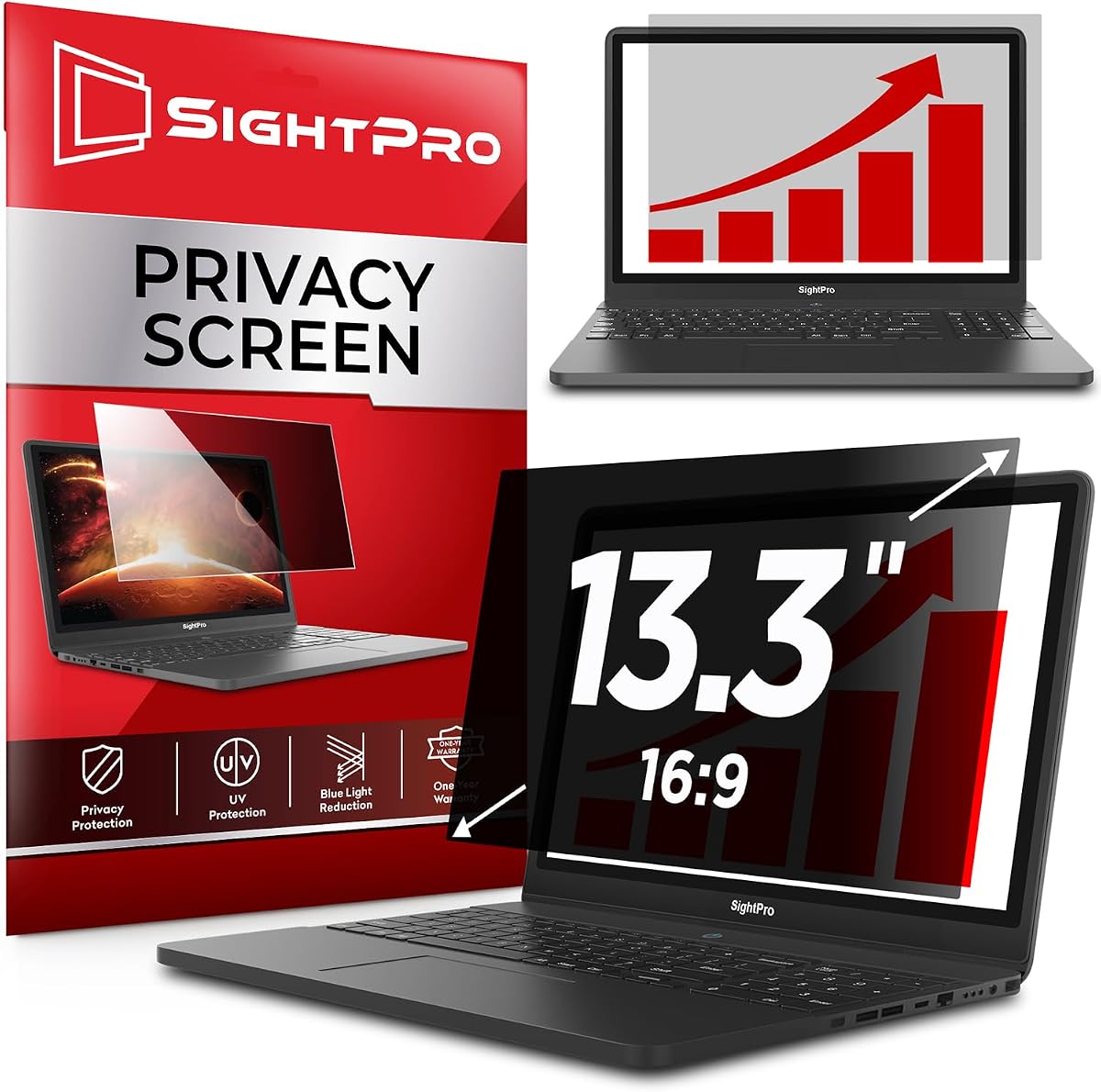
This SightPro 13.3-inch model records a 4.4 rating, the highest among the ten products in the guide. It targets the very common 13.3-inch 16:9 laptop format and combines side-view blackout protection with glare, UV, and blue-light reduction. Its straight-on image is described as clear, while off-axis views become dark.
We may earn a commission when you buy through this link, at no additional cost to you.
Two installation approaches give buyers a useful choice between clear adhesive strips and slide mount tabs. Adhesive mounting provides a more continuous placement, while tabs allow the filter to slide away when it is not needed. The package includes two sets of transparent adhesive strips, two sets of slide mounts, and a cleaning cloth.
The stated visible area is 294 by 166 millimeters, so verifying the laptop's display with a ruler is essential. The filter is not optimized for touchscreens, is not compatible with MacBooks, and cannot block someone standing directly behind the user. Those restrictions make it more suitable for standard Lenovo, HP, Dell, Acer, Asus, Samsung, and compatible 13.3-inch displays.
For a compatible 13.3-inch 16:9 business or student laptop, this is an easy recommendation because of its strong rating, clear viewing experience, glare reduction, and two mounting choices. It is a better fit for users who value straightforward removal than for those requiring privacy in all four directions.
The 4.4 rating and combination of side privacy, blue-light reduction, and glare control make this a strong general-purpose option for smaller laptops. Its straight-on clarity supports normal productivity work while protecting against incidental side glances.
Adhesive strips can create a stable everyday installation, while slide tabs are convenient for intermittent use. Neither method should be used on a screen whose dimensions do not match the listed 294-by-166-millimeter visible area.
We may earn a commission when you buy through this link, at no additional cost to you.
The ZOEGAA Four-Way 14-Inch Privacy Screen is the standout choice for users who need protection from more than the left and right. It has a 4.3 rating and uses four-way 360-degree filtering to darken views from above, below, and both sides, offering broader coverage than conventional horizontal privacy screens.
We may earn a commission when you buy through this link, at no additional cost to you.
Its glossy face is positioned as the stronger side for privacy, while the reverse matte face is intended to reduce glare. The filter also blocks blue light and ultraviolet rays. Two installation methods are offered: slide-in mount tabs for a removable arrangement and double-sided adhesive strips for direct attachment at the corners.
The target visible area is 11 14/16 inches wide by 7 6/16 inches high, with a 14-inch diagonal and 16:10 ratio. It is listed as suitable for common HP, Dell, Acer, Asus, Samsung, and ThinkPad models, but it does not support Surface or MacBook series computers. Its adhesive option may also be less appealing to owners who want to avoid fixed mounting.
This is the most versatile privacy design in the roundup for compatible 14-inch 16:10 laptops. It suits conference tables, shared desks, and densely occupied workspaces where people may view the display from several directions. The nonstandard exclusions and two-sided surface design should be considered before ordering.
The four-way optical design is the key differentiator. It aims to reduce legibility from upper, lower, and lateral viewpoints, which is valuable when a screen may be exposed to more than one nearby observer.
Users can place the glossy side toward the display for stronger privacy or the matte side outward for glare reduction. Reversibility allows the filter to serve different working conditions without requiring separate accessories.
We may earn a commission when you buy through this link, at no additional cost to you.
The SightPro 15.6-inch filter is a broad-fit option for standard 16:9 business laptops. Its 4.2 rating reflects a solid overall reception, and the supplied information highlights a multilayer filter, side-view blackout, glare reduction, and blue-light and UV protection for use in offices, travel, and shared locations.
We may earn a commission when you buy through this link, at no additional cost to you.
Users can choose transparent adhesive strips for fixed mounting or slide mount tabs for a removable setup. The package includes one privacy filter, two sets of clear adhesive strips, two sets of slide tabs, and a microfiber cloth. This gives buyers flexibility without requiring adhesive directly on the display for every workflow.
Compatibility requires more care than simply confirming a 15.6-inch display. The visible screen area is listed as 345 by 194 millimeters, and the aspect ratio must be 16:9. Touchscreens are not optimized, and the side-view design does not conceal a person looking from directly behind the user.
This filter is a sensible all-around option for a compatible 15.6-inch 16:9 laptop, particularly for office workers who alternate between permanent and removable mounting. It offers more accessories than a basic film-only purchase and supports multiple common laptop brands, but buyers seeking four-way or premium flip functionality should consider another model.
Fixed adhesive strips suit users who expect to leave the filter in place, while slide tabs are better for occasional privacy. The included microfiber cloth supports routine cleaning without adding another accessory to the purchase.
The listed glare, UV, and blue-light features make the filter more than a simple confidentiality layer. These qualities are particularly relevant in bright offices and public settings where reflections and prolonged screen use can reduce viewing comfort.
We may earn a commission when you buy through this link, at no additional cost to you.
The Protescreen 14-Inch filter is a feature-heavy option with a 4.0 rating. It uses micro-louver technology to limit the viewing angle to approximately plus or minus 30 degrees, producing a clear front view and a dark screen from the sides. It also describes reversible glossy and matte faces for balancing privacy against glare.
We may earn a commission when you buy through this link, at no additional cost to you.
The supplied specifications claim the filter reduces 92 percent of blue light, 98 percent of UV light, and 95 percent of reflected light. A reinforced transparent layer is also described as protecting against scratches and dust. The package includes the filter, adhesive strips, slide tabs, alcohol packets, and cleaning cloths.
Compatibility is listed for a 14-inch 16:10 display measuring 11.89 inches by 7.40 inches, including common HP, Dell, Lenovo, Acer, Asus, LG, Envy, Toshiba, and Samsung models. One installation description inconsistently mentions 16:9, so buyers should rely on the precise final dimensions and carefully verify the actual screen before ordering.
The broad accessory bundle and reversible surface make this an attractive option for a compatible 14-inch 16:10 laptop. It is also one of the few products here with specific high percentages for blue-light, UV, and reflected-light reduction. The inconsistent aspect-ratio wording and lowest rating in the list warrant careful product-page review before purchase.
The stated reductions distinguish this model from filters that offer only general light protection. The claims cover blue light, ultraviolet rays, and reflected light, although individual results can vary with display brightness and ambient lighting.
The matte side supports glare reduction, while the glossy side is described as more privacy-resistant. This lets users adapt the filter to a brightly lit office or a setting where shoulder-surfing is the main concern.
We may earn a commission when you buy through this link, at no additional cost to you.
The 3M Bright Screen Privacy Filter for a 13.3-inch 16:10 laptop is a premium option centered on clarity and convenient sharing. Its 4.2 rating is supported by a stated light transmission of up to 85 percent and a claim of being up to 25 percent brighter than other black privacy filters.
We may earn a commission when you buy through this link, at no additional cost to you.
Advanced Nanolouver technology provides effective blackout for side views outside the 60-degree viewing angle while reducing blue light without distorting natural display colors. The reversible design lets users select a glossy surface or a matte surface that helps reduce glare and fingerprints, making it possible to favor appearance, privacy, or handling at different times.
The package includes 3M COMPLY Flip Attach for switching between privacy and screen sharing, plus 3M COMPLY Adhesive Strips to hold the filter securely in place. Each unit is described as hand inspected for quality assurance. As with any precision-fit accessory, the exact model designation and visible screen measurements should be confirmed for the laptop.
This is the strongest premium recommendation in the guide for users who regularly alternate between confidential work and screen sharing. The flip mechanism is more deliberate than a slide tab, and the stated light transmission addresses a common concern with black privacy filters. It remains a model-specific purchase, so compatibility deserves priority.
The up-to-85-percent light-transmission claim indicates that the filter is designed to preserve a useful front-facing image rather than producing an excessively dark working view. It also reduces blue light while aiming to maintain natural display colors.
The COMPLY Flip Attach system is designed for repeated daily transitions. Users can expose the screen for collaboration and return the filter to the protected position without reinstalling it each time.
We may earn a commission when you buy through this link, at no additional cost to you.
This 3M Bright filter is intended for a 14-inch full-screen laptop and carries a 4.1 rating. It uses the same Advanced Nanolouver approach as the other Bright Screen products, with up to 85 percent light transmission and effective blackout from side views outside the 60-degree range.
We may earn a commission when you buy through this link, at no additional cost to you.
The filter is described as helping reduce blue light without distorting natural colors. A reversible glossy and matte configuration allows the user to choose the better surface for glare, fingerprints, or appearance, while the COMPLY Flip Attach system makes it convenient to share the display during meetings.
Adhesive strips are also included to keep the filter securely positioned, and the product is described as hand inspected for quality assurance. The primary issue is fit: the listing says 14-inch full screen rather than supplying a simple aspect-ratio and visible-width combination, so the exact laptop model and physical screen area must be checked.
This model is well suited to a compatible 14-inch user who prioritizes premium light transmission, repeated screen sharing, and a refined installation system. It is less compelling for buyers seeking four-way privacy, and it should not be selected solely because a laptop has a 14-inch diagonal.
The stated transmission level seeks a balance between a dark off-angle appearance and a comfortable front view. This makes the filter suitable for offices where users need a readable screen while retaining confidentiality from nearby seats.
Because the product is identified as a 14-inch full-screen filter, buyers should compare the screen's visible width, height, bezel area, and attachment space with the manufacturer's fit guidance. A nominal diagonal alone does not establish compatibility.
We may earn a commission when you buy through this link, at no additional cost to you.
The 3M PF133W9B Privacy Filter is a 13.3-inch 16:9 model built around a hinged COMPLY attachment system. Its 4.2 rating and established model designation make it a familiar choice for users who prioritize repeatable flip-share handling over four-way viewing protection.
We may earn a commission when you buy through this link, at no additional cost to you.
Microlouver technology delivers blackout privacy from side views outside the 60-degree angle, while the attachment allows the user to switch quickly from a protected view to screen sharing with a simple flip. The filter is reversible between a glossy side and a glare-reducing matte side, accommodating different preferences and ambient conditions.
A stated 35 percent reduction in blue-light transmission is included in the product benefits. The proprietary hinge is designed to withstand regular use, which is especially relevant for people who reveal their display repeatedly during meetings, presentations, or collaborative work.
This filter makes sense for a compatible 13.3-inch 16:9 laptop with narrow enough edges to accept the COMPLY system. It does not address viewing from directly above or below, and it cannot prevent someone positioned behind the user from seeing the display. The 16:9 requirement also limits its relevance to modern 16:10 laptops.
Unlike a permanently adhesive filter, the COMPLY hinge keeps the screen attached while allowing it to be flipped open. This offers a fast and repeatable solution for presentations and collaborative sessions.
The filter reduces blue-light transmission by a stated 35 percent, while the reversible faces let the user favor the matte side for glare control or the glossy side for a different viewing character.
We may earn a commission when you buy through this link, at no additional cost to you.
The 3M Bright Screen BP133W9B combines a strong 4.4 rating with 3M's premium filter design for 13.3-inch 16:9 laptops. It is especially appealing to users who find darker privacy filters reduce the comfort or clarity of their normal working view.
We may earn a commission when you buy through this link, at no additional cost to you.
Advanced Nanolouver technology transmits up to 85 percent of screen light, and the product is described as up to 25 percent brighter than other black privacy filters. Side views outside the 60-degree range are effectively blacked out, while front-facing use remains designed for clarity and balanced brightness.
The filter helps reduce blue light without distorting natural display colors and can be reversed to use either a glossy side or a matte side that helps control glare and fingerprints. COMPLY Flip Attach supports rapid transitions between privacy and screen sharing, and adhesive strips are included for secure positioning.
This is a compelling premium option for a compatible 13.3-inch 16:9 laptop, especially for users who want stronger light transmission than many black filters provide. It is limited to side-view protection, however, and buyers should verify the visible screen dimensions and bezel clearance before ordering.
The filter's main appeal is its attempt to preserve working-screen brightness while limiting off-angle visibility. The up-to-85-percent transmission and up-to-25-percent brightness claims make it relevant for long professional sessions.
The flip attachment makes the filter easy to open for collaboration and close for confidential work. Reversible surfaces and included adhesive strips provide additional flexibility for positioning, glare, and fingerprints.
We may earn a commission when you buy through this link, at no additional cost to you.
The right laptop privacy filter depends on exact screen dimensions, aspect ratio, the directions from which your display needs protection, and how often you plan to remove or share it. The following factors help narrow the field before making a purchase.
Start by measuring the width and height of the display area, excluding the surrounding black bezel. This is more reliable than the diagonal size because multiple laptops can share a nominal 14-inch or 15.6-inch label while using different aspect ratios, visible dimensions, webcam placements, and bezel arrangements. Compare the measurements with the product specifications rather than assuming that a listed laptop size guarantees a fit.
Measure the visible width and height, then compare both figures with the listing. Exact dimensional compatibility is more important than the diagonal.
The aspect ratio describes the relationship between a display's width and height. The products here cover common 16:9 and 16:10 formats, but a 16:9 filter cannot safely be assumed to fit a 16:10 screen. Some listings also exclude particular product families, including the ZOEGAA model with Surface and MacBook exclusions, while the SightPro 13.3-inch option is specifically described as incompatible with MacBooks.
Verify both aspect ratio and model-specific exclusions. A matching diagonal does not resolve a shape mismatch.
Most privacy screens use horizontal louvers to darken views from the left and right. That design works well in a row of office desks or on a train, but it may leave upper and lower viewing angles exposed. If people can look over or beneath your display, the ZOEGAA four-way model offers a broader privacy design. Even a four-way filter should be understood as a viewing-angle control rather than a guarantee against every possible observer.
Match the privacy direction to your surroundings. Four-way coverage helps, but no filter replaces sensible screen positioning.
Dark privacy filters can reduce perceived screen brightness and affect color perception. Premium options such as the 3M Bright Screen filters claim light transmission of up to 85 percent, while budget products may provide different brightness characteristics. Review descriptions comparing transmission, clarity, glare, and natural color are useful, but individual comfort also depends on display settings and ambient lighting. A brighter working view is especially important for long sessions.
Prioritize front-facing clarity and usable brightness. A highly private filter is not beneficial if it makes normal work uncomfortable.
Adhesive strips or tabs can provide a fixed installation, slide mounts make frequent removal easier, magnetic attachment avoids permanent display adhesive, and flip attachments support quick screen sharing. Consider how often you travel, share your display, change desks, or move between private and collaborative work. Also check whether the laptop has a raised or recessed bezel that might affect slide-tab clearance.
Choose attachment based on your routine: fixed, removable, magnetic, or flip-share. Confirm bezel clearance before installation.
A matte face can help control reflections in bright rooms, while a glossy face may provide a stronger privacy-oriented finish. Several filters also claim UV, blue-light, or reflected-light reduction. The supplied products use different figures, including 30 percent, 35 percent, 92 percent, 95 percent, and 98 percent claims depending on the filter and light type. These percentages are not directly interchangeable without considering their precise wording.
Separate privacy from comfort features. Check whether glare, blue light, or UV reduction is central to your needs.
A physical privacy layer can interfere with touch input, and several products explicitly say they are not compatible or not optimized for touchscreens. Even products that do not display a bold warning may fit a touchscreen model less smoothly because of the extra film. If your laptop is convertible or accepts finger input, prioritize a listing that expressly supports touch use rather than extrapolating from a standard non-touch model.
Confirm touchscreen support directly. A standard adhesive or slide-on filter may affect touch responsiveness.
The value of a filter package can extend beyond the film itself. The SightPro magnetic option includes magnetic stickers, a webcam cover, storage folder, and cleaning cloth. Other packages supply adhesive strips, slide tabs, alcohol packets, and cleaning cloths. These extras can make installation, transport, maintenance, or device protection more convenient, but they should complement rather than distract from the essential fit and privacy requirements.
Compare the complete package, but prioritize exact compatibility and privacy performance over accessories.
Begin by confirming the filter's dimensions, aspect ratio, attachment requirements, and touchscreen compatibility against your laptop model. Clean the display and the filter with the supplied or a suitable soft cloth, then follow the instructions for adhesive strips, slide tabs, magnetic attachments, or flip hardware. Avoid forcing a filter into a narrow bezel, and do not assume the diagonal measurement alone confirms a proper fit.
Position the screen so that direct viewing remains straight on, especially with conventional side-view filters. For reversible models, choose the glossy face when stronger privacy is the priority or the matte face when glare reduction matters. Users of four-way filters still need to account for observers standing directly behind the screen, and no model should be treated as a guarantee that content is always hidden.
Remove and clean the filter occasionally, particularly after extended use or when fingerprints and dust become visible. Use gentle pressure and follow the manufacturer's cleaning guidance. Store the filter in a case or folder when it is not attached, keep adhesive surfaces free of dust, and avoid folding flexible filters. Checking attachment tension and screen cleanliness periodically helps maintain clear viewing and reliable privacy.
Measure the visible width and height of your laptop screen, excluding the black bezel, and compare those dimensions with the filter's specifications. Confirm the aspect ratio as well, because 16:9 and 16:10 screens with similar diagonals have different shapes. Also check the listing for touchscreen restrictions and excluded laptop families.
No. Most filters are designed to darken side views while preserving a clear front view, and several product descriptions explicitly note that someone directly behind the user may still see the display. Four-way filters offer broader upper and lower protection, but privacy still depends on positioning, the viewing angle, and the filter's optical design.
Some are, but not all. Several 14-inch options in this guide specifically fit 16:10 displays, while others are designed for 16:9. The diagonal size alone is not enough to determine compatibility, so buyers should verify both the aspect ratio and the stated visible-area dimensions.
That depends on the model. Several filters in this guide are explicitly not touchscreen compatible or not optimized for touchscreens, and adding a physical layer can change touch responsiveness. Always check the product details and ask the seller if your exact laptop model is not clearly covered.
Choose glossy when your priority is a sharper privacy effect and your viewing environment is controlled. Choose matte when reducing glare is more important or when fingerprints are a frequent concern. Several products in this guide are reversible, allowing you to use either surface according to the situation.
A magnetic filter is convenient when you need frequent removal and sharing because it can attach without permanent adhesive on the display. Adhesive or slide-tab systems can be more secure for continuous use. The best choice depends on your workflow, laptop bezel, and how often the screen needs to be exposed.
Many filters claim some level of blue-light, UV, or reflected-light reduction, but the stated percentages differ considerably and refer to different conditions or wavelengths. Check the exact claim for each product. If reducing blue light is a main concern, compare those figures separately from the filter's privacy performance.
Yes, if the attachment system allows the filter to be moved. Flip attachments are designed to open quickly for screen sharing, while slide tabs and magnetic filters can also be removed. Measure the laptop bezel first and learn the attachment procedure before a meeting so the filter can be positioned without rushing.
The 15.6-inch 16:9 filter is the budget-focused recommendation, while the ZOEGAA Four-Way model stands out for broader protection from above, below, and both sides. The 3M Bright Screen 13.3-inch 16:10 filter earns the premium recommendation for its high stated light transmission, reversible surfaces, and convenient flip-share system.
Before buying, prioritize exact visible dimensions, aspect ratio, touchscreen compatibility, and the directions from which people can view your screen. Then choose the attachment method and surface that match your work. Side-view filters are sufficient for many desk arrangements, while four-way protection becomes more valuable in crowded rooms where observers may approach from several elevations.
Ratings, product details, availability, and prices can change, so review the current listing before ordering. Measure the screen rather than relying on its nominal size, check the included installation accessories, and confirm any exclusions noted by the manufacturer. A carefully matched filter is more likely to deliver the intended combination of privacy, clarity, and everyday convenience.