
LED Monitor Light Bar
4.5Editor score
Asymmetric glare-reducing beam
Five brightness and temperature levels
Music-responsive RGB modes
High-CRI task lighting
Universal monitor compatibility
Gaming desk light diffusers range from flexible LED-strip covers to monitor light bars designed to illuminate a keyboard without reflecting glare across a display. A useful diffuser should spread harsh points of light into a smoother glow, fit the intended fixture, and complement the size, layout, and color scheme of a gaming setup.
The products in this guide were compared by examining their stated materials, dimensions, diffusion method, light-control features, installation needs, and intended applications. The list includes dedicated gaming rope lights, rigid polycarbonate sheets, fabric lamp covers, masking tape, a Philips Hue Play Bar accessory, and two monitor-mounted task lights.
Each review explains the product's strongest benefits, practical limitations, and best-fit scenario, while the buying guide focuses on the factors that matter most before checkout. Product ratings and availability can change over time, as can prices, so readers should confirm current details on the linked listing before making a final purchase.
4.5Editor score

4.4Editor score

4.6Editor score
As an Amazon Associate we earn from qualifying purchases.
The comparison below covers ten distinct approaches to desktop light diffusion, from color-rich rope lighting and monitor task bars to cut-to-fit polycarbonate panels and removable fabric covers.




The Govee RGBIC LED Neon Rope Lights combine ambient gaming illumination with a soft-looking diffusion treatment, earning a 4.4 rating among customers. Rather than acting as a passive cover placed over an exposed fixture, this product produces its own segmented RGBIC effects. It is designed for gamers who want the desk perimeter to become part of the visual experience while retaining enough useful light around the keyboard area.
We may earn a commission when you buy through this link, at no additional cost to you.
Its standout feature is the combination of 42 independently controllable segments and densely distributed LED beads. The inverted illumination technique is intended to reduce the visible hot spots and gaps associated with traditional LED strips, while the silicone rope spreads the appearance of the light. Users can select 16 million DIY colors, more than 64 scene modes, and 11 music modes through the Govee Home app, with Alexa and Google Assistant support for hands-free operation.
The flexible rope is cuttable at 12 designated points, allowing it to fit many desk shapes within the stated usable range of 7.03 to 10 feet. Its softer silicone construction is also suitable for wrapping around desk edges. The trade-offs are important: the strips cannot be spliced after cutting, and the AI Gaming Sync Box needed for certain synchronized effects is a separate purchase. The product is also an intelligent lighting system rather than a simple universal diffuser sheet.
This is the most suitable choice for a gamer who wants immersive, customizable color that integrates with a broader smart-lighting setup. It is less appropriate for someone who only needs a rigid sheet to soften a ceiling fixture or for a compact desk where a full-length ambient rope would be excessive. For those priorities, the diffused rope still offers the strongest mix of gaming appeal, smooth light appearance, and flexible installation.
The segment-based RGBIC system is the key advantage for battlestations. It allows gradients, animated scenes, and music-responsive patterns to move around a desk rather than appearing as one uniform band of color.
Inverted illumination and denser LED placement create a smoother visible glow than many basic strips. The flexible silicone body can follow a desk edge, making the effect easier to integrate into a curved or multi-level gaming layout.
We may earn a commission when you buy through this link, at no additional cost to you.
The Four-Piece PC Diffuser Panels offer a straightforward way to soften hard light from ceiling fixtures, downlights, spotlights, and LED panels. The set includes four 11.8-by-11.8-inch sheets made from one-millimeter polycarbonate. With a 3.5 rating, this product is best viewed as a versatile material solution rather than a feature-rich gaming device.
We may earn a commission when you buy through this link, at no additional cost to you.
The lightweight sheets are easy to cut with common tools, making them useful when a desk setup includes built-in ceiling lighting or a track fixture that produces visible glare. Stacking multiple layers gives users another way to increase softness. The listed flame-retardant and UV-resistant properties also make the material suitable for a variety of indoor and outdoor fixtures, including cabinet lights, aquarium lights, and landscape lamps.
This is not a conventional gaming accessory: it has no addressable lighting, app controls, synchronization, or integrated lamp. Users must measure the fixture and cut or trim the sheets themselves, and the product does not provide a ready-made frame. Its modest rating may reflect the simplicity of the package or variation in individual lighting fixtures, so buyers should confirm dimensions and mounting method before ordering.
The set is a good fit for a gaming room where overhead or wall-mounted fixtures create uncomfortable glare and the user wants a reusable optical layer. It is less suitable for someone expecting a connected ambient light or a monitor task lamp. For those who already know the size and shape of their fixtures, the four-panel format provides useful flexibility without complex setup.
The sheets can be layered to fine-tune the diffusion effect. One layer provides a basic softening treatment, while additional layers can reduce direct visual intensity further.
Because the material can be cut, one set can serve several lighting types. It is particularly useful in gaming rooms where a ceiling light and a nearby cabinet or panel light may need similar glare control.
We may earn a commission when you buy through this link, at no additional cost to you.
The Anti-glare Shade Diffuser Cover Kit is intended to improve the light direction of a Philips Hue Play Bar in a desktop or entertainment setup. Unlike the other flexible sheets in the guide, this accessory is shaped around a specific light-bar format. It is a third-party product and is not affiliated with or endorsed by Philips Hue.
We may earn a commission when you buy through this link, at no additional cost to you.
Its purpose is to reduce unwanted light reflection while guiding ambient output toward the surrounding area. That makes it useful for gamers and streamers who already use a Play Bar behind a monitor and want the background illumination to feel more controlled. The same principle applies to home-theater arrangements where balanced ambient lighting can improve the viewing atmosphere without competing with the screen.
Compatibility is the main limitation. Buyers must already own a compatible Philips Hue Play Bar and should carefully examine the product images and listing details to ensure that the cover fits the intended model and mounting arrangement. The product data does not provide a customer rating, dimensions, material specifications, or detailed installation steps, which makes it less transparent than the more fully specified alternatives.
This cover is best recommended as a targeted upgrade for an existing Play Bar installation, rather than as a standalone diffuser. It would be a poor choice for a setup using unrelated light strips, monitor lamps, or overhead fixtures. When the hardware is already present, however, the added directional control directly addresses a common issue with brightly washing out nearby walls or reflecting light toward the viewer.
The shade is designed to help redirect ambient output and limit problematic reflection. This is especially useful when a Play Bar sits close to a monitor or glossy wall.
This cover makes the most sense in a setup that already centers on a compatible Philips Hue Play Bar. It complements that ecosystem rather than functioning as a general-purpose diffuser sheet.
We may earn a commission when you buy through this link, at no additional cost to you.
The Four-Piece PC Diffuser Sheets provide an approachable way to reduce glare from LED fixtures in a gaming room, office, classroom, or studio. They have a 4.3 rating and consist of four 11.8-by-7.8-inch polycarbonate sheets, each approximately 0.04 inches thick. Their rectangular format makes them especially useful for strip-like or narrow fixtures.
We may earn a commission when you buy through this link, at no additional cost to you.
The main advantage is straightforward customization. A user can cut the sheets with scissors or a utility knife and place them between the LED source and the fixture's existing cover. The polycarbonate construction offers impact resistance and is described as resistant to yellowing and cracking. Its light-diffusing function scatters concentrated beams into a more even glow, which can make a gaming space feel less harsh during extended sessions.
The sheets do not arrive as preassembled lamps, and their value depends on accurate measurement and careful installation. Protective film may show minor scratches upon arrival and should be removed for a clearer surface. Users must also consider whether the fixture allows a sheet to sit between the source and diffuser without trapping excessive heat or interfering with a removable cover.
This product is a good choice for gamers who want to soften an existing ceiling, track, panel, or downlight and prefer a low-complexity material over smart features. It is less appropriate for adding new color to a setup or lighting a keyboard from a monitor. Its four-sheet quantity, manageable size, and 4.3 rating make it a versatile middle-ground option among the selections in this guide.
Diffusing a concentrated LED beam helps replace sharp points of brightness with a broader glow. That can improve visual comfort in a gaming room without introducing another powered device.
The thin polycarbonate sheets can be trimmed to match many fixtures. Measuring the source, lens, and cover clearance before installation helps avoid an improper fit.
We may earn a commission when you buy through this link, at no additional cost to you.
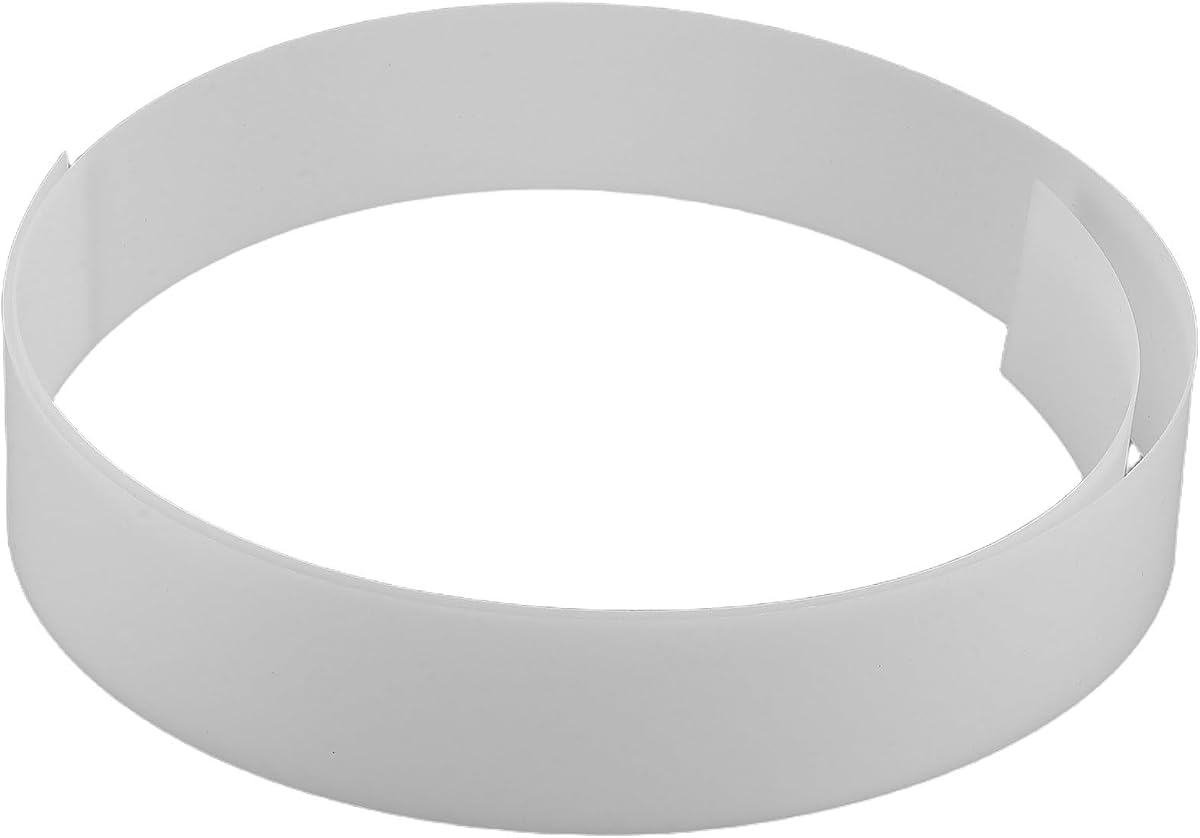
The Flexible Acrylic LED Light Strip Diffuser Panel is a long, narrow cover designed for LED tape, cove lighting, chandeliers, and existing strip profiles. At 1 millimeter thick and measuring 1220 by 45 millimeters, it offers a low-profile way to spread the direct appearance of a linear light source. No customer rating is listed for the product.
We may earn a commission when you buy through this link, at no additional cost to you.
Its flexible construction is the central feature. Users can fit the white panel into a compatible profile or mount it over a strip to create a more uniform line of light. The material is described as stable and resistant to deformation, which is important for long installations. Its length also allows it to cover a substantial portion of a desk edge or entertainment unit with a single continuous piece.
The dimensions leave little room for improvisation. A 45-millimeter width will not suit every fixture, and the product is not a general replacement for round lamp diffusers or large panel-light covers. Installation details are not given in the supplied product information, so users should inspect their profile and mounting method before purchase. The absence of an electrical function also means this is a passive optical accessory.
The panel is best for a gamer building a clean, concealed strip-light system behind a monitor or along shelving. It suits users who value a continuous, even appearance more than decorative RGB effects. For a simple existing LED strip, it can provide a noticeably refined result; for colored or synchronized gaming lighting, a dedicated addressable strip system will be the more relevant choice.
The long format is suited to long runs of LED tape. When installed correctly, it hides much of the source's point-like appearance and produces a cleaner line of light.
The flexible panel is intended for strip-light profiles, tape lights, and cove systems. Checking profile dimensions and mounting access helps ensure that the cover sits securely.
We may earn a commission when you buy through this link, at no additional cost to you.
The Small Fabric Lamp Cover is a removable textile filter for compatible LED table and floor lamps. It has a 3.5 rating and is designed for shades or lamps with a diameter between 12 and 18 centimeters. Instead of using a hard optical sheet, it wraps over the light with white polyester fabric to soften the output.
We may earn a commission when you buy through this link, at no additional cost to you.
Elastic bands around the cover make installation and removal simple. The fabric is waterproof and easy to clean, while its dust-proof design can help reduce buildup on the covered lamp. It is particularly useful for a bedside gaming setup, reading station, or home office where an LED lamp creates a harsh patch of light but has a shape that prevents a conventional rectangular sheet from fitting.
Safety and compatibility require attention. The cover should be used only with LED lamps and must not be placed directly over exposed bulbs, incandescent bulbs, high-temperature spotlights, or other sources with substantial heat output. Its specified diameter range also excludes larger lamps, and the soft fabric may not deliver the same level of optical uniformity as a rigid diffuser panel.
This cover is best for a compact setup with a smaller, shade-compatible LED lamp. It is less useful for modern strip lighting, large ceiling fixtures, or monitor illumination. Although its rating is modest, its washable construction and elastic mounting make it a convenient choice when the priority is flexible placement and a softer appearance rather than precise technical light control.
The surrounding elastic bands allow the cover to move with the shape of a compatible lamp. Users can remove it for cleaning or switch between a diffused and undiffused appearance.
The fabric reduces harsh direct output, making it useful for a compact reading or gaming corner. Confirming lamp diameter and heat limits is essential before fitting it.
We may earn a commission when you buy through this link, at no additional cost to you.
The Optical-Grade PC Diffuser Board is a rigid 11.8-inch-square sheet designed to homogenize LED light and reduce harsh spots. It carries a 4.2 rating and distinguishes itself from basic diffusion films through a stated light transmittance of at least 80 percent, a broad operating range of -40 to 120 degrees Celsius, and optical-grade polycarbonate construction.
We may earn a commission when you buy through this link, at no additional cost to you.
Its combination of high transmission and even distribution is valuable for a gaming room where a bright fixture must remain useful for general visibility. It can be used with photography fill lights, panel lights, ceiling lights, track lights, and spotlights. The 0.039-inch thickness keeps the board relatively lightweight and allows users to cut it into the size and shape needed for a fixture.
As with other passive sheets, installation depends on the light source and its housing. The material should not be assumed to suit every high-heat fixture merely because it has a stated temperature range. Users should verify clearance, mounting location, and whether the source's own diffuser or lens can remain in place. The board also lacks electrical controls and cannot create colored lighting on its own.
This board is a strong option for a gamer seeking more consistent overhead or panel lighting without installing another powered product. It is particularly attractive for users who value documented transmission and temperature performance. Compared with a fabric cover, it offers a more controlled optical result; compared with a connected strip system, it provides less visual excitement but a clearer focus on glare management.
The listed transmission rate allows substantial light to pass through while the board spreads the source. This makes it useful where a room needs useful illumination rather than deep ambiance lighting.
The stated polycarbonate composition and temperature range support use in varied indoor environments. Checking fixture-specific heat guidance remains necessary for safe, long-term placement.
We may earn a commission when you buy through this link, at no additional cost to you.
The Light Soften Masking Tape offers a different approach to glare reduction by selectively covering parts of an LED strip rather than placing a diffuser over an entire fixture. The package contains two fiberglass rolls measuring 0.78 inches by 32.8 feet, and it carries a 3.7 rating.
We may earn a commission when you buy through this link, at no additional cost to you.
The tape blocks 15 percent of the light while allowing the remainder to pass through. Users can cut it to a desired width and length, then apply multiple layers to increase the amount of controlled blocking. This makes it useful for shaping the direction of light around a desk, concealing selected LED points, or reducing interference from a strip without eliminating all ambient illumination.
It does not create the same smooth, homogeneous glow as an optical panel, and its narrow width means that extensive coverage can require considerable cutting and layering. Although it is described as heat resistant, flame retardant, corrosion resistant, and waterproof, users should still confirm that the adhesive and layered construction are appropriate for the specific strip surface and operating environment.
This tape is best for a flexible gaming setup with visible LED strips around shelves, cabinets, or monitor edges. It is a practical choice when a full diffuser panel would be difficult to size, but it is less suitable for producing a uniformly soft panel from a bright point source. The long rolls provide considerable freedom, making targeted light control the central benefit.
Partial coverage lets users hide or soften selected LED sections while retaining light elsewhere. This is useful when a strip creates bright points in a camera view or reflects from a nearby surface.
Each 32.8-foot roll can be cut into many narrow pieces. That flexibility suits irregular desk layouts, cabinet edges, and other runs where a standard panel will not fit.
We may earn a commission when you buy through this link, at no additional cost to you.
The RGB Monitor Light Bar combines practical task lighting with gaming-oriented color effects. It has a 4.5 rating, mounts above a monitor, and directs an asymmetric beam toward the desktop rather than the screen. Its combination of 25 settings, RGB ambience, and a universal-fit design makes it one of the most directly useful products in this guide.
We may earn a commission when you buy through this link, at no additional cost to you.
The lighting offers five brightness levels and five color temperatures from 3000K to 6000K, producing 25 combinations in total. A memory function restores the previous selection, while a 45-minute auto shutoff adds convenience. Static Gradient, Marquee, and Music Rhythm modes provide entertainment-oriented effects, and the audio-responsive option can synchronize illumination with game or music sound.
For useful desktop illumination, the bar uses 84 Ra95 LED beads and an asymmetric 45-degree optical design. Its stated output reaches 1200 lux, while the screen-oriented beam is designed to avoid reflection on flat or curved monitors. The lightweight aluminum alloy body is also intended to dissipate heat. On the downside, it lacks the automatic ambient sensing found in the Quntis model and its ambient color options are centered on three dynamic modes rather than a fully featured segment system.
This is an excellent choice for a gamer who wants readable keyboard and desk lighting without obvious screen glare and still wants RGB atmosphere. It also works well for home-office users because the high-CRI output supports editing and office tasks. The 17-to-34-inch compatibility covers many modern displays, but buyers should check their monitor's top edge, weight tolerance, and available USB connection before ordering.
The 45-degree asymmetric beam is the defining functional feature. It aims light down toward the keyboard and desktop while reducing reflected glare on the display.
Gradient, Marquee, and Music Rhythm effects provide visible gaming flair without replacing the bar's task-lighting role. The audio-responsive mode is especially suited to games and streaming sessions.
We may earn a commission when you buy through this link, at no additional cost to you.
The Quntis Computer Monitor Lamp is a premium monitor-mounted task light with a 4.6 rating. It is designed to illuminate the keyboard, notes, or desk surface while keeping light away from the display. Its standout feature is the built-in ambient light sensor, which automatically adjusts the output toward a stated 900-lux level as surrounding brightness changes.
We may earn a commission when you buy through this link, at no additional cost to you.
Manual controls add stepless adjustment for brightness and color temperature from 3000K to 6500K. The asymmetrical optical design directs illumination toward the desk rather than the screen, while a weighted clip saves desk space. Eighty-eight high-quality LED beads and a Ra98 color-rendering index support accurate-looking colors, making the lamp relevant to office work, design, editing, reading, and gaming.
The product is also described as flicker-free and compliant with IEC/TR 62778 and IEC/EN 62471 standards. Those claims support its eye-care positioning, although actual comfort varies by user and environment. It does not provide the decorative RGB effects offered by the RGB Monitor Light Bar, and its primary strength is focused illumination rather than immersive desk ambience. Buyers should also verify that the monitor's top edge can support the weighted clip.
This is the strongest recommendation for someone who spends long periods at a desk and wants automatic, consistent lighting without screen glare. It is particularly attractive for color-sensitive work and for users who prefer the system to adjust itself throughout the day. Those seeking gaming background color may prefer the RGB model, but for refined task lighting and adaptive control, the Quntis bar offers the most polished feature set.
The ambient sensor continuously monitors surrounding brightness and adjusts the bar toward the stated 900-lux target. This reduces the need to repeatedly change settings as room conditions shift.
The Ra98 rendering index and adjustable 3000K-to-6500K range make the lamp useful for editing, graphic design, and general office tasks. Its focused beam supports visual work without washing out the screen.
We may earn a commission when you buy through this link, at no additional cost to you.
The right diffuser depends on the light source, desired atmosphere, and how much control you need. Start by identifying whether you want to soften an existing fixture, conceal an LED strip, or add a dedicated monitor light.
Diffusers are not interchangeable by shape. LED-strip rope lights need flexible covers, suspended fixtures may need larger rectangular or square sheets, round lamps require fabric or shaped covers, and a monitor benefits from a purpose-built light bar with an asymmetric beam. Measure the fixture, available mounting space, and the direction in which light should travel before choosing a format.
A useful diffuser should scatter visible LED points into a more uniform field without making the room excessively dim. Optical-grade polycarbonate and a stated transmission rate provide useful technical indicators, while fabric covers prioritize a softer appearance and removable convenience. Products that simply block some light may control glare without creating a fully homogeneous glow.
Polycarbonate is commonly used because it is lightweight and impact resistant, while acrylic and polyester serve different purposes. Heat performance matters whenever a cover sits close to an LED source. Check the product's temperature range, the fixture's heat characteristics, and any manufacturer restrictions rather than assuming every diffuser is safe for every lamp.
Passive sheets and fabric covers primarily solve glare and uniformity. Connected RGB products add color scenes, music modes, app control, and sometimes game synchronization. Monitor bars offer directional task lighting with manual or automatic brightness adjustment. More control adds convenience and atmosphere but also introduces setup requirements, power connections, and dependence on compatible software or hardware.
A diffuser placed around a monitor is not automatically a solution for glare caused by a bright lamp. An asymmetric monitor light bar is designed to direct illumination toward the desk while avoiding the display. If reflections come from an overhead fixture, ceiling light, or wall-mounted lamp, target that source with a sheet or shade instead.
Cut-to-fit panels require measuring and careful trimming, while masking tape demands patience but offers fine-grained placement. Elastic lamp covers can be removed for cleaning, and monitor bars usually attach with a clip and USB connection. Consider how often the setup will be rearranged, whether tools are needed, and whether adhesive surfaces can tolerate repeated installation.
Gaming-specific value may come from addressable color segments, music-responsive effects, or synchronization with a compatible gaming system. These features are separate from true optical diffusion: a colorful strip can still create harsh points if it lacks an appropriate diffuser. Consider whether ambience, task visibility, or glare control is the primary objective.
For every option, verify the stated dimensions against the actual fixture. Monitor bars need a compatible top bezel and adequate support, sheets need clearance around the source, fabric covers must match the lamp diameter, and specialized kits may work only with a named device. Reviewing the current product page helps confirm the latest compatibility information.
Begin by identifying the source of unwanted brightness and deciding how much light the area needs. Passive diffusers should be fitted close to the LED surface for more effective homogenization, while monitor bars should sit securely on top of the display and aim their beam toward the keyboard. For cut-to-fit sheets, measure twice, support the material on a flat surface, and trim gradually.
Install each product with its intended role in mind. Secure rope lights along the underside or rear edge of a desk, mount the Philips Hue Play Bar cover only on a compatible bar, and use masking tape in small sections rather than covering an entire strip if partial illumination is desired. Keep fabric covers away from exposed bulbs and high-heat sources, and avoid blocking ventilation openings on powered fixtures.
For care, dust passive sheets gently with a soft dry cloth and clean fabric covers according to their material instructions. Monitor bars should be disconnected before their surfaces are wiped, and no liquid should enter their controls or USB connections. Inspect adhesive tape for loosening and replace it if residue builds up. Review the manufacturer's current care and safety guidance whenever the fixture or diffuser is moved.
The best type depends on the light source. An asymmetric monitor light bar is ideal for reducing screen reflections while lighting the keyboard, whereas a flexible strip diffuser is better for evening an LED strip's appearance. Rigid PC sheets are most useful for ceiling panels, downlights, and track fixtures that create harsh points of light.
A properly positioned diffuser should improve visibility by reducing glare and uneven brightness, but a poorly fitted sheet can block useful light or create shadows. Measure the fixture, position the diffusion layer correctly, and test different brightness levels. For a monitor, an asymmetric light bar is generally more suitable than covering the display itself.
Most sheets can be cut for several fixtures, but the final shape depends on the source, lens, housing, and available clearance. Confirm the stated dimensions and check whether the fixture's existing diffuser must remain in place. Cutting a larger sheet does not guarantee safe heat management or a secure fit.
No. The fabric cover in this guide is intended for compatible LED lamps and should not be placed directly on exposed bulbs, incandescent bulbs, or high-temperature spotlights. Confirm the lamp's diameter and heat output before installation, and follow both the diffuser and lamp manufacturer's guidance.
Color controls and glare diffusion are separate features. An RGB rope light may look vibrant while still showing individual LED points, so a dedicated diffuser layer or an integrated soft-lighting design is needed for a smoother appearance. Choose a product based on its optical construction if reducing glare is the priority.
A diffuser sheet spreads and homogenizes light from a fixture, producing a broader and more even appearance. Masking tape selectively blocks portions of an LED strip while allowing some light through. It is better for shaping where light appears, while a sheet is better for removing harsh spots from a concentrated source.
Some monitor bars are designed for both flat and curved displays, but compatibility depends on the model's stated size range and how the weighted clip contacts the bezel. Check the top edge, available space, weight tolerance, and connection method before purchase. A heavy or uneven clip can place unwanted pressure on the display.
Power off and disconnect any electrical diffuser before cleaning it. Wipe rigid or flexible optical sheets with a soft dry cloth, and clean removable fabric covers according to the manufacturer's care instructions. Avoid liquid around monitor-bar controls, and never use cleaning products that could scratch polycarbonate or damage protective coatings.
The Govee RGBIC LED Neon Rope Lights stand out for immersive color, flexible desk-edge installation, and integrated lighting effects. The RGB Monitor Light Bar is a versatile budget choice for gamers who want readable task lighting and basic ambience, while the Quntis Computer Monitor Lamp offers the most refined adaptive controls and high color accuracy.
For other setups, match the diffuser to the source rather than choosing solely on appearance. PC sheets suit ceiling and panel fixtures, the acrylic profile suits long LED runs, the small fabric cover works with compatible compact LED lamps, and the Play Bar kit is specific to an existing compatible light bar. Masking tape is best reserved for selective light shaping.
Before ordering, verify dimensions, mounting clearance, heat limits, power requirements, and device compatibility on the current listing. Ratings, product availability, and prices can change, so checking the latest seller information helps ensure that the selected diffuser still matches the intended gaming space.