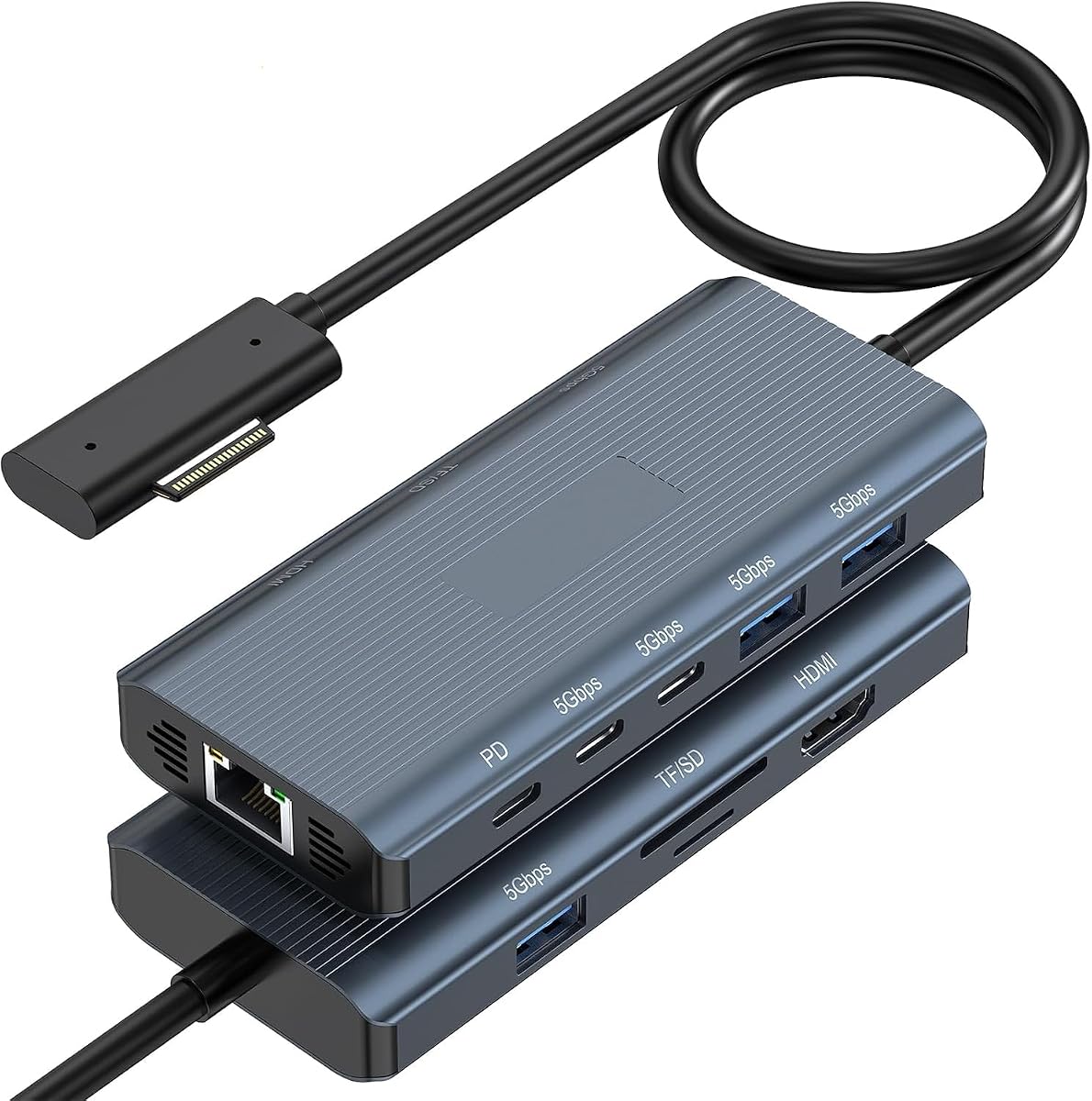
11-in-1 Surface Pro Docking Station
4.8Editor score
4K at 60Hz HDMI
Gigabit Ethernet connection
Five 5Gbps USB ports
Our guide compares 10 docking stations for Surface Pro 11, covering display options, power delivery, wired networking, USB performance, and device compatibility
A docking station can transform a Surface Pro 11 from a portable tablet into a practical desktop workstation. The right model adds external displays, wired networking, faster card access, and a convenient way to connect storage, input devices, audio, and charging without juggling multiple adapters.
The products in this guide were compared by examining their physical connectors, supported display modes, power-adapter configurations, data-transfer claims, Ethernet speeds, card-reader support, and stated compatibility with Surface Pro 11 and related devices. The list includes both Surface Connect docks and USB-C hubs.
Each recommendation highlights a different practical balance: budget-friendly expansion, broad multi-monitor support, faster wired networking, high-refresh 4K output, or a more specialized connector design. Product configurations and prices can change, so confirm the current specifications and accessory requirements before ordering.
4.8Editor score

4.8Editor score

4.3Editor score
The table below compares all ten docks by connection method, display capabilities, wired-network speed, and expansion options. It is designed to make the differences clear before checking current availability and pricing.



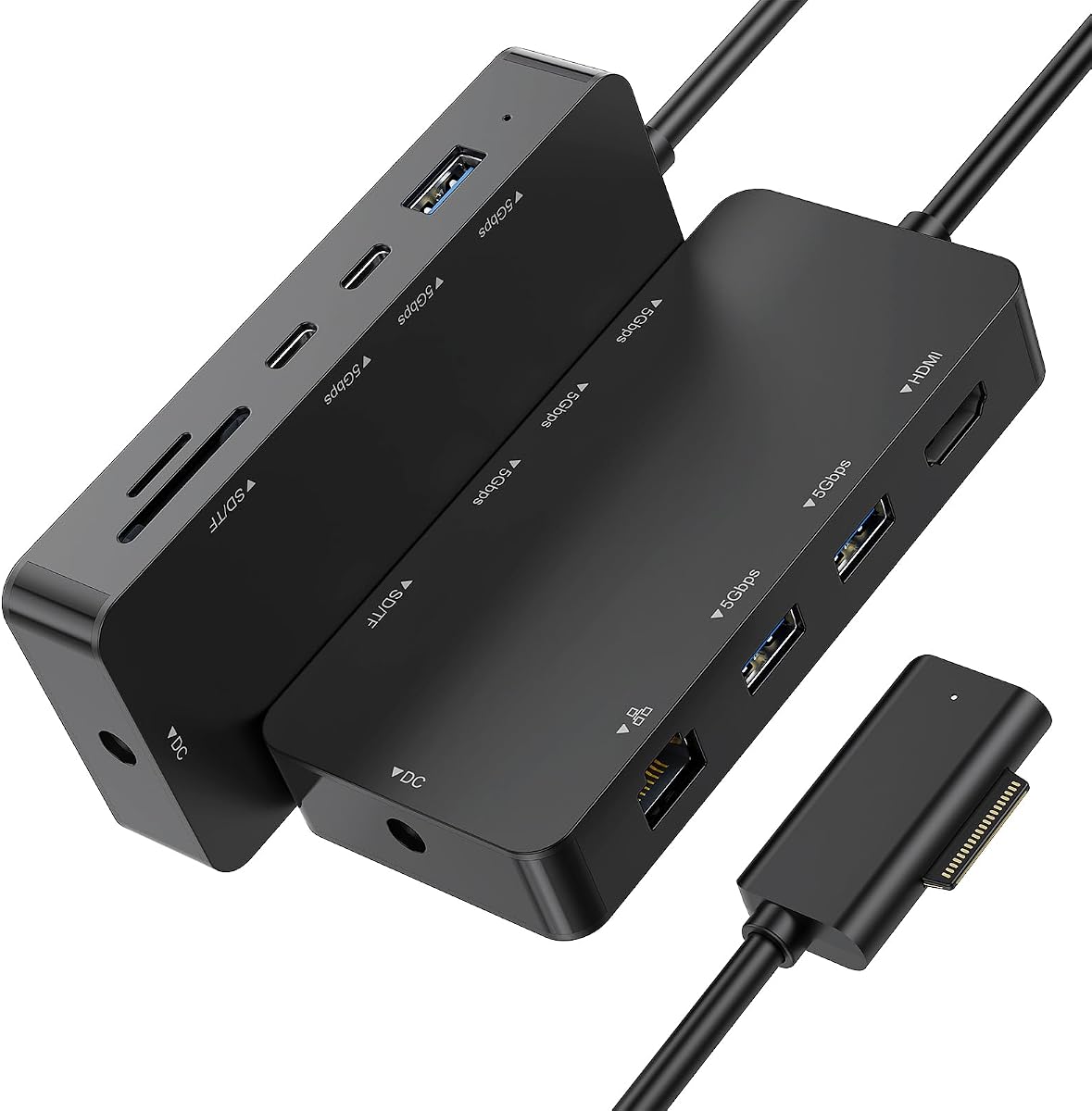
This 11-in-1 Surface Pro docking station combines a strong feature set with a particularly useful balance of everyday connectivity. Its 4.8 rating reflects a favorable customer history, while the 4K at 60Hz HDMI output, Gigabit Ethernet, and five 5Gbps USB data ports cover the main needs of a desk-based workstation.
We may earn a commission when you buy through this link, at no additional cost to you.
The dock connects through the Surface connector and supports extend or mirror modes. Its port selection includes one HDMI connection, three USB-A 3.0 ports, two USB-C data ports, an RJ45 Ethernet jack, SD and TF card slots, and a DC power input. The supplied 45W adapter is intended to support charging and more stable operation when peripherals are connected.
Its main limitation is the single video output. Users who need two or three simultaneous external displays must consider another model. It also requires the included power supply during use, so the adapter and its cable need to be factored into the desk arrangement rather than treating the dock as a fully cable-free solution.
It remains the strongest budget-oriented recommendation for a Surface Pro 11 user who wants a single dock for 4K video, fast file transfers, wired networking, card access, and common USB accessories. It is especially suitable for hybrid workers, students, and anyone replacing several everyday adapters with one Surface Connect hub.
Rather than concentrating every function into one expensive specialty interface, this dock spreads its ports across the categories most desk setups need. The result is a straightforward way to connect a monitor, wired network, storage, keyboard, mouse, printer, headphones, and memory cards.
The Gigabit Ethernet port and 5Gbps USB connections make the dock useful for large file transfers and stable office networking. Card-reader performance is stated at up to 480Mbps, providing another convenient route for importing photos and video files.
We may earn a commission when you buy through this link, at no additional cost to you.
This 12-in-1 Surface dock is designed around display flexibility, offering two HDMI outputs and one VGA output. The HDMI ports support resolutions up to 4K at 30Hz, while VGA supports 1080p at 60Hz. Its 4.1 rating is lower than several alternatives, but the extensive connection set remains attractive for multi-screen offices.
We may earn a commission when you buy through this link, at no additional cost to you.
Two USB-A 3.0 ports and two USB-C data ports provide stated transfer speeds up to 5Gbps. SD and TF slots are included, along with a 3.5mm headphone jack, 100Mbps Ethernet, and a DC power port. The package includes a power-supply adapter and manual.
When all three external displays are used with the Surface screen, the product information advises turning off the Surface display. The Ethernet connection is limited to 100Mbps, so this is not the strongest option for large transfers over a wired office network. The VGA port also adds flexibility for projectors and older displays.
This dock makes the most sense for users who value the number of display connections more than maximum network speed or high-refresh 4K. Compatible with Surface Pro 11 and a broad range of Surface devices, it is a practical choice for administrative offices, classrooms, shared workstations, and setups that still use VGA.
Having two HDMI connections and a VGA output gives users more freedom to combine modern monitors with projectors or legacy screens. The trade-off is a 30Hz maximum HDMI refresh rate rather than the 60Hz available from several higher-positioned docks.
The dock consolidates USB storage, memory cards, wired networking, headphones, and power into a Surface Connect station. That makes it useful for fixed offices where reducing adapter clutter matters as much as display flexibility.
We may earn a commission when you buy through this link, at no additional cost to you.
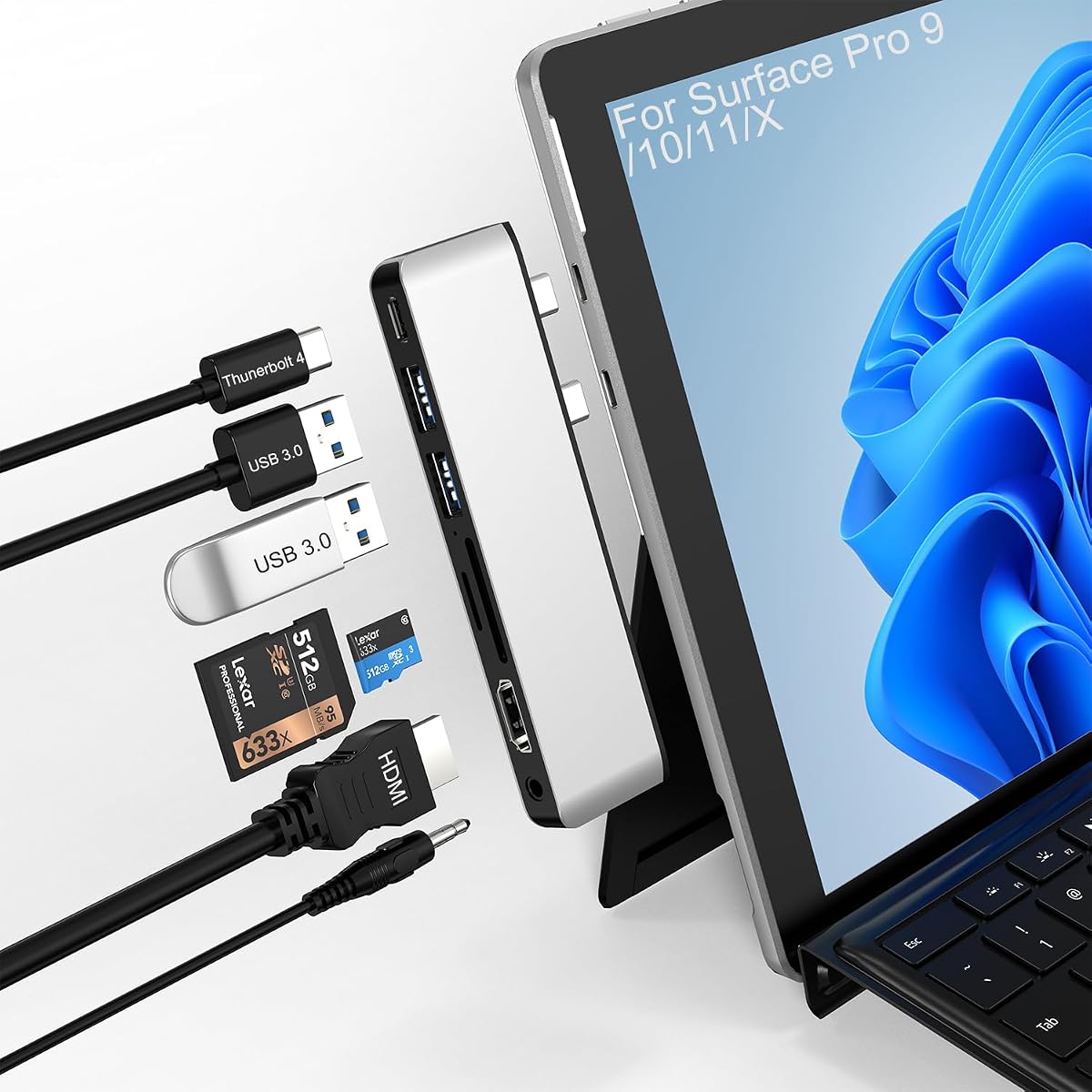
This compact hub takes a different approach by attaching through the USB-C ports of a Surface Pro 11 rather than using Surface Connect. It combines a 4K HDMI port, one full-featured Thunderbolt 4 USB-C port, two USB-A 3.0 ports, SD and TF readers, and a 3.5mm audio jack.
We may earn a commission when you buy through this link, at no additional cost to you.
Thunderbolt 4 is listed as supporting up to 8K at 30Hz for display output, 40Gbps for data transfer, and 100W power delivery. The HDMI output supports 4K at 30Hz. The product can support extended or mirrored displays and is presented as a useful option for video editing, programming, and photography workflows.
The main compromise is limited legacy USB-A expansion, with only two USB-A ports. The product information also warns that the adapter may not fit properly when a protective case is installed. Users who prefer the magnetic Surface Connect interface may find other options on this list more convenient.
For someone seeking a lightweight, driver-free USB-C setup, this hub is compelling. It adds high-bandwidth data capability, charging, display output, and card access without requiring a separate Surface-specific dock. It is particularly attractive for users who travel with a compact hub and occasionally connect to a different workstation.
The 40Gbps data capability gives this hub room for demanding storage and peripherals while also carrying display and power over the same USB-C connection. That makes it more versatile than a basic USB-C adapter limited to data or charging.
Its small aluminum enclosure and broad USB-C functionality suit users who move between desks. The USB-C approach also avoids requiring a Surface Connect port on the tablet, although the fit around a case should be checked before purchase.
We may earn a commission when you buy through this link, at no additional cost to you.
This 12-in-1 dock combines a high 4.8 rating with one of the most complete port configurations in the guide. It supports three external screens through two HDMI ports and one VGA port, making it suitable for users who need a command-center style workspace or several task-specific application windows.
We may earn a commission when you buy through this link, at no additional cost to you.
Both HDMI outputs support up to 4K at 30Hz, while VGA supports 1080p at 60Hz. The dock also has two USB-A 3.0 ports, two USB-C data ports, SD and TF readers, a 3.5mm audio connection, 100Mbps Ethernet, and a DC power input. A dedicated 72W adapter is included.
There are important limitations. When VGA is used, the external displays are limited to 1080p according to the product information. The USB-C ports support data only, not video output or charging, so they should not be mistaken for full-function Thunderbolt-style connectors.
It is an excellent fit for fixed multi-monitor workstations that also need broad device compatibility and included power. Users who require 4K at 60Hz, Gigabit Ethernet, or video over USB-C should instead examine the docks with those specific capabilities.
The combination of two HDMI ports and VGA supports command centers, trading setups, editing suites, and other workspaces where one screen is insufficient. The Surface screen must be managed carefully when the maximum external-display arrangement is used.
The included 72W adapter provides charging while the dock operates connected accessories. Dual 5Gbps USB connections and simultaneous SD and TF readers are convenient for working with external drives and media cards.
We may earn a commission when you buy through this link, at no additional cost to you.
This 12-in-1 Surface dock pairs a strong 4.8 rating with a well-balanced collection of display, data, networking, audio, and card-access features. Its two HDMI outputs and VGA connection allow up to three external screens, while the supplied 72W adapter supports charging during use.
We may earn a commission when you buy through this link, at no additional cost to you.
The HDMI ports support up to 4K at 30Hz, and VGA supports 1080p at 60Hz. Two USB-A 3.0 ports and two USB-C data ports are stated to support 5Gbps transfers. Separate SD and TF slots can read cards at up to 104MB/s, and the 3.5mm jack provides wired headphone or audio access.
Its main limitations mirror those of many triple-display docks. Maximum HDMI refresh is 30Hz rather than 60Hz, and the 100Mbps Ethernet port is slower than Gigabit alternatives. Users moving very large files over the wired connection may prefer a model with a 1000Mbps port.
For most multi-monitor office setups, however, this dock offers the most convincing overall balance. It is well suited to hybrid workers, creative professionals, educators, and administrators who need several displays, extensive USB connectivity, card access, and a dedicated power supply in one Surface Connect unit.
Two HDMI connections and one VGA output support several common screen arrangements. Users can keep documents, communication, and reference material visible simultaneously, although the Surface's own display may need to be turned off in the maximum three-external-screen configuration.
Five 5Gbps USB ports provide ample connections for external drives, keyboards, mice, and other accessories. The card slots are another advantage for photographers and editors who regularly import photographs or footage.
We may earn a commission when you buy through this link, at no additional cost to you.
This premium 12-in-1 dock stands out for combining two 4K at 60Hz HDMI outputs, VGA, Gigabit Ethernet, and a 100W power adapter. It is built for users who want smooth high-resolution visuals and faster wired networking without assembling several separate adapters.
We may earn a commission when you buy through this link, at no additional cost to you.
The display section uses MST to support extend or mirror arrangements across up to three external monitors. Two USB-A 3.0 ports and two USB-C 3.0 data ports provide 5Gbps transfer speeds. The dock also includes SD and TF 3.0 readers, a 3.5mm audio/mic jack, and a 100W DC power input.
Its Ethernet specification calls for 1000Mbps Gigabit, although the product description also describes the connection in more general terms as a stable wired network. Users needing sustained multi-gigabit transfers should verify the exact network standard of their router and workstation environment.
This is the strongest recommendation for a premium Surface Pro 11 desk. The combination of 60Hz 4K support, three-display flexibility, high-speed card access, Gigabit Ethernet, and a generous power adapter creates a well-rounded hub for demanding creative and technical workflows.
Dual 4K at 60Hz HDMI support distinguishes this dock from models limited to 30Hz. That can make interfaces feel more responsive when scrolling, editing timelines, or moving between detailed applications.
Gigabit Ethernet is a meaningful advantage over 100Mbps models for office file transfers. The dock also provides four 5Gbps USB data connections and dedicated media-card slots for a more integrated creative workflow.
We may earn a commission when you buy through this link, at no additional cost to you.
This 10-in-1 dock offers a straightforward way to add a 4K display, fast USB connections, card readers, and Gigabit Ethernet to a Surface Pro 11. Its 4.4 rating reflects a favorable but less exceptional customer rating than the leaders in this guide.
We may earn a commission when you buy through this link, at no additional cost to you.
The HDMI port supports 4K at 30Hz and extend or mirror modes. Three USB-A 3.0 ports and two USB-C ports are stated to support 5Gbps data transfer. SD and TF readers support cards up to 2TB, with stated card speeds up to 104MB/s. A 1000Mbps RJ45 port supplies wired networking.
The included 65W power adapter is intended to charge the connected Surface while the dock is operating. One limitation is the single physical display output, despite the listing's mention of multi-screen viewing. Users requiring two independent external monitors should choose a dual- or triple-display model.
This dock is well matched to users who primarily need one large monitor alongside abundant USB connectivity and fast Ethernet. Its straightforward port selection, included power supply, and broad Surface compatibility make it a practical option for office and study setups.
The 1000Mbps Ethernet connection is a notable improvement over the 100Mbps ports offered by several competing docks. It is well suited to offices where a reliable wired connection is preferred to wireless networking.
Five data ports make it possible to connect multiple accessories without additional hubs. The shared 5Gbps capability is useful for everyday storage and peripheral use, while separate media-card slots simplify photo and video imports.
We may earn a commission when you buy through this link, at no additional cost to you.
This 12-in-1 Surface dock is a flexible office option with three external-display connections, a broad USB selection, and a 72W charging input. Its 4.5 rating places it among the stronger-reviewed products here, although its networking and refresh-rate specifications are not the most advanced.
We may earn a commission when you buy through this link, at no additional cost to you.
The two HDMI outputs support 4K at 30Hz, while VGA supports 1080p. Two USB-A 3.0 ports and two USB-C ports provide data connections, with USB-A speeds listed at 5Gbps. SD and TF card slots, a 3.5mm audio jack, and 100Mbps Ethernet fill out the main feature set.
The product information advises disabling the Surface's screen when using the maximum three-monitor configuration. While the DC input supports up to 72W charging, users should still plan to connect the appropriate power supply during normal dock use.
This model fits offices and shared workspaces that need more than one monitor, support for VGA equipment, and numerous peripheral connections. It is less attractive for users whose priority is high-refresh 4K, Gigabit Ethernet, or video and charging over USB-C.
The mix of HDMI and VGA allows newer flat panels and older projectors or monitors to coexist. This makes the dock useful in conference rooms, classrooms, and temporary workspaces with unpredictable display equipment.
The 72W DC input can charge the Surface while the dock handles connected equipment. Four USB data ports, card slots, wired networking, and a headphone connection create a central connection point for a conventional office.
We may earn a commission when you buy through this link, at no additional cost to you.
This 12-in-1 dock is aimed at ambitious multi-display setups, using HDMI, DisplayPort, and a full-function USB-C port for three external screens. The product information states that all three outputs can support 4K at 60Hz, while also providing a substantial 120W power adapter.
We may earn a commission when you buy through this link, at no additional cost to you.
Its full-function USB-C port supports 4K at 60Hz display output, 5Gbps data transfer, and 5V/3A power delivery. Additional ports include two USB-C data connections, two USB-A 3.0 connections, Gigabit Ethernet, SD and TF 3.0 readers, a 3.5mm audio/mic jack, and a 120W DC power input.
The broad capabilities also bring complexity. Users must plan for a larger power supply and understand the operating-system conditions around multi-monitor use; the product information notes that on Windows 10 and below, the Surface screen should be turned off when using three monitors. Actual display behavior can also depend on device and system settings.
For a power user who genuinely needs three modern high-resolution displays, this dock offers one of the most ambitious configurations in the guide. It is best suited to a permanent desk with room for power and display cables rather than a minimalist portable arrangement.
HDMI, DisplayPort, and full-function USB-C offer more current display options than a dock limited to HDMI and VGA. That variety helps users select the correct connection for different monitors and refresh-rate requirements.
The 120W adapter provides the highest included charging rating among these recommendations. It is designed for a stationary setup where the Surface, displays, and multiple accessories need reliable power while working.
We may earn a commission when you buy through this link, at no additional cost to you.
This 10-in-1 dock delivers a clean combination of 4K at 60Hz video, Gigabit Ethernet, and five high-speed USB data ports. Its 4.7 rating is among the strongest in the guide, and the included 50cm magnetic Surface Connect cable makes positioning around a desk easier.
We may earn a commission when you buy through this link, at no additional cost to you.
The single HDMI port supports extend, mirror, or single-display modes at up to 3840 by 2160 at 60Hz. Two USB-C and three USB-A ports are stated to support 5Gbps transfers, while SD and TF readers operate at up to 480Mbps. The 1000Mbps Ethernet port supports a stable wired connection.
A dedicated PD power adapter is included, although users should follow the manufacturer's guidance for connecting it. The dock has one video output, so it does not replace a multi-monitor model. Its physical cable is also longer than the direct magnetic connector found on some competing docks, which may be useful for reaching a rear desk position.
This is a strong recommendation for a Surface Pro 11 user who primarily wants one excellent 4K display, abundant USB connectivity, fast card reading, and Gigabit Ethernet. It combines the common needs of a home office with a tidy single-cable magnetic connection.
The 50cm magnetic cable provides some freedom when positioning the dock relative to the Surface. It can reduce awkward cable bending while keeping the familiar Surface Connect attachment style.
Rather than emphasizing several display outputs, this dock focuses on one high-quality HDMI connection, Gigabit Ethernet, and five 5Gbps USB ports. That focus suits many single-monitor work arrangements.
We may earn a commission when you buy through this link, at no additional cost to you.
The right Surface Pro 11 dock depends on your displays, peripherals, power setup, and preferred connection style. Reviewing these factors before buying helps avoid paying for unused ports or choosing a hub that cannot meet your display or charging needs.
Surface Connect docks attach magnetically through the charging and accessory interface on compatible Surface devices. They generally provide a tidy desktop connection and many models include a dedicated power adapter. USB-C hubs connect through the tablet's USB-C ports instead, which can make them more portable but may require attention to protective-case fit and cable orientation.
Choose Surface Connect for a permanent desk with a supported Surface Pro 11. Choose USB-C when portability, use with additional USB-C devices, or access to the Thunderbolt 4 port matters most.
Single-monitor users can focus on 4K at 60Hz output and may not need to pay for a triple-display chassis. Multi-screen workers should count HDMI, DisplayPort, and VGA outputs separately, then confirm the stated refresh rate for each connection. Some docks support 4K at 30Hz, while others support dual 4K at 60Hz.
Prioritize the exact combination and resolution of your existing monitors. A three-output dock is useful only if the device, operating system, and displays can work with that arrangement.
A docking station commonly needs its own power supply so it can charge the Surface and power displays and peripherals at the same time. Included adapters range from 45W to 120W in this guide, while the compact USB-C hub supports up to 100W PD over its Thunderbolt 4 connection.
Check whether an adapter is included, confirm the connector requirements, and use the supplied unit when possible. Higher-wattage options are most relevant to permanently connected displays and multiple accessories.
USB-A ports remain useful for keyboards, mice, printers, flash drives, and many existing accessories. USB-C data ports are convenient for modern storage and compact peripherals. Five 5Gbps USB connections offer ample everyday bandwidth, but the number of physical sockets matters when several devices must remain connected.
Match both port style and count to your equipment. If most peripherals use USB-A, prioritize a dock with multiple USB-A sockets rather than relying on adapters.
Many docking stations include RJ45 Ethernet for a stable office connection, but the stated speed varies. A 100Mbps port is adequate for common browsing, conferencing, and routine file activity. A 1000Mbps Gigabit connection offers more headroom for large file transfers and busy local networks.
Choose Gigabit Ethernet if you regularly move large project files over the wired network. For a simple office internet connection, the difference may be less important than display quality or USB expansion.
Integrated SD and TF readers make it easier to import photographs and video without a separate adapter. Some models support cards up to 2TB and state transfer rates of 104MB/s or 480Mbps. A 3.5mm jack can support wired headphones, microphones, or audio depending on the device and configuration.
Photographers, editors, and students who routinely use memory cards should check reader format support and whether both slots can be active at once. A headphone jack is useful for private calls and focused work.
Most products in the guide list broad compatibility with Surface Pro 11 and multiple generations of Surface Laptop, Go, Book, and Studio devices. Nevertheless, model years and special editions can differ. Some docks explicitly exclude the 12-inch Surface Pro or devices without Surface Connect, while the USB-C hub warns about protective-case fit.
Confirm the exact Surface model, operating system, connector location, and any case in use. Broad wording on a product listing should not replace a model-specific compatibility check.
Begin by placing the dock where its ports and attached cables will remain accessible. For a Surface Connect model, connect the power adapter to the dock first, then attach the magnetic Surface connector in the orientation recommended by the manufacturer. Leave enough space around the connector and the power lead so neither is bent sharply.
Connect displays before adding storage and peripheral devices. Use the dock's designated HDMI, DisplayPort, VGA, or USB-C video output, configure the desired extend or mirror mode in Windows, and confirm that the intended resolution and refresh rate are active. Afterward, connect Ethernet, keyboards, mice, storage, headphones, and memory cards to the appropriate ports.
Avoid repeatedly unplugging the Surface connector while files are transferring or while displays are active. Keep the dock and power adapter away from moisture, direct heat, and crowded cable bundles. When cleaning the enclosure, disconnect power and use a soft, dry or lightly dampened cloth rather than soaking the connector or allowing liquid to enter any port.
It depends on how you use the device. A dock is useful when you regularly connect multiple monitors, wired networking, external storage, memory cards, or several peripherals. If you mainly use the touchscreen at a desk or connect one simple accessory, the tablet's built-in ports may be sufficient. A dock becomes most valuable as a permanent desk setup grows.
Not automatically. Many docks use the magnetic Surface Connect interface, while others connect through USB-C. Surface Connect models must be compatible with the Pro 11 and have the appropriate connector, while a USB-C dock must physically fit around the tablet and any attached case. Review the exact model and connector requirements before ordering.
The refresh rate controls how many times a display updates each second. A 60Hz dock generally feels smoother when scrolling, dragging windows, or working in detailed applications. A 30Hz dock may still provide sharp 4K output, but the experience is less fluid. Consider the native refresh rate of each monitor when choosing.
Several options in this guide support two or three external displays. The available outputs vary: some provide two HDMI ports, others add VGA, DisplayPort, or full-function USB-C. To use three external screens, some models require the Surface's own display to be turned off, particularly on older Windows versions. Display support can also depend on the exact device configuration.
Most of the Surface Connect docks include a power adapter, but the wattage varies by model. The compact Thunderbolt 4 USB-C hub supports up to 100W power delivery through its USB-C connection. Always check the package contents and use the specified adapter for stable charging and peripheral operation.
It matters more when you transfer large files, use a busy local network, or want a consistent connection in an office. A 100Mbps port can still support ordinary web use, video calls, and routine activity. A 1000Mbps Gigabit port provides additional headroom and is a sound choice for a permanent productivity workstation.
No. Several Surface Connect docks list USB-C data ports that do not provide video output or charging. By contrast, the compact USB-C hub and certain premium docks include a full-function USB-C port supporting display output, data transfer, and power delivery. Check each port's functions rather than assuming that every USB-C socket offers the same capabilities.
It depends on the connection method and case design. Surface Connect docks may be affected if the case obstructs the connector. The compact USB-C hub specifically warns that it may not fit properly when a protective case is installed. Check the dimensions and connector clearance, and remove the case temporarily if installation is uncertain.
The 11-in-1 Surface Pro Dock is the most convincing all-round budget pick, combining 4K at 60Hz output, Gigabit Ethernet, five 5Gbps USB ports, card readers, and a 45W adapter. The Triple Display Surface Dock stands out for users who want a particularly balanced 12-port desktop hub, while the Thunderbolt 4 Surface Dock is the premium choice for dual high-refresh 4K displays and faster networking.
Your priorities should determine the winner. Choose a single-display dock for a simpler desk, a dual-output model for two monitors, and a three-output hub for specialized multi-screen work. USB-C is worth considering for portable setups, while Surface Connect provides the familiar magnetic experience and broad accessory compatibility.
Finally, verify the current product details before buying, especially adapter wattage, display refresh rates, USB-C functions, and compatibility with your exact Surface Pro 11 configuration. Prices and package contents can change over time, so the live listing remains the most reliable source for current availability and specifications.