
4 Pack HDMI Dummy Plug 4K HDR
4.8Editor score
4K60 virtual display support
Four adapters included
Cross-platform compatibility
No drivers required
Aluminum housing
Our HDMI Dummy Plug guide compares ten EDID emulators for 4K headless PCs, remote access, virtual displays, gaming, servers, and multi-monitor setups today.
An HDMI dummy plug is a small EDID emulator that convinces a computer an active display is connected. It is useful for headless PCs, remote desktops, virtual monitors, GPU tasks, streaming, and servers where leaving a real monitor powered on would be inconvenient.
The products in this guide were compared by examining advertised resolution and refresh-rate support, operating-system compatibility, installation requirements, pack size, construction, and suitability for common headless workflows. The list includes basic 1080p adapters, 4K60 models, high-refresh HDMI 2.1 options, and multi-pack sets.
Each review explains the strongest reason to consider a particular HDMI dummy plug, along with any limitations implied by its specifications. Ratings and product details reflect the supplied listings, while prices and availability can change, so readers should confirm current details before purchasing.
A good HDMI dummy plug should negotiate a stable display mode with the graphics hardware and present the computer with an active display that remote-access software can capture. Resolution, refresh rate, operating-system support, and the number of adapters all influence which model is most appropriate.
4.8Editor score
4.6Editor score

The table below compares all ten HDMI dummy plug options by advertised display capabilities, hardware requirements, operating-system support, and practical value for multi-device or multi-display installations.


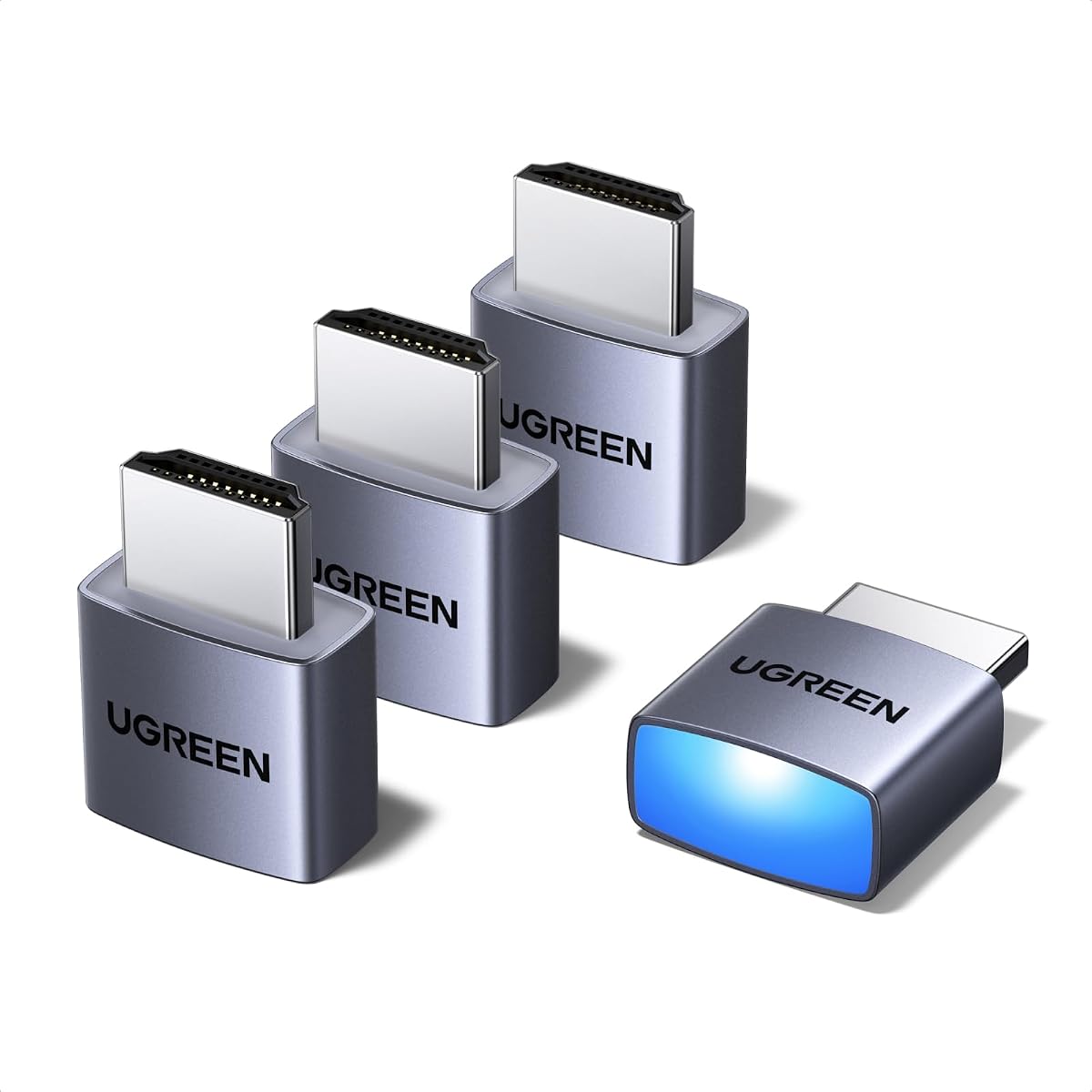
The UGREEN 4 Pack HDMI Dummy Plug is a strong all-around choice for users who want a dependable EDID emulator without a complicated setup. Its supplied rating is 4.6, and the advertised 4K60, 1080p120, and HDR support cover the needs of most remote-access and virtual-display workflows. The included status LED is a thoughtful addition for installations where visual confirmation of the connection is valuable.
We may earn a commission when you buy through this link, at no additional cost to you.
This set is especially useful for servers, home labs, trading stations, and remote-deployed PCs that benefit from keeping the GPU active. The adapters support discrete graphics cards, laptops, and other HDMI-equipped devices across Windows, Mac, and Linux. Their plug-and-play design requires no drivers, software, or external power, while the aluminum shell is intended to dissipate heat during extended tasks.
The principal compromise is that 4K60 output is listed as 4:2:0, which may not be ideal for demanding color-critical work or every high-bandwidth display workflow. HDR also depends on the capabilities of the graphics card, operating system, and remote application. These limitations are common in the category and are manageable when the goal is headless operation rather than local image quality.
The UGREEN set is a strong recommendation for buyers who want four ready-to-use adapters, a visible status indicator, and broad operating-system compatibility. It suits home labs and professional remote systems alike, provided the expected 4K color format and refresh modes have been confirmed for the rest of the hardware.
Four adapters make it possible to equip several machines or additional graphics outputs without buying individually. This is particularly useful in home labs, server rooms, and offices where the same compact peripheral may be moved between workstations during maintenance.
The integrated LED provides quick visual confirmation that the adapter is seated and receiving power from the HDMI port. It does not diagnose every remote-access problem, but it simplifies basic installation checks in remote locations.
We may earn a commission when you buy through this link, at no additional cost to you.
This four-pack HDMI dummy plug combines a 4.8 rating with broad advertised compatibility, making it the best budget-oriented option in this roundup. It supports 4K60, 2K60, and 1080p120 virtual displays, while listing NVIDIA, AMD, and Intel graphics hardware alongside Windows, macOS, and Linux support. That combination makes it appealing to users who want a straightforward adapter for a mixed hardware environment.
We may earn a commission when you buy through this link, at no additional cost to you.
The package offers four adapters, which is enough to cover several headless PCs or to create additional virtual outputs. Its advertised uses include remote desktops, cryptocurrency mining, automated trading, video editing, streaming, VR development, and Kubernetes clusters. A plug-and-play design eliminates the need for software, drivers, configuration, or an external supply, while an aluminum housing is intended to handle heat during extended operation.
As with the UGREEN model, its 4K60 mode uses 4:2:0 chroma subsampling. That can look different from full 4:4:4 output on a local high-quality display, though remote administration and virtual-display tasks are usually less concerned with that distinction. The listing also uses broad durability language, but buyers who need a formal warranty or specific certification should verify those details before ordering.
For users building a small server rack or maintaining several remote machines, this is a convincing package deal. Its combination of four adapters, broad platform claims, and a higher listed rating makes it the strongest budget pick, provided 4:2:0 at 4K is acceptable for the intended application.
Support for major graphics-card brands and all three major desktop operating systems makes this a flexible choice for labs that do not use identical hardware. Buyers should still confirm that the target graphics output and remote-access application behave as expected.
The four-pack format is useful for multi-system installations, temporary setup changes, and keeping a spare adapter nearby. It also gives users the option to leave one installed while testing another port or system configuration.
We may earn a commission when you buy through this link, at no additional cost to you.
The DTech HDMI Dummy Plug is a focused three-pack option for headless PCs and servers. Its supplied rating is 4.6, and the listing describes support for resolutions up to 4096×2160, along with compatibility with Windows, Mac OS, and Linux. It is a practical choice for users whose priority is maintaining an active display signal rather than maximizing refresh rate.
We may earn a commission when you buy through this link, at no additional cost to you.
The adapters emulate a high-resolution display so a computer can run without a locally attached monitor. That can benefit remote desktop connections, rendering, simulations, cryptocurrency mining, VR, game streaming, and screen sharing from a Mac Mini server. Gold-plated HDMI contacts are specified to support stable signal transmission, and the plug-and-play format needs no driver, configuration, or external power.
Compared with newer high-refresh options, the DTech listing provides fewer details about exact refresh rates and does not advertise HDR. Its 4K capability is still useful for remote desktops, but buyers seeking 4K120, 1440p high refresh, or explicit HDR negotiation should choose a model whose listing directly covers those modes.
This three-pack is a sensible selection for a small collection of headless workstations, especially when broad operating-system support and simple installation matter. It may be the right balance for servers and remote systems that need 4K-class virtual displays without the broader specification claims associated with premium HDMI 2.1 models.
The adapter allows a computer to remain remotely accessible without requiring a physical display to be powered on. This is useful for unattended PCs where keeping a monitor active would add clutter, energy use, or an unnecessary failure point.
The advertised gold-plated HDMI interface is intended to maintain a dependable digital connection. As with any adapter, the graphics output and port itself must also support the desired display mode.
We may earn a commission when you buy through this link, at no additional cost to you.
The HDMI Dummy Plug Headless Ghost is built for uncomplicated 1080p60 virtual-display use. It carries a supplied rating of 4.6 and offers an ultra-compact, low-profile body that is easy to leave connected on a desktop or mini PC. Its advertised support for Windows, macOS, Linux, and graphics cards with HDMI output gives it broad everyday utility.
We may earn a commission when you buy through this link, at no additional cost to you.
Installation requires no drivers, configuration, or power cable. Once connected, the adapter acts in a manner similar to a regular LCD display from the computer's perspective, allowing software to recognize an active output. The listing specifically highlights high-resolution GPU-accelerated remote desktop use and GPU tasks, making it a sensible basic adapter for administration and automation.
Its main limitation is obvious but important: the advertised target is 1920×1080 at 60Hz. That mode is sufficient for many remote administration tasks, but it is not appropriate for users requiring 4K workspaces, 1080p high refresh, or HDR. The single-pack format is also less convenient for multi-PC installations.
For a basic remote PC that only needs a stable 1080p60 virtual display, this remains a simple and unobtrusive option. Buyers with more demanding requirements should consider one of the 4K60 or HDMI 2.1 models in this guide.
The low-profile form is useful on mini PCs and desktops where space around the graphics output is limited. It also leaves the setup visually tidy compared with a temporary monitor connected to a machine that is normally operated remotely.
A stable 1080p60 signal is often enough for remote control, lightweight automation, and conventional server access. The important benefit is that the operating system sees a display connection and can keep the GPU active.
We may earn a commission when you buy through this link, at no additional cost to you.
This three-pack HDMI dummy plug provides a middle-ground combination of capacity and advertised display features. Its supplied rating is 4.5, while the listing supports 4K60 HDR virtual displays and 1080p at 60Hz or 120Hz. It also describes a low-power, hot-swappable design with gold-plated HDMI contacts and no requirement for drivers or software.
We may earn a commission when you buy through this link, at no additional cost to you.
Potential applications include remote control, cryptocurrency mining, rendering, simulation mirroring, game streaming, VR, and screen sharing. Compatibility is listed for discrete graphics cards, HDMI-equipped notebooks, Windows PCs, Mac Mini systems under macOS, and Linux. That makes it relevant to mixed personal labs and home servers rather than only one type of workstation.
The listing's broad platform claims should be treated as compatibility guidance rather than a guarantee that every high-resolution mode will work in every environment. EDID behavior can vary with graphics drivers, operating-system updates, and remote-display software. Hot-swapping also requires appropriate system and port support. Users with specialized workflows should test the intended combination before deploying several units permanently.
This three-pack is a good choice for people who want more than one adapter without moving to a larger kit. It balances 4K-class support, a compact plug-and-play format, and enough units to cover several machines or outputs, making it particularly useful for evolving home labs.
The adapter can present a 4K60 virtual display and supports lower refresh modes for tasks that do not need maximum bandwidth. This makes it more versatile than a 1080p-only unit while remaining less demanding than an HDMI 2.1 configuration.
The advertised hot-swap support can simplify moving an adapter between compatible outputs. Administrators should still confirm that the graphics driver and remote-access application support the intended display configuration.
We may earn a commission when you buy through this link, at no additional cost to you.
The five-pack version of this HDMI dummy plug is aimed at larger home labs, server rooms, and multi-workstation environments. It defaults to 1080p but advertises support for 4K60, 1440p120 or 144Hz, and 1080p120, 144Hz, or 240Hz. It also lists HDR and a wide range of devices, including Windows and macOS systems, Linux machines, Raspberry Pi, Mac Mini, and Jetson Nano.
We may earn a commission when you buy through this link, at no additional cost to you.
Construction details include a gold-plated connector, full-board copper pouring, new solder, and a thickened aluminum shell intended to improve durability and electromagnetic shielding. The listing says the adapter presents an active virtual display and needs no drivers, software, external power, or configuration. Five units make it convenient to standardize several deployments at once.
Because the default resolution is 1080p, users expecting immediate 4K behavior should verify whether their chosen configuration requires a manual display-mode change. The absence of a supplied customer rating also means there is no listing-based rating to weigh, so the advertised specifications and hardware construction carry more importance in this recommendation.
This five-pack is best for administrators who know they will need several adapters and appreciate a long list of supported refresh rates. It is less compelling for a single basic headless machine, but it offers useful flexibility for an established lab or a planned multi-system rollout.
Five adapters allow an administrator to install the same virtual-display solution across multiple computers or to leave spare units available. The aluminum housings and advertised copper construction are particularly relevant when the devices will remain connected continuously.
The advertised mode list extends beyond 4K60 to high-refresh 1440p and 1080p configurations. Actual output remains constrained by the source device, graphics card, cable path, operating system, and software requesting the display.
We may earn a commission when you buy through this link, at no additional cost to you.
The 4K 120Hz HDMI 2.1 Dummy Plug is the premium high-refresh choice in this guide. It is designed to support 4K at 120Hz, along with 4K60, 1440p60 or 120Hz, and 1080p60 or 120Hz. The listing explicitly warns that the graphics card interface must support HDMI 2.1 to achieve 4K120, making hardware verification an essential part of the purchase decision.
We may earn a commission when you buy through this link, at no additional cost to you.
Beyond resolution, the adapter is marketed for VR, cryptocurrency mining, video rendering, simulation mirroring, remote control, game streaming, Moonlight, Steam Link, and screen sharing. It uses a gold-plated HDMI connector, requires no drivers, software, configuration, or power cable, and is described as producing negligible heat. It is an EDID emulator, not an HDMI transmitter or receiver, so it belongs directly in the computer's HDMI output.
The listing includes an important operating-system caveat: Windows 10 is described as supporting 4K120 HDR, while Windows 11 is listed as having a maximum of 4K60 HDR because of compatibility issues associated with system updates. This makes the adapter more attractive for carefully configured Windows 10 systems or compatible hardware than for a user who expects identical high-refresh behavior across every operating system.
For a high-end gaming or VR system with HDMI 2.1 graphics hardware, this adapter offers the most compelling performance specification in the roundup. For ordinary remote administration, the less expensive 4K60 choices provide the same essential headless-display function. Confirming source-port bandwidth and operating-system behavior prevents an expensive mismatch.
4K120 can reduce visible latency and improve responsiveness in compatible remote and gaming workflows. The benefit is meaningful only when the graphics card, HDMI port, host operating system, and receiving software all support the selected mode.
The adapter's low-power, low-heat design is appropriate for a machine that may remain connected around the clock. Its small form also makes it easier to retain in a server rack, workstation, or VR setup.
We may earn a commission when you buy through this link, at no additional cost to you.
This eight-pack HDMI dummy plug is the largest kit among the 1440p-default models and is intended for substantial headless installations. It defaults to 1440p while advertising support for 4K60, 1440p120 or 144Hz, and 1080p120, 144Hz, or 240Hz. HDR support and compatibility with Windows, macOS, Linux, Raspberry Pi, Mac Mini, and Jetson Nano broaden its potential audience.
We may earn a commission when you buy through this link, at no additional cost to you.
Eight adapters make it possible to standardize a server room, rendering cluster, home lab, or collection of remote workstations. The listing emphasizes a gold-plated connector, full-board copper pouring, new solder, and a thickened aluminum shell for signal stability, durability, and shielding. Like the other models in this family, it advertises plug-and-play operation without drivers, software, external power, or configuration.
The trade-off is obvious: this is more hardware than a single remote PC is likely to need, and no customer rating is supplied. Users should confirm that 1440p is an appropriate default for the remote software and receiving system. If most sessions operate at a lower resolution or the machines only need one active output, a smaller pack would be more economical in terms of unused equipment.
For a large deployment that is expected to grow, the eight-pack offers useful flexibility and a consistent configuration across many ports. It is best suited to administrators who already know they need numerous virtual displays rather than buyers seeking a single inexpensive adapter.
A large pack reduces the need to source individual adapters as a lab expands. It also allows administrators to assign a consistent default mode, which can simplify remote-session documentation and troubleshooting.
The advertised copper construction, gold-plated contacts, and thickened aluminum enclosure are intended for stability in persistent installations. Like all electronic accessories, long-term reliability also depends on proper seating, ventilation, and avoiding repeated bending at the connector.
We may earn a commission when you buy through this link, at no additional cost to you.
The 2160p-default five-pack is built for users who want a computer to begin in a native 4K-class virtual display. It advertises 4K60, 1440p120 or 144Hz, 1080p120, 144Hz, or 240Hz, and HDR. That makes it more relevant than 1080p-default options for 4K remote desktops, rendering workstations, and high-resolution virtual displays.
We may earn a commission when you buy through this link, at no additional cost to you.
The five adapters support a range of deployment scenarios, from mini PCs and home labs to colocation centers and remote workstations. The listing names Windows, macOS, Linux, Raspberry Pi, Mac Mini, and Jetson Nano as compatible platforms. A gold-plated connector, full-board copper construction, new solder, and a thickened aluminum shell are specified for signal quality and durability.
A 2160p default can be demanding for older graphics hardware, remote software, or bandwidth-limited connections. The source graphics output must be able to negotiate the desired resolution, and the remote application must handle a high-resolution frame buffer efficiently. Some users may prefer a 1080p or 1440p default even when 4K is available.
This five-pack is a strong choice for a small cluster of modern 4K-oriented systems. It combines a useful default with several adapters and broad mode support, but buyers should assess the performance of their remote stack before standardizing it across every machine.
Defaulting to 2160p reduces the need to select a high-resolution mode manually after each installation. This can be convenient in controlled environments where the display profile and remote application are already known to support 4K.
Five units are enough to cover several rendering or remote-access stations and retain a spare. The multi-pack is most valuable when several similar machines benefit from identical virtual-display settings.
We may earn a commission when you buy through this link, at no additional cost to you.
The 4K 120Hz 8K HDMI Dummy Plug has the broadest advertised mode range in this guide. It supports up to 4K120, 8K at 30Hz, 4096×2160 at 60Hz or 120Hz, 1440p at 60Hz, 120Hz, or 144Hz, and 1080p at 60Hz, 120Hz, or 144Hz. It is a premium specification for systems with modern HDMI 2.1 graphics hardware.
We may earn a commission when you buy through this link, at no additional cost to you.
The listing positions the adapter for cryptocurrency mining, rendering, simulation mirroring, remote control, VR, game streaming, Moonlight, Steam Link, Steam Deck, ROG Ally, and screen sharing. It uses a gold-plated connector and requires no driver, software, external power, or configuration. The claimed low power draw and negligible heat are favorable for a permanently connected accessory.
Those advanced modes still depend on the source hardware. The listing specifically notes that 4K120 requires an HDMI 2.1 graphics-card interface, and a device advertising 8K30 is not equivalent to an adapter that can deliver 4K120. Remote software, displays, cables, and drivers may each impose additional limits. Buyers should therefore treat the specification list as a capability ceiling rather than an automatic system configuration.
This adapter is most appropriate for enthusiasts and professionals whose existing hardware can exploit its high-end modes. It is unnecessary for basic server administration, but it offers the most room for future display capabilities among the single-adapter choices presented.
Support for 4K120 and 8K30 gives compatible HDMI 2.1 systems room to operate across several demanding modes. This is valuable when the same headless machine serves high-resolution visualization, gaming, or simulation workloads.
The listing specifically mentions Moonlight, Steam Link, Steam Deck, ROG Ally, VR, and streaming applications. These use cases benefit from a reliable active-display signal, but the remote and receiving devices must also support the selected resolution and refresh rate.
We may earn a commission when you buy through this link, at no additional cost to you.
Choosing an HDMI dummy plug involves matching the adapter's advertised EDID modes to the graphics hardware, operating system, and remote-access software while considering how many virtual outputs the installation needs.
Begin with the resolution and refresh rate needed by the remote client, capture tool, or task. Basic administration may work at 1920×1080 and 60Hz, while high-resolution editing, detailed interfaces, and gaming can benefit from 4K60 or faster modes. The adapter's highest advertised mode is only useful when the source graphics card and HDMI port can negotiate that resolution and refresh rate.
Choose the lowest mode that meets your needs if you want broad compatibility and less demanding hardware. Prioritize 4K60 or 4K120 only when the entire display chain supports it.
HDMI 2.1 capabilities are important when the target resolution and refresh rate exceed the limits of earlier HDMI implementations. A 4K120 dummy plug must be connected to a graphics card and port that explicitly support HDMI 2.1 and the required bandwidth. The adapter cannot add a capability that the source device does not possess.
Check the specifications of the complete computer, not merely the marketing name of the graphics card. Port layout, laptop limitations, and driver support can all affect the outcome.
Most adapters in this guide list Windows, macOS, and Linux support, but remote-desktop behavior is determined by the complete software stack. Screen capture, color conversion, frame rates, and virtual-display modes may vary among tools such as TeamViewer, AnyDesk, RustDesk, VNC, Parsec, Sunshine, Moonlight, and similar applications.
Test the exact operating system and remote utility you intend to use, especially when choosing a 4K120 or HDR configuration. Basic 1080p60 and 4K60 headless use is generally less demanding.
A single-adapter model is sufficient for one headless computer with one display output. Multi-packs are more useful when maintaining several servers, creating additional virtual outputs, or keeping spares available for testing and replacement. Larger kits can also simplify standardization across an office, home lab, or server room.
Avoid buying more adapters than the setup will use unless future expansion is likely. Unused hardware adds clutter, while a small spare can be valuable in a critical remote environment.
The default mode determines what the system is likely to request immediately after the adapter is connected. A 1080p default is broadly compatible and light on resources, while a 1440p or 2160p default suits systems prepared for larger virtual desktops. Check whether the operating system and remote application can handle the default without manual adjustment.
For mixed deployments, a lower default may cause fewer surprises. For dedicated high-resolution workstations, a 4K default can reduce initial configuration.
HDR and high-refresh support can improve color, motion, and responsiveness in compatible workflows, but they add bandwidth and compatibility requirements. Some 4K60 adapters use 4:2:0 chroma subsampling, which is less suitable for detailed text and color-critical editing than full chroma output. Local rendering and remote viewing may also behave differently.
Choose HDR only when the source device, application, receiver, and remote path all support the intended format. For administrative use, a reliable standard mode is usually more important.
An HDMI dummy plug remains connected for long periods, so connector quality and housing construction are worth considering. Gold-plated contacts, aluminum shells, copper construction, and solder quality are common selling points in this category. These features do not guarantee indefinite service life, but they can improve robustness in controlled installations.
Keep the connector supported and avoid hanging equipment from the adapter. Allow the port and surrounding hardware to remain ventilated, especially during intensive GPU workloads.
A status LED makes it easier to confirm that an adapter is seated and receiving basic power from the source port. This is particularly helpful in remote locations, where physical access is inconvenient. It is not a substitute for checking driver and remote-software logs, but it can eliminate one obvious installation issue quickly.
If no LED appears, reseat the adapter and test the HDMI port first. If it is illuminated but no virtual desktop appears, investigate the operating system, graphics driver, and remote application.
Begin by identifying the HDMI output that will be emulated and confirming that the graphics card, port, and remote-access software support the desired resolution. Shut down or place the computer in a safe state if practical, then insert the dummy plug firmly into the selected HDMI output. No separate power connection or driver installation should be required.
Start or sign into the computer and allow the operating system to detect the virtual display. Open the system display settings or the remote application's display options, select the advertised mode, and verify that screen sharing or remote control shows the expected desktop. If the default resolution is unsuitable, change it in the operating system's display configuration and then confirm that the remote client is using the same mode.
For care, keep the adapter seated without placing strain on the HDMI port and avoid pulling the computer by the connected plug. Store unused adapters in a protected place, and clean the exterior with a dry or lightly damp cloth after disconnecting the power. A single unit that fails to negotiate a display can be tested on another compatible output to help distinguish an adapter problem from a graphics-driver or port issue.
An HDMI dummy plug presents an EDID profile to the source computer, making it believe a physical display is attached. That can allow the operating system to create a virtual display and keep the graphics pipeline active. The adapter does not create a viewable image on its own and is not an HDMI transmitter or receiver.
It does not increase the processing power of a graphics card. It may help in specific headless or remote scenarios by preventing the system from losing access to a display output. Actual gaming performance still depends on the GPU, CPU, cooling, software, network, and the settings selected by the remote or local application.
Yes, provided the laptop has an HDMI output and the system can use it to expose a virtual display. Some thin laptops have limited GPU or port bandwidth, so the advertised 4K or high-refresh modes may not be available. Basic 1080p60 use is generally less demanding.
The adapter can physically fit many HDMI ports, but the available bandwidth still comes from the source device. A port that supports only 1080p60 will not gain 4K capability from the dummy plug. For 4K120, the listing specifically requires compatible HDMI 2.1 graphics hardware and a port capable of carrying that mode.
All ten products are advertised as plug-and-play devices that require no separate drivers or software from the adapter itself. The computer still needs its normal graphics driver, and the operating system or remote application must be configured to recognize and use the virtual display. A later display-setting step may still be necessary to select the desired resolution.
Technically, the adapters are small and portable, but each active computer generally needs a connection to its own HDMI output. A multi-pack is more convenient when several machines will be configured simultaneously. Moving a single adapter between systems is practical for testing, but permanently installed machines are best served by dedicated units.
It can eliminate the need to keep a physical monitor powered on, which may reduce the energy used by the complete setup. The adapter itself draws power from the HDMI source and is described as using little power. Actual savings depend on whether the monitor would otherwise remain active and on the behavior of the computer and graphics hardware.
First, reseat the adapter and test the HDMI output with another display if possible. Then update or reinstall the graphics driver, restart the system, and check the operating system's display settings for a detected virtual monitor. The problem may also involve the selected resolution, remote-access software, or a graphics card that does not support the advertised mode.
The UGREEN 4 Pack is the strongest overall choice because it balances 4K60 support, a status LED, broad platform compatibility, and four adapters. The four-pack 4K HDR model is the best budget-oriented option, while the 4K 120Hz HDMI 2.1 adapter offers the best premium performance for compatible high-end hardware.
For most headless servers and remote-access systems, reliability and compatible resolution matter more than maximum refresh rate. Check the source port, graphics card, operating system, and remote software before choosing a mode, and select a pack size that matches the number of outputs you actually need.
Ratings, specifications, prices, and availability can change, so review the current product listing before purchasing. Confirming the desired resolution and refresh rate in advance will make it easier to choose an HDMI dummy plug that works as intended.